Modern workflow automation has evolved far beyond basic webhook forwarders and cron job schedulers. With the rise of advanced reasoning models and agentic workflows, infrastructure engineers, DevOps specialists, and security-conscious organizations require automation platforms that can integrate deeply with on-premises tools and local language models—without streaming sensitive operational data, credentials, and customer records to external proprietary cloud providers.
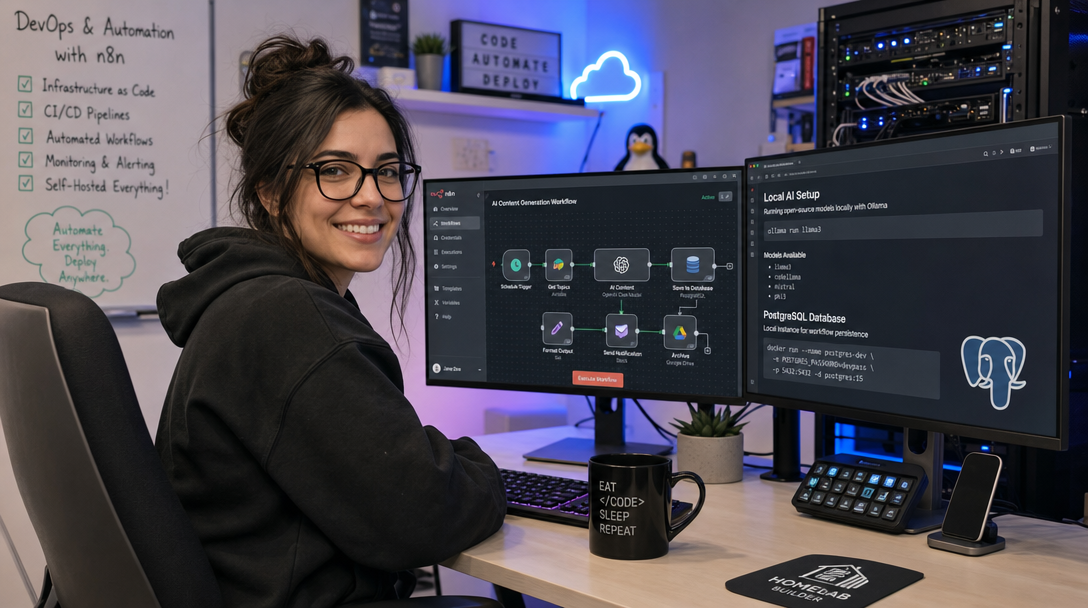
n8n is an industry-leading, fair-code workflow automation tool that offers native AI agent capabilities, visual canvas node editing, and hundreds of integrations. While n8n offers a managed cloud service and a default SQLite deployment, deploying n8n in production requires an enterprise-ready relational database like PostgreSQL, secure reverse proxy termination via Caddy, and local inference execution through Ollama (leveraging high-efficiency models like Qwen 3.6, Llama 3.3, and DeepSeek-R1).
In this comprehensive guide, you will build a production-grade, self-hosted n8n automation stack using Docker Compose, hardened PostgreSQL persistence, automated HTTPS certificate management, and native integration with a local Ollama AI engine.
Architectural Overview: The Self-Hosted Automation Stack
When running n8n in production, relying on SQLite causes concurrency bottlenecks, database lock collisions, and data loss risks during rapid execution spikes. Isolating the workflow engine, persistent database, reverse proxy, and local LLM runtime across a dedicated Docker network guarantees fault isolation and zero data leakage.
+-----------------------------------------------------------------------+
|                         Public Internet / LAN                         |
+-----------------------------------------------------------------------+
                                    |
                            HTTPS:443 (TLS)
                                    v
+-----------------------------------------------------------------------+
|  Caddy Reverse Proxy (Automatic Let's Encrypt / Zero Open Local Ports)|
+-----------------------------------------------------------------------+
                                    |
                    Internal Reverse Proxy Network
                                    v
+-----------------------------------------------------------------------+
|  n8n Automation Engine Container (Port 5678)                          |
|  - Webhook Listener & Trigger Workers                                 |
|  - LangChain-based AI Agent & Chain Nodes                             |
|  - Cryptographic Encryption Key & Persistent Credentials              |
+-----------------------------------+-----------------------------------+
                                    |
         +--------------------------+--------------------------+
         | Internal Docker Network                             | Internal Host/Network
         v                                                     v
+-----------------------------------+ +---------------------------------+
| PostgreSQL 16 Alpine Database     | | Ollama LLM Runtime Engine       |
| - Relational State Storage        | | - Models: Qwen 3.6, Llama 3.3   |
| - Execution History & Queues      | | - Local GPU/CPU Inference       |
| - ACID-Compliant Persistence      | | - REST API: Port 11434          |
+-----------------------------------+ +---------------------------------+
Key highlights of this architecture include:
- n8n Core: Executes triggers, polling loops, custom JavaScript/Python transformations, and external API requests.
- PostgreSQL 16: Provides rock-solid ACID compliance, connection pooling, and multi-version concurrency control (MVCC) for high-frequency executions.
- Ollama: Serves cutting-edge local language models and embeddings over a standardized REST API, preventing third-party token leaks and subscription fees.
- Caddy: Handles automatic TLS certificates, modern HTTP/3 protocols, and reverse proxying with minimal configuration complexity.
Prerequisites & System Preparation
Before deploying the containers, ensure your host environment meets the minimum hardware and software requirements:
- Operating System: Ubuntu 24.04 LTS, Debian 12, or any modern enterprise Linux distribution.
- CPU & RAM: Minimum 4 vCPUs and 8 GB RAM (16 GB+ recommended if running 7B-14B parameter models simultaneously via Ollama on CPU/GPU).
- Storage: At least 40 GB NVMe SSD storage for Docker volumes, execution logs, and quantized model weights.
- Software: Docker Engine 26.0+ and Docker Compose v2.20+.
- Domain / DNS: A public A or CNAME DNS record pointing to your server’s IP address (e.g.,
n8n.example.com).
Update your base packages and install prerequisite utilities:
sudo apt update && sudo apt upgrade -y
sudo apt install -y curl git jq ufw htop ca-certificates gnupg
Create a dedicated directory structure for the automation stack:
sudo mkdir -p /opt/n8n-stack/{data/n8n,data/postgres,data/caddy_data,data/caddy_config}
cd /opt/n8n-stack
Step 1: Environment Configuration (.env)
Store all sensitive database passwords, encryption keys, and domain parameters in a tightly scoped .env file. Generating a strong encryption key is vital because n8n uses it to encrypt all API keys, OAuth tokens, and webhook secrets stored in the database.
Generate secure random strings using openssl:
ENCRYPTION_KEY=$(openssl rand -hex 32)
DB_PASSWORD=$(openssl rand -hex 24)
echo "Generated credentials successfully."
Now create /opt/n8n-stack/.env:
# ------------------------------------------------------------------------------
# DOMAIN & NETWORK SETTINGS
# ------------------------------------------------------------------------------
DOMAIN_NAME=n8n.example.com
SUBDOMAIN=n8n
GENERIC_TIMEZONE=UTC

# ------------------------------------------------------------------------------
# POSTGRESQL DATABASE CREDENTIALS
# ------------------------------------------------------------------------------
POSTGRES_USER=n8n_admin
POSTGRES_PASSWORD=replace_with_strong_password_here
POSTGRES_DB=n8n_production
POSTGRES_NON_ROOT_USER=n8n_admin

# ------------------------------------------------------------------------------
# N8N ENGINE CONFIGURATION
# ------------------------------------------------------------------------------
N8N_ENCRYPTION_KEY=replace_with_generated_encryption_key_here
N8N_HOST=n8n.example.com
N8N_PORT=5678
N8N_PROTOCOL=https
WEBHOOK_URL=https://n8n.example.com/

# Execution Pruning & Performance
EXECUTIONS_DATA_PRUNE=true
EXECUTIONS_DATA_MAX_AGE=168
EXECUTIONS_DATA_PRUNE_MAX_COUNT=50000
N8N_PAYLOAD_SIZE_MAX=64

# Security Hardening
N8N_SECURE_COOKIE=true
N8N_ENFORCE_SETTINGS_FILE_PERMISSIONS=true
N8N_DISABLE_PRODUCTION_MAIN_PROCESS=false

# ------------------------------------------------------------------------------
# LOCAL OLLAMA CONFIGURATION
# ------------------------------------------------------------------------------
OLLAMA_HOST=http://host.docker.internal:11434
Lock down permissions so only the root user can read this file:
sudo chmod 600 /opt/n8n-stack/.envStep 2: Production Docker Compose Specification
Create the docker-compose.yml file. This definition bundles PostgreSQL 16, n8n, and Caddy into an isolated bridge network, while configuring extra_hosts to allow n8n to resolve host.docker.internal and access Ollama running directly on the host (or in an adjacent container).
services:
  postgres:
    image: postgres:16-alpine
    container_name: n8n_postgres
    restart: unless-stopped
    environment:
      POSTGRES_USER: ${POSTGRES_USER}
      POSTGRES_PASSWORD: ${POSTGRES_PASSWORD}
      POSTGRES_DB: ${POSTGRES_DB}
    volumes:
      - ./data/postgres:/var/lib/postgresql/data
    networks:
      - n8n_internal
    healthcheck:
      test: ["CMD-SHELL", "pg_isready -h localhost -U ${POSTGRES_USER} -d ${POSTGRES_DB}"]
      interval: 10s
      timeout: 5s
      retries: 5
    deploy:
      resources:
        limits:
          cpus: '2.0'
          memory: 2048M

  n8n:
    image: docker.n8n.io/n8nio/n8n:latest
    container_name: n8n_core
    restart: unless-stopped
    depends_on:
      postgres:
        condition: service_healthy
    environment:
      - DB_TYPE=postgresdb
      - DB_POSTGRESDB_HOST=postgres
      - DB_POSTGRESDB_PORT=5432
      - DB_POSTGRESDB_DATABASE=${POSTGRES_DB}
      - DB_POSTGRESDB_USER=${POSTGRES_USER}
      - DB_POSTGRESDB_PASSWORD=${POSTGRES_PASSWORD}
      - N8N_ENCRYPTION_KEY=${N8N_ENCRYPTION_KEY}
      - N8N_HOST=${N8N_HOST}
      - N8N_PORT=${N8N_PORT}
      - N8N_PROTOCOL=${N8N_PROTOCOL}
      - WEBHOOK_URL=${WEBHOOK_URL}
      - GENERIC_TIMEZONE=${GENERIC_TIMEZONE}
      - EXECUTIONS_DATA_PRUNE=${EXECUTIONS_DATA_PRUNE}
      - EXECUTIONS_DATA_MAX_AGE=${EXECUTIONS_DATA_MAX_AGE}
      - EXECUTIONS_DATA_PRUNE_MAX_COUNT=${EXECUTIONS_DATA_PRUNE_MAX_COUNT}
      - N8N_PAYLOAD_SIZE_MAX=${N8N_PAYLOAD_SIZE_MAX}
      - N8N_SECURE_COOKIE=${N8N_SECURE_COOKIE}
      - N8N_ENFORCE_SETTINGS_FILE_PERMISSIONS=${N8N_ENFORCE_SETTINGS_FILE_PERMISSIONS}
    volumes:
      - ./data/n8n:/home/node/.n8n
    networks:
      - n8n_internal
      - n8n_public
    extra_hosts:
      - "host.docker.internal:host-gateway"
    deploy:
      resources:
        limits:
          cpus: '4.0'
          memory: 4096M

  caddy:
    image: caddy:2.8-alpine
    container_name: n8n_caddy
    restart: unless-stopped
    ports:
      - "80:80"
      - "443:443"
    volumes:
      - ./Caddyfile:/etc/caddy/Caddyfile:ro
      - ./data/caddy_data:/data
      - ./data/caddy_config:/config
    networks:
      - n8n_public
    depends_on:
      - n8n

networks:
  n8n_internal:
    driver: bridge
    internal: true
  n8n_public:
    driver: bridge
Step 3: Caddy Reverse Proxy Configuration
Create the Caddyfile in /opt/n8n-stack/Caddyfile. Caddy automatically provisions and renews TLS certificates via Let’s Encrypt or ZeroSSL while enforcing modern TLS ciphers and streaming headers required for n8n webhooks and Server-Sent Events (SSE):
n8n.example.com {
    encode gzip zstd

    # Security Headers
    header {
        Strict-Transport-Security "max-age=31536000; includeSubDomains; preload"
        X-Content-Type-Options "nosniff"
        X-Frame-Options "SAMEORIGIN"
        Referrer-Policy "strict-origin-when-cross-origin"
    }

    # Proxy to n8n container
    reverse_proxy n8n:5678 {
        flush_interval -1
        header_up Host {host}
        header_up X-Real-IP {remote_host}
        header_up X-Forwarded-For {remote_host}
        header_up X-Forwarded-Proto {scheme}
    }
}
Ensure file ownership for the n8n container data volume. The n8n container runs as non-root user node with UID/GID 1000:1000:
sudo chown -R 1000:1000 /opt/n8n-stack/data/n8n
sudo chmod 700 /opt/n8n-stack/data/n8n
Step 4: Launching and Initializing the Stack
With configurations set, pull the images and launch the containers in detached mode:
docker compose pull
docker compose up -d
Verify that all services are healthy and running:
docker compose psInspect the initial startup logs to ensure database migrations were applied cleanly:
docker compose logs -f n8nYou should observe the database initialization routine followed by the ready message: Editor is now accessible via: https://n8n.example.com:5678/.
Step 5: Integrating Local AI (Ollama) with n8n AI Nodes
Once you access your n8n web interface at https://n8n.example.com, complete the initial owner account registration. Now, connect n8n to your local Ollama instance without exposing Ollama to the public internet.
Verifying Host-Level Ollama Accessibility
Ensure Ollama is listening on all interfaces (or bound to the Docker gateway interface 172.17.0.1) on the host machine. By default, systemd installations of Ollama bind exclusively to 127.0.0.1. To allow Docker containers to communicate with it, update the systemd unit:
sudo systemctl edit ollama.serviceAdd the following environment variable override:
[Service]
Environment="OLLAMA_HOST=0.0.0.0:11434"
Reload and restart Ollama, then pull the target reasoning and embedding models:
sudo systemctl daemon-reload
sudo systemctl restart ollama

# Pull modern high-efficiency models
ollama pull qwen2.5:14b
ollama pull nomic-embed-text
Test connectivity from inside the n8n container:
docker exec -it n8n_core curl -s http://host.docker.internal:11434/api/tags | jq .Configuring Ollama Credentials in n8n
- In the n8n sidebar, navigate to Credentials > Add Credential.
- Search for Ollama.
- Set the Base URL to
http://host.docker.internal:11434. - Click Save. n8n will test the endpoint and display a green verification badge.
- Create a new workflow, add an AI Agent node or Ollama Model sub-node, and select
qwen2.5:14bfrom the dropdown list.
Production Hardening & Operational Best Practices
Running automation workflows that process business logic requires proactive operational controls. Implement these critical safeguards immediately:
1. Automated Database Backups
Create a backup script /opt/n8n-stack/backup.sh to dump the PostgreSQL database without downtime:
#!/usr/bin/env bash
set -eo pipefail

BACKUP_DIR="/var/backups/n8n"
TIMESTAMP=$(date +"%Y%m%d_%H%M%S")
mkdir -p "$BACKUP_DIR"

# Source environment variables
source /opt/n8n-stack/.env

# Execute pg_dump directly through container
docker exec n8n_postgres pg_dump -U "$POSTGRES_USER" "$POSTGRES_DB" | gzip > "${BACKUP_DIR}/n8n_backup_${TIMESTAMP}.sql.gz"

# Rotate backups older than 14 days
find "$BACKUP_DIR" -type f -name "*.sql.gz" -mtime +14 -delete
echo "Backup completed: ${BACKUP_DIR}/n8n_backup_${TIMESTAMP}.sql.gz"
Schedule this script via crontab -e to run daily at 02:00 AM:
0 2 * * * /bin/bash /opt/n8n-stack/backup.sh >> /var/log/n8n-backup.log 2>&12. Execution Log Pruning
Without aggressive pruning, high-frequency webhooks will inflate PostgreSQL disk usage by gigabytes weekly. Ensure the variables EXECUTIONS_DATA_PRUNE=true and EXECUTIONS_DATA_MAX_AGE=168 (7 days) remain active in your .env file. This maintains fast UI load times and prevents disk exhaustion.
3. Firewall Rules (UFW)
Only ports 80 and 443 should ever be accessible externally. PostgreSQL (5432), n8n (5678), and Ollama (11434) must remain strictly internal:
sudo ufw default deny incoming
sudo ufw default allow outgoing
sudo ufw allow ssh
sudo ufw allow http
sudo ufw allow https
sudo ufw enable
Troubleshooting Common Failure Modes
Issue 1: Webhook URL Mismatch and SSL Handshake Errors
Symptom: Webhooks trigger in the editor during testing, but production webhooks from external services (e.g., GitHub, Stripe) fail with 404 Not Found or SSL Certificate Error.
Root Cause: The WEBHOOK_URL environment variable is unset or points to an internal HTTP port instead of the public HTTPS URL.
Resolution: Explicitly verify in .env that WEBHOOK_URL=https://n8n.example.com/ includes the trailing slash and exact protocol. Restart the n8n container with docker compose up -d n8n.
Issue 2: Container Cannot Connect to Host Ollama Engine
Symptom: n8n AI nodes throw ECONNREFUSED 127.0.0.1:11434 or getaddrinfo ENOTFOUND host.docker.internal.
Root Cause: On Linux, host.docker.internal is not defined automatically unless explicitly declared via extra_hosts in Docker Compose, or Ollama is listening only on loopback.
Resolution: Ensure extra_hosts: ["host.docker.internal:host-gateway"] is configured in docker-compose.yml. Test the resolution using docker exec -it n8n_core getent hosts host.docker.internal. Additionally, verify that Ollama is bound to 0.0.0.0:11434 via netstat -tlpn | grep 11434.
Issue 3: Database Migration Locks After Hard Restart
Symptom: The n8n container restarts continuously, logging MigrationLockError: Resource is locked.
Root Cause: If the n8n container was killed abruptly during a schema update or container restart, TypeORM leaves a lock entry in the PostgreSQL migrations table.
Resolution: Connect directly to the PostgreSQL container and clear the lock table:
docker exec -it n8n_postgres psql -U n8n_admin -d n8n_production -c "DELETE FROM migrations_lock;"
docker compose restart n8n
Conclusion
By deploying n8n on top of PostgreSQL, Caddy, and Ollama, you have built an enterprise-grade automation powerhouse that preserves total data sovereignty. Workflows can process sensitive credentials, execute arbitrary API payloads, and query local LLMs without relying on recurring SaaS subscriptions or compromising data privacy.
From here, you can install community nodes, construct complex multi-agent reasoning chains with LangChain, and orchestrate zero-trust DevOps pipelines entirely within your own self-hosted infrastructure.

Hi, I’m Mark, the author of Clever IT Solutions: Mastering Technology for Success. I am passionate about empowering individuals to navigate the ever-changing world of information technology. With years of experience in the industry, I have honed my skills and knowledge to share with you. At Clever IT Solutions, we are dedicated to teaching you how to tackle any IT challenge, helping you stay ahead in today’s digital world. From troubleshooting common issues to mastering complex technologies, I am here to guide you every step of the way. Join me on this journey as we unlock the secrets to IT success.