Every time you perform a web search through commercial search engines, your IP address, browser fingerprint, search history, and geographic location are logged, profiled, and monetized. For systems administrators, security engineers, and privacy advocates, this persistent tracking represents a severe operational security and data leakage risk. Furthermore, with the rapid rise of local AI agents and retrieval-augmented generation (RAG) frameworks, developers need high-throughput, private search APIs to ground their models in live web data without paying exorbitant subscription fees or leaking proprietary queries.
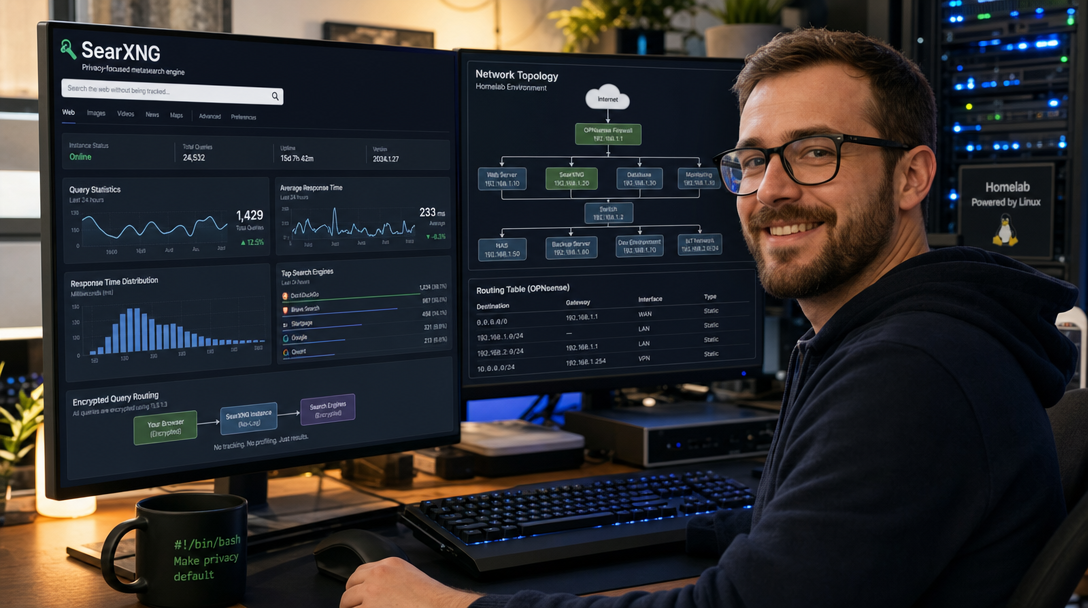
SearXNG is a free, open-source, privacy-respecting metasearch engine that aggregates results from over 70 search services (including Google, Bing, DuckDuckGo, Brave, Wikipedia, and GitHub) while stripping tracking cookies, profiling scripts, and user identifiers. When paired with Redis for distributed caching and rate-limiting, and Caddy for automated HTTPS and HTTP/3 reverse proxying, SearXNG becomes a resilient, lightning-fast private search hub for your entire homelab and autonomous AI stacks.
In this guide, you will deploy a hardened, production-ready SearXNG instance using Docker Compose, implement Redis-backed bot protection, configure automated TLS termination with Caddy, and expose a secure JSON API for local AI integration.
Architectural Overview: Privacy-First Metasearch
Unlike conventional web search engines that crawl the internet with proprietary bots, SearXNG acts as an anonymizing proxy between you and upstream search providers. It partitions queries across multiple engines concurrently, scrubs tracking headers, collates and deduplicates results, and renders a clean, ad-free interface.
+-----------------------------------------------------------------------+
|                Clients (Browser / Local AI / RAG Pipeline)            |
+-----------------------------------------------------------------------+
                                    |
                            HTTPS:443 (TLS)
                                    v
+-----------------------------------------------------------------------+
|  Caddy Reverse Proxy (Automatic Let's Encrypt / Security Headers)     |
+-----------------------------------------------------------------------+
                                    |
                         Internal Bridge Network
                                    v
+-----------------------------------------------------------------------+
|  SearXNG Engine Container (Port 8080)                                 |
|  - Anonymized Query Dispatcher & Parser                               |
|  - JSON API Endpoint (/search?format=json)                            |
|  - Bot Detection & Anti-Scraping Filters                              |
+--------------------+------------------------------+-------------------+
                     |                              |
        Internal TCP Socket                 Outbound HTTPS (Scrubbed)
                     v                              v
+-----------------------------------+ +---------------------------------+
| Redis 7 Alpine In-Memory Cache    | | Upstream Search Engines         |
| - IP Token-Bucket Rate Limiter    | | - Google, Bing, DuckDuckGo      |
| - Engine Response Query Cache     | | - Brave, Wikipedia, Qwant       |
| - Volatile LRU Eviction Policy    | | - Zero IP / Cookie Leakage      |
+-----------------------------------+ +---------------------------------+
Key components of this architecture:
- SearXNG Core: The Python-based metasearch aggregator running in an unprivileged container.
- Redis 7: Acts as an in-memory session cache and powers the token-bucket rate limiter (via
limiter.toml) to prevent upstream search provider bans caused by aggressive scrapers. - Caddy: Provides automated certificate renewal, enforces HSTS, and terminates TLS at the edge with zero maintenance overhead.
- JSON API: Exposes programmatic search results that can be consumed directly by LangChain, LlamaIndex, Open-WebUI, or n8n web search nodes.
Prerequisites & Host Configuration
Ensure your server meets the following operational baseline:
- Host OS: Debian 12, Ubuntu 24.04 LTS, or Rocky Linux 9.
- Compute: 2 vCPUs and 2 GB RAM (SearXNG and Redis are exceptionally lightweight; memory usage rarely exceeds 400 MB).
- Networking: Clean IPv4/IPv6 connectivity. (Note: Residential ISP IPs and budget VPS providers with dirty IP reputations may face CAPTCHA challenges from Google. We will configure engine fallbacks to mitigate this).
- DNS Record: An A/AAAA record pointing to your server’s public IP (e.g.,
search.example.com). - Software: Docker Engine 26+ and Docker Compose v2.20+.
Prepare the host filesystem and install necessary troubleshooting utilities:
sudo apt update && sudo apt upgrade -y
sudo apt install -y curl git jq ufw htop openssl
sudo mkdir -p /opt/searxng-stack/{searxng,caddy_data,caddy_config}
cd /opt/searxng-stack
Step 1: Environment Variables and Secret Generation
SearXNG requires a cryptographic secret key to encrypt user session cookies and generate CSRF validation tokens. Generating a strong 64-character hex key is mandatory.
Generate your secrets and populate /opt/searxng-stack/.env:
SEARXNG_SECRET=$(openssl rand -hex 32)
REDIS_PASSWORD=$(openssl rand -hex 24)

cat <<EOF > /opt/searxng-stack/.env
DOMAIN_NAME=search.example.com
SEARXNG_SECRET_KEY=${SEARXNG_SECRET}
REDIS_PASSWORD=${REDIS_PASSWORD}
SEARXNG_PORT=8080
EOF

chmod 600 /opt/searxng-stack/.env
Step 2: Configuring SearXNG (settings.yml)
SearXNG relies on a comprehensive YAML configuration file. Create /opt/searxng-stack/searxng/settings.yml. This configuration activates Redis caching, enables the JSON search API, tunes result deduplication, and selects high-reliability search engines:
use_default_settings: true

general:
  debug: false
  instance_name: "101HowTo Private Search"
  donation_url: false
  contact_url: false
  privacypolicy_url: false
  enable_metrics: false

server:
  port: 8080
  bind_address: "0.0.0.0"
  secret_key: "ultrasecretkey_replaced_by_docker_sed"
  base_url: "https://search.example.com"
  image_proxy: true
  http_protocol_version: "1.1"
  method: "POST"
  default_http_headers:
    X-Content-Type-Options: "nosniff"
    X-XSS-Protection: "1; mode=block"
    X-Frame-Options: "SAMEORIGIN"
    Referrer-Policy: "no-referrer"

search:
  safe_search: 0
  autocomplete: "duckduckgo"
  default_lang: "en-US"
  ban_time_on_fail: 5
  max_ban_time_on_fail: 120
  formats:
    - html
    - json

redis:
  url: "redis://:replace_redis_password@searxng_redis:6379/0"

ui:
  static_use_hash: true
  default_locale: "en"
  query_in_title: true
  infinite_scroll: true
  center_alignment: true
  default_theme: "simple"
  theme_args:
    simple_style: "auto"

outgoing:
  request_timeout: 3.5
  max_request_timeout: 8.0
  useragent_suffix: ""
  pool_connections: 100
  pool_maxsize: 100
  enable_http2: true

enabled_plugins:
  - 'Hash plugin'
  - 'Self Information'
  - 'Tracker URL remover'
  - 'Ahmia blacklist'
  - 'Open Access DOI rewrite'
Now, inject your generated SEARXNG_SECRET_KEY and REDIS_PASSWORD into the settings.yml file automatically:
source /opt/searxng-stack/.env
sed -i "s|ultrasecretkey_replaced_by_docker_sed|${SEARXNG_SECRET_KEY}|g" /opt/searxng-stack/searxng/settings.yml
sed -i "s|search.example.com|${DOMAIN_NAME}|g" /opt/searxng-stack/searxng/settings.yml
sed -i "s|replace_redis_password|${REDIS_PASSWORD}|g" /opt/searxng-stack/searxng/settings.yml
Step 3: Bot Protection & Rate Limiting (limiter.toml)
Public search instances and automated scrapers will rapidly exhaust your upstream rate limits if left unprotected. SearXNG features a native bot detection limiter that integrates directly with Redis. Create /opt/searxng-stack/searxng/limiter.toml:
[botdetection.ip_limit]
# Limit requests per second per IP
filter_link_local = true
link_token = true

[botdetection.ip_limit.link_token]
# Maximum search tokens per IP
token_capacity = 30
# Token refill rate (1 token per 2 seconds)
token_refill_rate = 0.5

[botdetection.http_headers]
# Block known scraper headers and missing user agents
user_agent_min_length = 5
pass_empty_user_agent = false
Step 4: Docker Compose Specification
Create the /opt/searxng-stack/docker-compose.yml file. We deploy SearXNG alongside a Redis container configured with volatile LRU eviction (so old cache keys are gracefully discarded without running out of RAM) and Caddy:
services:
  redis:
    image: redis:7-alpine
    container_name: searxng_redis
    restart: unless-stopped
    command: >
      redis-server
      --requirepass ${REDIS_PASSWORD}
      --save ""
      --appendonly no
      --maxmemory 256mb
      --maxmemory-policy allkeys-lru
    networks:
      - searxng_internal
    tmpfs:
      - /data
    deploy:
      resources:
        limits:
          cpus: '0.50'
          memory: 384M

  searxng:
    image: docker.io/searxng/searxng:latest
    container_name: searxng_engine
    restart: unless-stopped
    depends_on:
      - redis
    networks:
      - searxng_internal
      - searxng_public
    volumes:
      - ./searxng:/etc/searxng:rw
    environment:
      - SEARXNG_BASE_URL=https://${DOMAIN_NAME}/
      - UWSGI_WORKERS=4
      - UWSGI_THREADS=4
    cap_drop:
      - ALL
    cap_add:
      - CHOWN
      - SETGID
      - SETUID
    deploy:
      resources:
        limits:
          cpus: '2.00'
          memory: 1024M

  caddy:
    image: caddy:2.8-alpine
    container_name: searxng_caddy
    restart: unless-stopped
    ports:
      - "80:80"
      - "443:443"
    volumes:
      - ./Caddyfile:/etc/caddy/Caddyfile:ro
      - ./caddy_data:/data
      - ./caddy_config:/config
    networks:
      - searxng_public
    depends_on:
      - searxng

networks:
  searxng_internal:
    driver: bridge
    internal: true
  searxng_public:
    driver: bridge
Step 5: Caddy Reverse Proxy & Hardened TLS
Create /opt/searxng-stack/Caddyfile. Caddy terminates TLS, strips upstream identification headers, and proxies search traffic directly to the SearXNG uWSGI HTTP server:
search.example.com {
    encode gzip zstd

    # Hardened Security & Privacy Headers
    header {
        Strict-Transport-Security "max-age=31536000; includeSubDomains; preload"
        X-Content-Type-Options "nosniff"
        X-Frame-Options "DENY"
        Referrer-Policy "no-referrer"
        Permissions-Policy "geolocation=(), microphone=(), camera=()"
    }

    # Proxy to SearXNG container
    reverse_proxy searxng:8080 {
        header_up Host {host}
        header_up X-Real-IP {remote_host}
        header_up X-Forwarded-For {remote_host}
        header_up X-Forwarded-Proto {scheme}
    }
}
Replace search.example.com with your actual configured domain:
source /opt/searxng-stack/.env
sed -i "s|search.example.com|${DOMAIN_NAME}|g" /opt/searxng-stack/Caddyfile
Step 6: Launching the Stack & Verification
Adjust permissions and start your Docker Compose stack:
sudo chown -R 977:977 /opt/searxng-stack/searxng
docker compose pull
docker compose up -d
Check the container health and operational logs:
docker compose ps
docker compose logs -f searxng
Verify that Redis is responding and connected to SearXNG:
docker exec -it searxng_redis redis-cli -a "$REDIS_PASSWORD" pingYou should immediately receive PONG.
Step 7: Integrating SearXNG as a Private AI Search Tool
Because we explicitly enabled - json in the search formats of settings.yml, you can query your private search engine programmatically from curl, Python, or AI Agent orchestration platforms (such as n8n, Open-WebUI, or LangChain).
Testing the JSON Search Endpoint
Execute an automated search query from your terminal:
curl -s "https://search.example.com/search?q=docker+compose+tutorial&format=json" | jq '.results[0]'The response returns structured JSON with the title, destination URL, cleaned snippet, and engine score:
{
  "url": "https://docs.docker.com/compose/",
  "title": "Docker Compose overview",
  "content": "Docker Compose is a tool for defining and running multi-container Docker applications...",
  "engine": "duckduckgo",
  "parsed_url": [
    "https",
    "docs.docker.com",
    "/compose/",
    "",
    "",
    ""
  ],
  "score": 2.5
}
Connecting SearXNG to Local LLMs (Open-WebUI / n8n)
To enable Web Search in Open-WebUI:
- Open Admin Panel > Settings > Web Search.
- Set Web Search Engine to
searxng. - Set SearXNG Query URL to
https://search.example.com/search?q=<query>. - Save settings. Now your local models (e.g. Qwen 2.5, Llama 3.3) can browse the live web privately without passing through third-party search APIs.
Troubleshooting Common Failure Modes
Issue 1: Upstream Engine Rate Limits and CAPTCHA Blocks
Symptom: SearXNG returns partial results, and engine status logs show Google (suspended: CAPTCHA required).
Root Cause: Hosting providers (especially shared VPS subnets like Hetzner, DigitalOcean, or OVH) often have low IP trust scores, prompting Google to block automated requests.
Resolution: In settings.yml, disable engines that trigger CAPTCHAs and rely on privacy-friendly aggregators such as DuckDuckGo, Brave, Startpage, and Qwant. Alternatively, route SearXNG’s outbound requests through a residential proxy or WireGuard egress node.
Issue 2: “KeyError: secret_key” During Startup
Symptom: The searxng_engine container exits immediately with a fatal Python traceback mentioning secret_key.
Root Cause: The placeholder secret key in settings.yml was either not replaced or contains invalid characters that break YAML syntax.
Resolution: Ensure the key is an alphanumeric string enclosed in double quotes (e.g., secret_key: "64_char_hex"). Test YAML syntax validity using python3 -c "import yaml; yaml.safe_load(open('searxng/settings.yml'))".
Issue 3: Rate Limiter Blocks Legitimate Users (HTTP 429 Too Many Requests)
Symptom: Users or internal AI agents receive immediate 429 Too Many Requests errors when executing a few searches in succession.
Root Cause: Reverse proxy headers are misconfigured, causing SearXNG to view all incoming connections as originating from the internal Caddy bridge IP (e.g. 172.20.0.1), pooling all traffic into a single rate limit bucket.
Resolution: Verify your Caddyfile includes header_up X-Real-IP {remote_host} and header_up X-Forwarded-For {remote_host}. In limiter.toml, increase token_capacity to 50 and token_refill_rate to 1.0 for high-volume automated environments.
Conclusion
Deploying your own SearXNG metasearch instance liberates your browsing habits from corporate tracking, advertising surveillance, and data brokers. Coupled with Redis and Caddy, your private search engine is fast, resilient, and ready to serve both human users and local AI tool-calling agents with uncompromised privacy.
To further harden your deployment, consider setting up a Tor hidden service (.onion) for zero-metadata routing or integrating SearXNG into your personal browser search shortcuts as the default search provider across all desktop and mobile devices.

Hi, I’m Mark, the author of Clever IT Solutions: Mastering Technology for Success. I am passionate about empowering individuals to navigate the ever-changing world of information technology. With years of experience in the industry, I have honed my skills and knowledge to share with you. At Clever IT Solutions, we are dedicated to teaching you how to tackle any IT challenge, helping you stay ahead in today’s digital world. From troubleshooting common issues to mastering complex technologies, I am here to guide you every step of the way. Join me on this journey as we unlock the secrets to IT success.