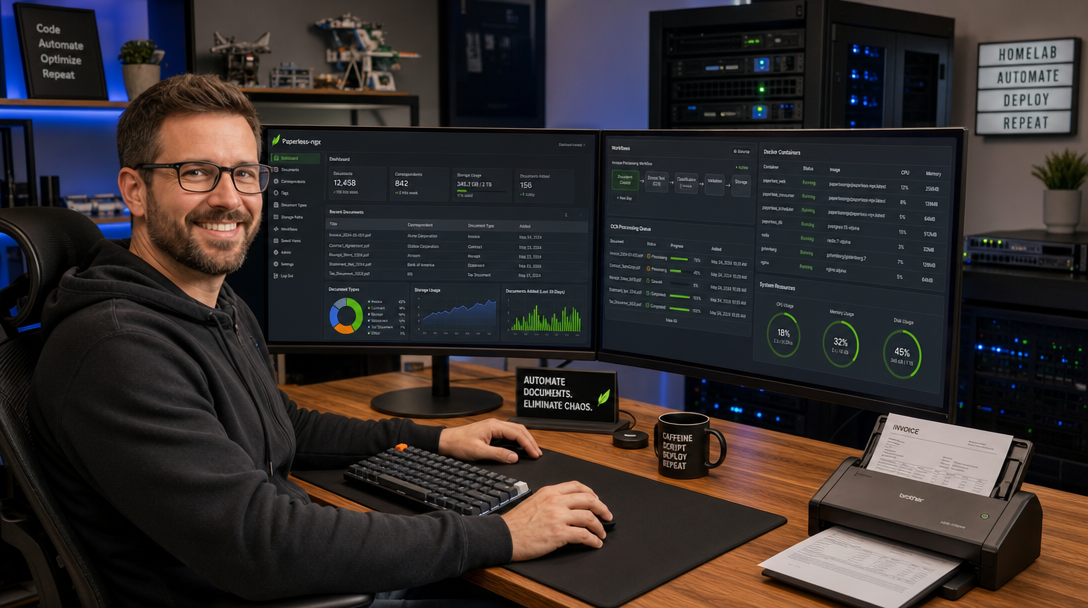
Modern home offices, tech consultants, and self-hosted enthusiasts inevitably face the document dilemma: paper tax receipts, utility bills, physical contracts, medical records, and digital PDF statements scattered across desktop downloads, email inboxes, and external drives. Traditional file structures fail because manual folder sorting is tedious, static file names hide critical details, and scanned PDFs lack searchable text layers.
Paperless-ngx is the community-driven gold standard for self-hosted document management (EDMS). Written in Django and Angular, it transforms physical paper scanners, network storage shares, and incoming email accounts into a zero-maintenance ingestion pipeline. Once ingested, Paperless-ngx performs optical character recognition (OCR) using multi-language Tesseract engines, generates compliant PDF/A archival files, extracts searchable text, and employs machine learning algorithms to auto-tag, classify correspondents, and file your documents into designated storage paths.
In this comprehensive guide, we will design and deploy a production-grade Paperless-ngx stack using Docker Compose, backed by PostgreSQL for transactional integrity, Redis for asynchronous Celery job queues, Gotenberg for rendering non-PDF files into PDF/A, Apache Tika for parsing office documents (.docx, .xlsx, .odt), and Caddy as an automatic TLS reverse proxy.
Architectural Blueprint & Processing Flow
Unlike monolithic applications, an enterprise document pipeline requires specialized workers to avoid blocking the user interface during heavy OCR and conversion workloads. Here is how your data travels from physical or digital intake into long-term immutable storage:
+---------------------------------------------------------------------------------+
|                                 Ingestion Layer                                 |
|  [Network Scanner / SMB]      [Email Ingestion / IMAP]      [Mobile App / Web UI] |
+---------------------------------------------------------------------------------+
                                      |
                                      v
                        +---------------------------+
                        |   Consume Directory Host  |
                        |   /data/paperless/consume |
                        +---------------------------+
                                      |
                                      v
+---------------------------------------------------------------------------------+
|                       Paperless-ngx Core (Docker Stack)                         |
|                                                                                 |
|   +-----------------------+                    +----------------------------+   |
|   |   Web UI & REST API   |                    |    Celery Worker Queue     |   |
|   |   (Gunicorn / Django) |                    |  (OCR, Text Analysis & ML) |   |
|   +-----------------------+                    +----------------------------+   |
|               |                                              |                  |
|               |               +------------------------------+                  |
|               |               |               |              |                  |
|               v               v               v              v                  |
|        +-------------+ +-------------+ +-------------+ +-------------+          |
|        | PostgreSQL  | |    Redis    | |  Gotenberg  | | Apache Tika |          |
|        | (Relational | | (Message    | |  (Doc & HTML| | (Office Doc |          |
|        |  Database)  | |  Broker)    | |  Conversion)| |  Parsing)   |          |
|        +-------------+ +-------------+ +-------------+ +-------------+          |
+---------------------------------------------------------------------------------+
                                      |
                                      v
                      +-------------------------------+
                      |   Storage & Archive Volumes   |
                      |   - /data/paperless/media     |
                      |   - /data/paperless/archive   |
                      |   - /data/paperless/export    |
                      +-------------------------------+
                                      |
                                      v
                    [ Caddy Reverse Proxy & HTTPS (TLS) ]
Prerequisites & Hardware Sizing
Before launching the stack, ensure your host environment satisfies the following minimum operational requirements:
- Compute: Modern x86_64 or ARM64 host with at least 4 CPU cores (Tesseract OCR is CPU-intensive during batch scans).
- Memory: 4 GB RAM minimum (8 GB strongly recommended if Apache Tika and Gotenberg run concurrently with multiple Celery workers).
- Storage: Fast NVMe or SSD storage for database indexes, thumbnails, and search caches; spinning disks or network ZFS/NFS pools can be mounted for the raw media repository.
- Software: Debian 12 / Ubuntu 24.04 LTS or newer with Docker Engine 26+ and Docker Compose V2 installed.
Step 1: Directory Structure & File Permissions
Paperless-ngx runs inside the container as a non-privileged user (by default, UID 1000 and GID 1000). Setting up correct filesystem permissions prevents elusive Permission Denied errors when reading from your scanner’s network share or writing generated PDF/A documents.
Create a dedicated directory layout under /opt/paperless or your home server mount:
sudo mkdir -p /opt/paperless/{config,data,media,consume,export,pgdata,redisdata}
sudo chown -R 1000:1000 /opt/paperless/{config,data,media,consume,export}
sudo chmod -R 775 /opt/paperless/{consume,export}
cd /opt/paperless
Step 2: Environment Configuration (.env)
Store your sensitive credentials, OCR parameters, and system tuning flags in a dedicated .env file. Generate a secure Django secret key and database password using openssl rand -hex 32.
# /opt/paperless/.env

# System & Security Settings
PAPERLESS_SECRET_KEY=9b48c3f7d1a2e568019bca45f8e217d6b38c201e749a0d85ef14b2a3c7e9f1a0
PAPERLESS_URL=https://docs.yourdomain.com
PAPERLESS_TIME_ZONE=Europe/Berlin
USERMAP_UID=1000
USERMAP_GID=1000

# Database Configuration (PostgreSQL)
PAPERLESS_DBENGINE=postgresql
PAPERLESS_DBHOST=db
PAPERLESS_DBPORT=5432
PAPERLESS_DBNAME=paperless
PAPERLESS_DBUSER=paperless
PAPERLESS_DBPASS=SuperSecurePaperlessPgPass2026!

# Redis Cache & Queue Broker
PAPERLESS_REDIS=redis://broker:6379

# Conversion Services (Gotenberg & Apache Tika)
PAPERLESS_TIKA_ENABLED=1
PAPERLESS_TIKA_ENDPOINT=http://tika:9998
PAPERLESS_TIKA_GOTENBERG_ENDPOINT=http://gotenberg:3000

# OCR Tuning & Multi-Core Scaling
PAPERLESS_OCR_LANGUAGE=deu+eng
PAPERLESS_OCR_MODE=skip
PAPERLESS_OCR_USER_ARGS='{"invalidate_digital_signatures": true}'
PAPERLESS_TASK_WORKERS=2
PAPERLESS_THREADS_PER_WORKER=2

# Consumption & Automatic Filing
PAPERLESS_CONSUMER_POLLING=10
PAPERLESS_CONSUMER_DELETE_DUPLICATES=true
PAPERLESS_FILENAME_FORMAT={created_year}/{correspondent}/{title}
Step 3: Crafting the Production Docker Compose Stack
Create the docker-compose.yml file. Notice that we enforce persistent named volumes or explicit bind mounts, healthchecks across dependent services, and internal container networking for maximum isolation.
services:
  broker:
    image: docker.io/library/redis:7.2-alpine
    container_name: paperless-redis
    restart: unless-stopped
    volumes:
      - ./redisdata:/data
    networks:
      - internal-net
    healthcheck:
      test: ["CMD", "redis-cli", "ping"]
      interval: 10s
      timeout: 5s
      retries: 5

  db:
    image: docker.io/library/postgres:16-alpine
    container_name: paperless-postgres
    restart: unless-stopped
    environment:
      POSTGRES_DB: ${PAPERLESS_DBNAME}
      POSTGRES_USER: ${PAPERLESS_DBUSER}
      POSTGRES_PASSWORD: ${PAPERLESS_DBPASS}
    volumes:
      - ./pgdata:/var/lib/postgresql/data
    networks:
      - internal-net
    healthcheck:
      test: ["CMD-SHELL", "pg_isready -U ${PAPERLESS_DBUSER} -d ${PAPERLESS_DBNAME}"]
      interval: 10s
      timeout: 5s
      retries: 5

  gotenberg:
    image: docker.io/gotenberg/gotenberg:8
    container_name: paperless-gotenberg
    restart: unless-stopped
    command:
      - "gotenberg"
      - "--chromium-disable-javascript=true"
      - "--chromium-allow-list=file:///tmp/.*"
    networks:
      - internal-net

  tika:
    image: docker.io/apache/tika:latest
    container_name: paperless-tika
    restart: unless-stopped
    networks:
      - internal-net

  webserver:
    image: ghcr.io/paperless-ngx/paperless-ngx:latest
    container_name: paperless-webserver
    restart: unless-stopped
    depends_on:
      db:
        condition: service_healthy
      broker:
        condition: service_healthy
      gotenberg:
        condition: service_started
      tika:
        condition: service_started
    ports:
      - "127.0.0.1:8000:8000"
    env_file:
      - .env
    volumes:
      - ./data:/usr/src/paperless/data
      - ./media:/usr/src/paperless/media
      - ./export:/usr/src/paperless/export
      - ./consume:/usr/src/paperless/consume
    networks:
      - internal-net
      - proxy-net

networks:
  internal-net:
    driver: bridge
    internal: true
  proxy-net:
    external: true
Step 4: Securing Paperless-ngx with Caddy Reverse Proxy
Exposing document archives over plaintext HTTP is a severe security risk. By combining Docker container networks with Caddy, you get automatic TLS certificates via Let’s Encrypt or ZeroSSL, HTTP/2 and HTTP/3 support, and clean request proxying.
Create your external bridge network if it does not already exist:
docker network create proxy-netAdd this block to your centralized Caddyfile:
docs.yourdomain.com {
    encode zstd gzip

    # Increase maximum upload limit for large 600 DPI multi-page scans
    request_body {
        max_size 100MB
    }

    # Pass client headers and WebSocket connections for live progress notifications
    reverse_proxy paperless-webserver:8000 {
        header_up Host {upstream_hostport}
        header_up X-Real-IP {remote_host}
        header_up X-Forwarded-For {remote_host}
        header_up X-Forwarded-Proto {scheme}
    }

    # Security Headers
    header {
        Strict-Transport-Security "max-age=31536000; includeSubDomains; preload"
        X-Content-Type-Options "nosniff"
        X-Frame-Options "DENY"
        Referrer-Policy "strict-origin-when-cross-origin"
    }
}
Step 5: Initializing the System & Creating the Superuser
With configurations in place, initialize the stack using Docker Compose:
docker compose up -dMonitor the initialization logs to ensure migrations apply cleanly to PostgreSQL:
docker compose logs -f webserverOnce the webserver reports listening on port 8000, create your administrative user account:
docker compose exec webserver python3 manage.py createsuperuserFollow the CLI prompts to input your administrative username, email address, and strong passphrase. You can now access your dashboard at https://docs.yourdomain.com.
Advanced Ingestion: Barcode Separation & Automated Workflows
One of the most powerful enterprise features of Paperless-ngx is automated multi-document splitting using physical barcode separator sheets or Archive Serial Number (ASN) stickers.
1. Automated Document Splitting with Patch Code T
Instead of scanning invoices individually on a flatbed, you can stack 20 physical documents into an Automatic Document Feeder (ADF) with standard Patch Code T separator sheets between them. Paperless-ngx splits the batch at each separator, discards the blank separator sheet, and processes each document as a distinct record.
Enable barcode parsing by appending these variables to your .env file:
PAPERLESS_CONSUMER_ENABLE_BARCODES=true
PAPERLESS_CONSUMER_BARCODE_SCANNER=ZXING
PAPERLESS_CONSUMER_ENABLE_ASN_BARCODE=true
PAPERLESS_CONSUMER_ASN_BARCODE_PREFIX=ASN
2. Smart Matching Workflows
Under Manage > Workflows and Correspondents in the web interface, you can define classification triggers based on four distinct matching algorithms:
- Any: Assigns the tag if any of the specified words appear in the OCR text.
- All: Requires every keyword to be present (e.g., “Electricity”, “Invoice”, “Kilowatt”).
- Exact: Matches verbatim phrases including punctuation.
- Regular Expression: Evaluates advanced regex patterns (e.g., matching VAT numbers or bank IBAN patterns like
DE[0-9]{20}). - Auto (Machine Learning): Utilizes a built-in scikit-learn neural network that learns from your manual categorization over time.
Automated Encrypted Backups
A document archive without a tested disaster recovery strategy is a ticking time bomb. Because Paperless-ngx relies on both binary media files and relational database rows, simply copying files while the database runs can produce corrupt snapshots.
Use the built-in document_exporter management command, which dumps all metadata, tags, correspondents, and original media files into an atomic, deduplicated, portable export format:
# /usr/local/bin/backup-paperless.sh
#!/usr/bin/env bash
set -euo pipefail

BACKUP_DIR="/mnt/backup/paperless/$(date +%Y-%m-%d_%H%M%S)"
mkdir -p "${BACKUP_DIR}"

echo "[+] Executing Paperless-ngx Export Dump..."
docker compose -f /opt/paperless/docker-compose.yml exec -T webserver \
    document_exporter ../export -c -z

echo "[+] Moving export archive to backup target..."
mv /opt/paperless/export/*.zip "${BACKUP_DIR}/"

echo "[+] Backup successfully completed at ${BACKUP_DIR}"
Make the script executable and schedule it as a daily root cronjob via sudo crontab -e:
0 3 * * * /usr/local/bin/backup-paperless.sh >> /var/log/paperless-backup.log 2>&1Troubleshooting Common Deployment Issues
1. Celery Worker OOM Crashes on High-Resolution Scans
Symptom: Scanned documents sit perpetually in the processing queue or Celery reports WorkerLostError: Worker exited prematurely: signal 9 (SIGKILL).
Cause: High-DPI scans (600+ DPI color TIFFs or multi-page uncompressed PDFs) cause ImageMagick and Ghostscript to exceed container RAM limits when OCR workers spawn in parallel.
Solution: Limit concurrent OCR threads and reduce worker process spawning by setting PAPERLESS_TASK_WORKERS=1 and PAPERLESS_THREADS_PER_WORKER=2 in .env. Additionally, configure memory limits in your docker-compose.yml to prevent host starvation.
2. Permission Denied on Network Scanner SMB Shares
Symptom: The scanner writes files to the consume directory, but Paperless logs show PermissionError: [Errno 13] Permission denied: '/usr/src/paperless/consume/scan001.pdf'.
Cause: Samba mounts or external scanner daemons write files with restrictive umask (e.g., 0700 or root-owned), preventing user 1000 from reading and moving the ingested file.
Solution: Ensure your /etc/samba/smb.conf share definition forces user mapping: force user = 1000, force group = 1000, create mask = 0664, and directory mask = 0775.
3. Office Documents Fail Conversion (.docx / .xlsx / .odt)
Symptom: PDF files process without issue, but dragging a Microsoft Word document (.docx) yields an ingestion failure: Unsupported file format or Tika communication failure.
Cause: The webserver container cannot reach Apache Tika (port 9998) or Gotenberg (port 3000), typically due to container network misconfiguration or insufficient startup delay.
Solution: Run docker compose exec webserver curl -I http://gotenberg:3000/health and docker compose exec webserver curl -I http://tika:9998/tika. Confirm both microservices are on the shared internal-net bridge network and that PAPERLESS_TIKA_ENABLED=1 is explicitly enabled.
Conclusion
With Paperless-ngx, PostgreSQL, Redis, Gotenberg, and Caddy deployed in an orchestrated Docker Compose environment, you possess a resilient, private, and fully searchable digital archive. Your documents are completely sovereign, safeguarded from commercial SaaS price hikes, and indexed for rapid retrieval. By layering barcode splitting, intelligent tag matching, and automated encrypted export snapshots, your paperless workflow is ready for true enterprise-grade daily production.

Hi, I’m Mark, the author of Clever IT Solutions: Mastering Technology for Success. I am passionate about empowering individuals to navigate the ever-changing world of information technology. With years of experience in the industry, I have honed my skills and knowledge to share with you. At Clever IT Solutions, we are dedicated to teaching you how to tackle any IT challenge, helping you stay ahead in today’s digital world. From troubleshooting common issues to mastering complex technologies, I am here to guide you every step of the way. Join me on this journey as we unlock the secrets to IT success.