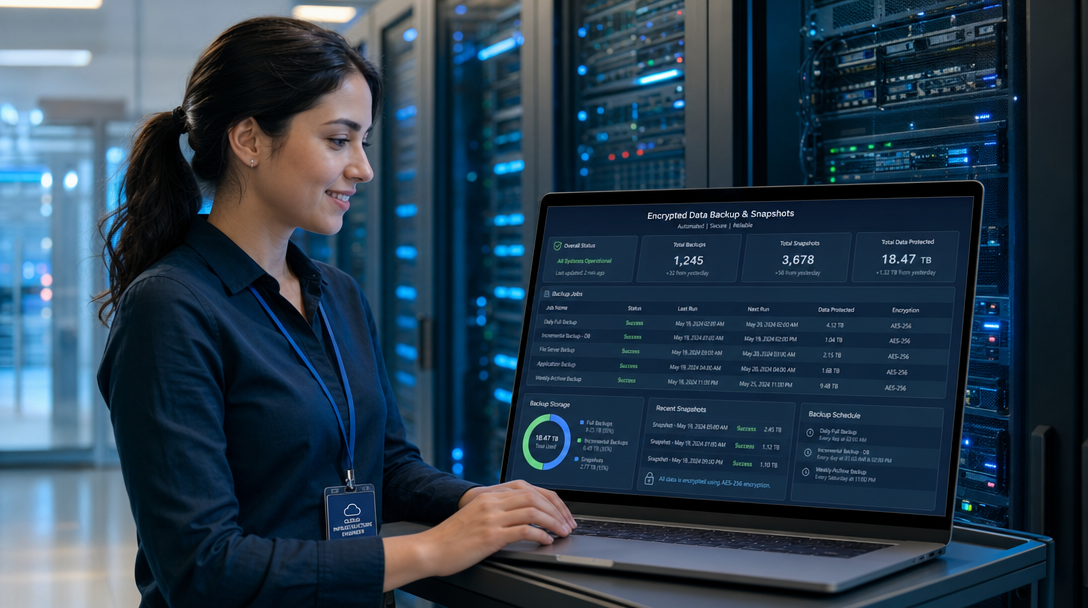
In modern infrastructure engineering and homelab administration, data loss is a certainty if you operate long enough. Hardware drives suffer silent bit rot, ransomware attacks encrypt container volumes, database schema migrations corrupt tables, and human errors trigger accidental deletions. While traditional backup tools like rsync, tar, or custom Bash cron jobs provide basic file copies, they fail catastrophically at scale. Uncompressed full backups rapidly exhaust storage pools, incremental scripts create fragile dependency chains, and unencrypted files stored on external cloud targets violate modern data compliance mandates.
To achieve enterprise-grade data durability without prohibitive complexity, systems architects turn to Kopia. Kopia is a fast, secure, open-source backup and snapshot management engine written in Go. Unlike legacy backup software, Kopia combines content-defined chunking (FastCDC), state-of-the-art compression (Zstandard), client-side end-to-end encryption (AES-256-GCM or ChaCha20-Poly1305), and an intuitive, built-in Web GUI. Whether backing up Docker persistent volumes, hypervisor virtual disk images, or developer home directories to local NAS storage or S3 buckets, Kopia provides absolute data sovereignty.
How Kopia Works: Architectural Deep Dive
Kopia’s underlying architecture is built on Content-Addressed Storage (CAS), similar to the internal storage model used by Git:
- Content-Defined Chunking (FastCDC): When scanning files, Kopia slices data streams into variable-sized chunks based on content boundaries rather than rigid byte offsets. If you modify a 10-line configuration inside a 50 GB database dump, only the specific changed chunks are transferred and stored. Identical blocks across different files or historical snapshots are automatically deduplicated.
- Client-Side Zero-Knowledge Encryption: Every chunk is compressed and encrypted on your host machine before it is transmitted to the storage repository. The destination repository (whether an Amazon S3 bucket, a remote SFTP server, or an untrusted external drive) sees only randomized binary blobs. Even if your cloud storage credentials are compromised, your data remains impenetrable without the repository master passphrase.
- Integrated Web GUI & REST Server: While utilities like Restic and Borgmatic excel in headless CLI environments, managing snapshots, inspecting file diffs, and restoring individual files visually often requires cumbersome manual commands. Kopia packages a high-performance web dashboard directly inside the binary, allowing administrators to configure policies and monitor backups from any browser.
+-----------------------------------------------------------------------+
|                    Client Browser / Admin Console                     |
+-----------------------------------------------------------------------+
                                    |
                            (HTTPS / Port 51515)
                                    v
+-----------------------------------------------------------------------+
|                    Reverse Proxy (Caddy / Traefik / Nginx)             |
|              - Automated TLS Termination & SSL Certificates           |
+-----------------------------------------------------------------------+
                                    |
                            (Internal Network)
                                    v
+-----------------------------------------------------------------------+
|                    Kopia Server Container (Docker)                    |
|  +-----------------------------------------------------------------+  |
|  |                 Kopia Web UI & Policy Scheduler                 |  |
|  +-----------------------------------------------------------------+  |
|         |                        |                       |            |
|         v                        v                       v            |
|   [ Source Volumes ]     [ Engine Pipeline ]     [ Local Cache ]      |
|   - /data/docker_data    1. FastCDC Chunking     - /app/cache/        |
|   - /data/databases      2. Zstandard Compress   - /app/config/       |
|   (Mounted Read-Only)    3. AES-256 Encryption                        |
+-----------------------------------------------------------------------+
                                    |
                   (Encrypted Chunks & Manifest Blobs)
                                    v
+-----------------------------------------------------------------------+
|                  Target Storage Repository Backend                     |
|  - S3 Object Storage (MinIO, AWS S3, Cloudflare R2, Backblaze B2)     |
|  - Network Attached Storage (NFS, SMB) or Local ZFS Pool              |
+-----------------------------------------------------------------------+
Prerequisites and Host Directory Preparation
To deploy Kopia in a high-reliability containerized environment, prepare a clean directory structure on your Docker host. Kopia requires persistent host paths for its local repository configuration, fast cache indexing, and log files:
sudo mkdir -p /opt/kopia/{config,cache,logs}
sudo chown -R 1000:1000 /opt/kopia
cd /opt/kopia
Identify the target directories you plan to back up. For containerized homelabs, this typically includes /var/lib/docker/volumes or your dedicated application data directory (such as /opt). In our compose specification, we mount these host paths into Kopia with the :ro (read-only) attribute to guarantee that the backup agent cannot inadvertently alter or delete active production data.
Production Docker Compose Configuration
Create the production /opt/kopia/docker-compose.yml file. We run the official Kopia container in server mode with the Web UI enabled, secured by internal authentication and bound to localhost:
services:
  kopia:
    image: kopia/kopia:0.18.2
    container_name: kopia-server
    restart: unless-stopped
    ports:
      - "127.0.0.1:51515:51515"
    environment:
      - KOPIA_PASSWORD=ChangeThisMasterEncryptionPassphrase123!
      - USER=kopia
    command:
      - server
      - start
      - --address=0.0.0.0:51515
      - --insecure
      - --without-password
      - --cache-directory=/app/cache
      - --config-file=/app/config/repository.config
      - --log-dir=/app/logs
    volumes:
      # Persistent Kopia internal state
      - ./config:/app/config
      - ./cache:/app/cache
      - ./logs:/app/logs
      # Target host directories to back up (Read-Only)
      - /opt:/data/opt:ro
      - /var/lib/docker/volumes:/data/docker-volumes:ro
    deploy:
      resources:
        limits:
          cpus: '2.0'
          memory: 2048M
        reservations:
          memory: 512M
    security_opt:
      - no-new-privileges:true
    networks:
      - kopia-net

networks:
  kopia-net:
    driver: bridge
Connecting to S3-Compatible Storage (MinIO or AWS)
Kopia supports virtually any storage backend, including local filesystem directories, Google Cloud Storage, Azure Blob, SFTP, and WebDAV. For production deployments, an S3-compatible object store like MinIO or AWS S3 is the industry gold standard due to high availability and immutability features.
Launch the Kopia server container:
docker compose up -d
docker compose logs -f kopia
Open the web interface in your browser (or tunnel via SSH) at http://127.0.0.1:51515. You will be greeted by the Repository Setup wizard:
- Select Amazon S3 or S3-Compatible Storage.
- Bucket Name: Enter your dedicated backup bucket (e.g.,
homelab-kopia-backups). - Endpoint: For local MinIO, provide your internal MinIO URL (e.g.,
https://s3.yourdomain.com); for AWS S3, select your cloud region (e.g.,eu-central-1). - Access Key ID & Secret Access Key: Provide your dedicated S3 service account credentials.
- Repository Password: Enter a strong, memorable master encryption password. Warning: If you lose this password, all historical backups in the repository are cryptographically unrecoverable. Store this secret in a secure password manager like Vaultwarden.
- Click Connect. Kopia initializes the repository structure, writes metadata blobs, and opens the main dashboard.
Configuring Automated Snapshot Retention Policies
One of Kopia’s standout capabilities is its hierarchical policy engine. You can define global retention rules or override them for specific folders and databases. In the Kopia Web UI, navigate to Policies > Global Policy > Edit:
1. Scheduling & Frequency
Under Scheduling, configure automated execution. Setting snapshots to run every 4 hours or daily at 02:00 UTC ensures regular syncs without human intervention.
2. Snapshot Retention (GFS Scheme)
Implement a Grandfather-Father-Son (GFS) rotation scheme under Retention:
- Latest Snapshots: Keep
5(preserves immediate checkpoints during active rollouts). - Hourly Snapshots: Keep
24(covers the preceding full day). - Daily Snapshots: Keep
7(one snapshot per day for the last week). - Weekly Snapshots: Keep
4(one snapshot per week for the last month). - Monthly Snapshots: Keep
12(one snapshot per month for the last year). - Annual Snapshots: Keep
2(multi-year compliance record).
Because Kopia performs variable-length block deduplication, keeping 50+ historical snapshots does not consume 50x disk space; duplicate blocks are referenced by hash without consuming extra storage.
3. Compression & Error Handling
Under Compression, select zstd-fastest for high-throughput backups or zstd-better-compression for storage optimization. In Error Handling, enable Ignore file read errors. This prevents transient file lock errors (e.g., active log rotations) from aborting an entire 200 GB backup run.
Reverse Proxy Integration with Caddy
To securely access your Kopia Web UI across your local network or via a secure VPN, deploy Caddy to enforce HTTPS encryption and Basic Authentication:
kopia.internal.yourdomain.com {
    encode zstd gzip

    # Restrict access to internal VPN / local subnets
    @localnet {
        remote_ip 10.0.0.0/8 192.168.1.0/24 100.64.0.0/10
    }
    handle @localnet {
        reverse_proxy 127.0.0.1:51515
    }

    # Deny public internet access
    handle {
        abort
    }
}
Disaster Recovery: Restoring Files and Mounting Snapshots
A backup system is only as good as its restore process. Kopia offers two primary methods to recover lost data:
Method 1: Interactive Web UI Restore
Navigate to Snapshots in the Web UI. Browse through your snapshot timeline, expand the directory tree, locate the missing file or database dump, and click Restore. You can choose to download the asset directly through your browser or restore it to an alternative path on the server.
Method 2: Mounting Snapshots as a Virtual Filesystem
Kopia includes a powerful FUSE-based mounting feature that allows you to expose historical snapshots as read-only directories on your Linux host. Execute this inside the container:
docker exec -it kopia-server kopia mount all /mnt/kopia-snapshots
You can now navigate through /mnt/kopia-snapshots using standard Linux tools (ls, grep, rsync, cp) to inspect and recover files without uncompressing the entire archive.
Troubleshooting Common Kopia Issues
1. Maintenance Lock Collisions
Symptom: Container logs display ERROR failed to perform maintenance: repository is locked by another instance or snapshot runs hang waiting for lock acquisition.
Cause: Kopia runs periodic repository maintenance (compaction and blob cleanup). If an earlier container crashed ungracefully during maintenance, an orphaned lock blob remains active in the S3 bucket.
Solution: Check the lock status via CLI: docker exec -it kopia-server kopia maintenance status. If an expired lock persists from an abnormal termination, clear it with: docker exec -it kopia-server kopia maintenance run --force.
2. S3 Handshake and Signature Failures
Symptom: Initial connection to an on-premises MinIO instance fails with RequestTimeTooSkewed or SignatureDoesNotMatch.
Cause: Time drift between the Kopia Docker host and the S3 storage node. S3 cryptographic signatures reject requests if system clocks differ by more than 15 minutes.
Solution: Synchronize NTP clocks on your host system: sudo timedatectl set-ntp on and verify system time with timedatectl status.
3. Local Cache Directory Disk Bloat
Symptom: The host directory /opt/kopia/cache consumes hundreds of gigabytes, exhausting the server’s root filesystem.
Cause: Kopia caches content indexes and decrypted data chunks locally to speed up diff calculations during recurring snapshot runs. By default, Kopia allocates up to 5 GB for index caching, but full content caching can grow large if unconstrained.
Solution: Set explicit cache bounds in the container command or via the CLI: docker exec -it kopia-server kopia cache set --content-cache-size-mb=10240 --max-list-cache-duration=1h. This caps the local content cache at 10 GB while maintaining fast incremental performance.
Conclusion: Effortless Data Durability
Self-hosting Kopia with Docker Compose delivers the holy grail of modern data protection: fast incremental snapshots, impenetrable client-side zero-knowledge encryption, automated deduplication, and an accessible web dashboard. By pairing Kopia with off-site S3 storage and strict GFS retention policies, homelab enthusiasts and infrastructure engineers insulate their mission-critical services against hardware failures, administrative slip-ups, and disaster scenarios.

Hi, I’m Mark, the author of Clever IT Solutions: Mastering Technology for Success. I am passionate about empowering individuals to navigate the ever-changing world of information technology. With years of experience in the industry, I have honed my skills and knowledge to share with you. At Clever IT Solutions, we are dedicated to teaching you how to tackle any IT challenge, helping you stay ahead in today’s digital world. From troubleshooting common issues to mastering complex technologies, I am here to guide you every step of the way. Join me on this journey as we unlock the secrets to IT success.