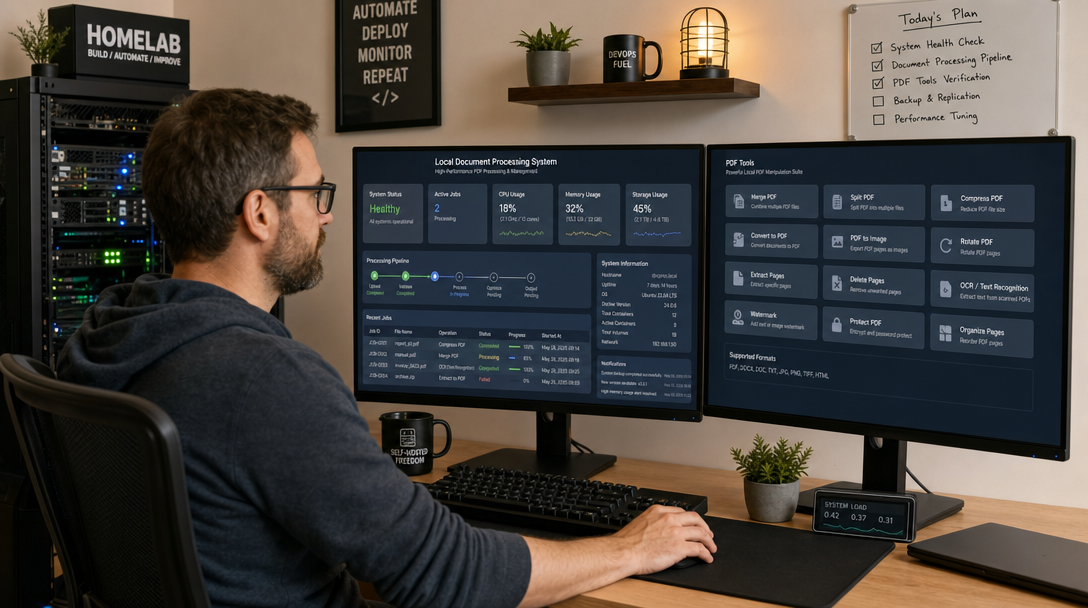
Modern organizations, legal teams, healthcare providers, and privacy-conscious homelab administrators routinely handle sensitive documents in Portable Document Format (PDF). From corporate balance sheets and employment agreements to medical records and tax filings, PDFs represent the lifeblood of institutional records. Yet when users need to perform routine tasks—such as merging multi-page scans, splitting chapters, running Optical Character Recognition (OCR), redacting social security numbers, or converting Office documents to archival PDF/A standards—they frequently turn to third-party commercial web utilities like Smallpdf, ILovePDF, or Adobe Online.
Uploading proprietary documents to public cloud endpoints presents a severe operational security and regulatory liability under GDPR, HIPAA, and corporate data governance frameworks. Once a document is dispatched across external infrastructure, you surrender control over data retention, server-side caching, vector indexing, and upstream AI model training. The robust engineering response is Stirling-PDF: an open-source, robust, containerized document manipulation suite that executes every transformation entirely inside your own compute perimeter with zero outbound telemetry.
Why Stirling-PDF? Architectural Anatomy
Stirling-PDF is not a simple JavaScript wrapper or a minimal file upload form. Built on Java Spring Boot, it bundles industry-standard Linux document toolchains into a cohesive, responsive web UI and a fully documented OpenAPI/Swagger REST API. Under the hood, Stirling-PDF orchestrates:
- Apache PDFBox & PDFtk: Low-level binary manipulation for page reordering, watermarking, metadata stripping, encryption/decryption, and linearizing.
- OCRmyPDF & Tesseract: Searchable text layer generation, automatic page deskewing, and multi-language OCR without re-rasterizing original vector graphics.
- LibreOffice (Headless): Native document translation engine converting DOCX, XLSX, PPTX, RTF, and ODT files into crisp, standardized PDFs.
- WeasyPrint: High-fidelity HTML/CSS-to-PDF rendering with CSS Paged Media support.
- QPDF: High-performance linearization, linearization verification, and structural transformation.
When coupled with self-hosted document management platforms like Paperless-ngx, Stirling-PDF bridges the gap between passive document archiving and active, surgical document modification.
+-----------------------------------------------------------------------+
|                       Client Browser / API Consumer                   |
+-----------------------------------------------------------------------+
                                    |
                            (HTTPS / Port 443)
                                    v
+-----------------------------------------------------------------------+
|                    Reverse Proxy (Caddy / Traefik / Nginx)             |
|              - TLS Termination & Let's Encrypt Automation              |
|              - client_max_body_size / upload buffers (500MB+)         |
+-----------------------------------------------------------------------+
                                    |
                            (Internal Network)
                                    v
+-----------------------------------------------------------------------+
|                     Stirling-PDF (Port 8080)                          |
|  +-----------------------------------------------------------------+  |
|  |                 Spring Boot Web Application & REST API           |  |
|  +-----------------------------------------------------------------+  |
|         |                  |                    |               |     |
|         v                  v                    v               v     |
|   [ PDFBox / PDFtk ] [ Tesseract / OCR ] [ LibreOffice ] [ WeasyPrint]|
|         |                  |                    |               |     |
|  +-----------------------------------------------------------------+  |
|  |        Local File System & Ephemeral Scratch Storage            |  |
|  |     /configs/settings.yml  |  /customFiles/  |  /usr/share/tess |  |
|  +-----------------------------------------------------------------+  |
+-----------------------------------------------------------------------+
Prerequisites and Host Preparation
Before launching the container stack, ensure your host system satisfies the performance prerequisites. Because headless LibreOffice compilation and Tesseract neural OCR engines are compute-intensive, production deployments require adequate resources:
- Compute: Minimum 2 vCPU cores (4 vCPU cores strongly recommended if OCRing documents exceeding 50 pages).
- Memory: 2 GB RAM minimum, 4 GB recommended (LibreOffice and OCR operations maintain resident buffers).
- Operating System: Ubuntu 24.04 LTS, Debian 12, or any Linux kernel supporting Docker Compose v2.
- Storage: 15 GB free disk space for container images, Tesseract language traineddata models, and temporary processing buffers.
Create a dedicated directory layout on your host for persistent configurations, custom branding, and localized OCR traineddata files:
sudo mkdir -p /opt/stirling-pdf/{trainingData,extraConfigs,customFiles,logs}
sudo chown -R 1000:1000 /opt/stirling-pdf
cd /opt/stirling-pdf
Production Docker Compose Configuration
Stirling-PDF provides multiple Docker image variants. While the froodle/s-pdf:latest image is standard, the froodle/s-pdf:latest-ultra or fully loaded variant contains the complete set of dependencies, including LibreOffice, Tesseract OCR engines, and fonts. For an enterprise-grade setup, we deploy the full image with granular resource constraints and security hardening.
Create the docker-compose.yml file in /opt/stirling-pdf/docker-compose.yml:
services:
  stirling-pdf:
    image: froodle/s-pdf:latest-ultra
    container_name: stirling-pdf
    restart: unless-stopped
    ports:
      - "127.0.0.1:8080:8080"
    environment:
      # Application Environment
      - DOCKER_ENABLE_SECURITY=true
      - SECURITY_ENABLE_LOGIN=true
      - SECURITY_CSRF_DISABLED=false
      - SYSTEM_DEFAULTLOCALE=en-US
      - SYSTEM_CUSTOMNAME=Corporate Secure PDF Suite
      - UI_APPNAME=Corporate Secure PDF
      - UI_HOMEPAGETITLE=Private PDF Workspace
      # Processing & File Limits
      - SYSTEM_MAXFILESIZE=200
      - INSTALL_BOOK_AND_ADVANCED_HTML_OPS=true
      # Memory Optimization for Java Virtual Machine
      - JAVA_TOOL_OPTIONS=-Xms512m -Xmx2048m -XX:+UseG1GC
    volumes:
      - ./trainingData:/usr/share/tessdata:ro
      - ./extraConfigs:/configs
      - ./customFiles:/customFiles
      - ./logs:/logs
    deploy:
      resources:
        limits:
          cpus: '3.0'
          memory: 3500M
        reservations:
          memory: 1024M
    healthcheck:
      test: ["CMD-SHELL", "curl -f http://localhost:8080/api/v1/info/status || exit 1"]
      interval: 30s
      timeout: 10s
      retries: 3
      start_period: 40s
    security_opt:
      - no-new-privileges:true
    networks:
      - stirling-net

networks:
  stirling-net:
    driver: bridge
Configuring Multi-Language OCR Tesseract Models
By default, the container includes English language training models. If your team processes German, French, Spanish, or multilingual documentation, download the official fast or best Tesseract language models directly into your mounted ./trainingData directory:
cd /opt/stirling-pdf/trainingData

# Download German (deu) and French (fra) traineddata
sudo curl -sSLO https://github.com/tesseract-ocr/tessdata_fast/raw/main/deu.traineddata
sudo curl -sSLO https://github.com/tesseract-ocr/tessdata_fast/raw/main/fra.traineddata
sudo curl -sSLO https://github.com/tesseract-ocr/tessdata_fast/raw/main/spa.traineddata

# Ensure correct file permissions
sudo chmod 644 *.traineddata
sudo chown 1000:1000 *.traineddata
Once downloaded, Stirling-PDF instantly recognizes the newly mounted language files inside the web interface dropdown and REST API endpoints without requiring a service rebuild.
Security Hardening and Role-Based Access Control
When running a shared document processor inside an internal corporate network, restricting access is critical. With DOCKER_ENABLE_SECURITY=true and SECURITY_ENABLE_LOGIN=true defined in our compose file, Stirling-PDF switches to an authenticated mode powered by an internal H2/SQLite database stored under /configs.
Launch the container stack for the first time:
docker compose up -d
Monitor the initialization logs to verify the Spring Boot initialization:
docker compose logs -f stirling-pdf
During the initial boot with security active, Stirling-PDF generates default credentials (typically username: admin, password: stirling) logged directly to the container console. Log in immediately and navigate to Admin Settings > User Management:
- Update the default administrator password to a secure 24+ character alphanumeric passphrase.
- Disable public self-registration (
Allow user registration: Disabled) so arbitrary users cannot generate compute workloads. - Enable granular role permissions: Administrators can configure system parameters, whereas standard users can execute PDF transformations.
Production Reverse Proxy: Caddy with SSL
Never expose Stirling-PDF raw over unencrypted HTTP. Processing financial or confidential PDFs over cleartext connections exposes payload bodies to network sniffing. Deploy a modern reverse proxy like Caddy with automated Let’s Encrypt TLS.
Because PDF files frequently reach tens or hundreds of megabytes, your reverse proxy must be configured to permit large upload payloads without terminating HTTP connections mid-stream. Here is a production-hardened Caddyfile snippet:
pdf.yourdomain.com {
    encode zstd gzip

    # Set maximum request body to 250 Megabytes
    request_body {
        max_size 250MB
    }

    # Reverse proxy to Stirling-PDF container
    reverse_proxy 127.0.0.1:8080 {
        header_up X-Real-IP {remote_host}
        header_up X-Forwarded-For {remote_host}
        header_up X-Forwarded-Proto {scheme}

        # Extended timeouts for large OCR rendering batches
        transport http {
            response_header_timeout 600s
            dial_timeout 30s
        }
    }

    # Strict Transport Security & Frame Protection
    header {
        Strict-Transport-Security "max-age=31536000; includeSubDomains; preload"
        X-Content-Type-Options "nosniff"
        X-Frame-Options "SAMEORIGIN"
        Referrer-Policy "strict-origin-when-cross-origin"
    }
}
Automating Operations via OpenAPI / REST API
One of Stirling-PDF’s greatest strengths over proprietary desktop tools is its native REST API. Every tool visible in the user interface—from watermarking to PDF/A conversion—can be triggered programmatically in Bash scripts, CI/CD runners, or Python services.
To automate a daily batch OCR task using curl and Stirling-PDF’s API endpoint:
#!/usr/bin/env bash
set -euo pipefail

INPUT_FILE="/data/incoming/quarterly-report-scan.pdf"
OUTPUT_FILE="/data/archived/quarterly-report-searchable.pdf"
API_URL="http://127.0.0.1:8080/api/v1/misc/ocr-pdf"

echo "Executing local OCR on ${INPUT_FILE}..."

curl -sS -X POST "${API_URL}" \
  -H "accept: application/pdf" \
  -H "Content-Type: multipart/form-data" \
  -F "fileInput=@${INPUT_FILE}" \
  -F "languages=eng" \
  -F "languages=deu" \
  -F "sidecar=false" \
  -F "deskew=true" \
  -F "clean=true" \
  -F "ocrType=OCR_NATIVE" \
  --output "${OUTPUT_FILE}"

echo "OCR complete. Searchable PDF saved to ${OUTPUT_FILE}."
Troubleshooting Common Stirling-PDF Errors
1. HTTP 413 “Request Entity Too Large” on Upload
Symptom: Uploading files larger than 10 MB or 20 MB results in an immediate HTTP 413 error or connection reset before the progress bar completes.
Cause: Two bottlenecks exist: the reverse proxy (Nginx or Caddy) defaults to conservative upload limits, and the Spring Boot application itself has an internal multipart upload threshold.
Solution: In Caddy, set request_body { max_size 250MB }. In Nginx, ensure client_max_body_size 250M; is configured inside the server block. Additionally, verify that SYSTEM_MAXFILESIZE=200 (or higher) is present in your docker-compose.yml environment variables.
2. OCR Operation Fails or Worker Killed (Out Of Memory)
Symptom: Running OCR on large 100+ page scans causes the container to suddenly exit with status code 137, or the web interface displays “Server Error during OCR processing”.
Cause: Tesseract and OCRmyPDF uncompress PDF raster images into uncompressed bitmaps in memory for neural analysis. When multiple high-resolution pages are processed simultaneously, memory consumption spikes past the host’s free RAM, triggering the Linux kernel Out-Of-Memory (OOM) killer.
Solution: Increase the container memory limit in docker-compose.yml to at least 3500M. Enable swap on your host system if operating on an edge VM. Furthermore, verify the JVM heap is capped via JAVA_TOOL_OPTIONS=-Xmx2048m to prevent the Java runtime from competing with the native C++ Tesseract processes.
3. Office to PDF Conversion Hangs Indefinitely
Symptom: Uploading a DOCX or PPTX file for conversion causes a continuous loading spinner, followed by a gateway timeout error.
Cause: A zombie headless LibreOffice listener process failed to release a file lock from a previous malformed document conversion.
Solution: Restart the container gracefully: docker compose restart stirling-pdf. To prevent lock collisions in high-traffic environments, ensure you are utilizing the latest-ultra image tag, which contains the latest stable LibreOffice 24.x packages with optimized concurrency handlers.
Automating Persistent Data Backups
Because Stirling-PDF maintains its configuration, user database, and security keys in the /opt/stirling-pdf/extraConfigs directory, integrating this path into your automated backup pipeline is seamless. Using tools like Restic with S3 Object Storage, back up /opt/stirling-pdf/extraConfigs daily to safeguard customized permissions and audit logs.
Conclusion: Total Document Sovereignty
Transitioning from commercial third-party PDF cloud converters to a self-hosted Stirling-PDF instance guarantees total privacy and zero data leakage. With Docker Compose, automated Let’s Encrypt TLS termination via Caddy, and local Tesseract OCR processing, your team gains access to a private, enterprise-ready document workstation that satisfies stringent data compliance regulations while slashing recurring SaaS subscription overhead.

Hi, I’m Mark, the author of Clever IT Solutions: Mastering Technology for Success. I am passionate about empowering individuals to navigate the ever-changing world of information technology. With years of experience in the industry, I have honed my skills and knowledge to share with you. At Clever IT Solutions, we are dedicated to teaching you how to tackle any IT challenge, helping you stay ahead in today’s digital world. From troubleshooting common issues to mastering complex technologies, I am here to guide you every step of the way. Join me on this journey as we unlock the secrets to IT success.