Modern engineering teams and homelab administrators increasingly demand private, enterprise-grade conversational AI interfaces that break vendor lock-in. While proprietary interfaces such as ChatGPT Team or Claude Enterprise offer polished user experiences, they enforce strict cloud data storage, opaque retention policies, and recurring subscription overhead. Conversely, basic open-source web wrappers often fall short on mission-critical features: they lack true multi-user management, full-text conversation search, interactive code artifacts, or seamless model routing between local inference engines and external upstream providers.
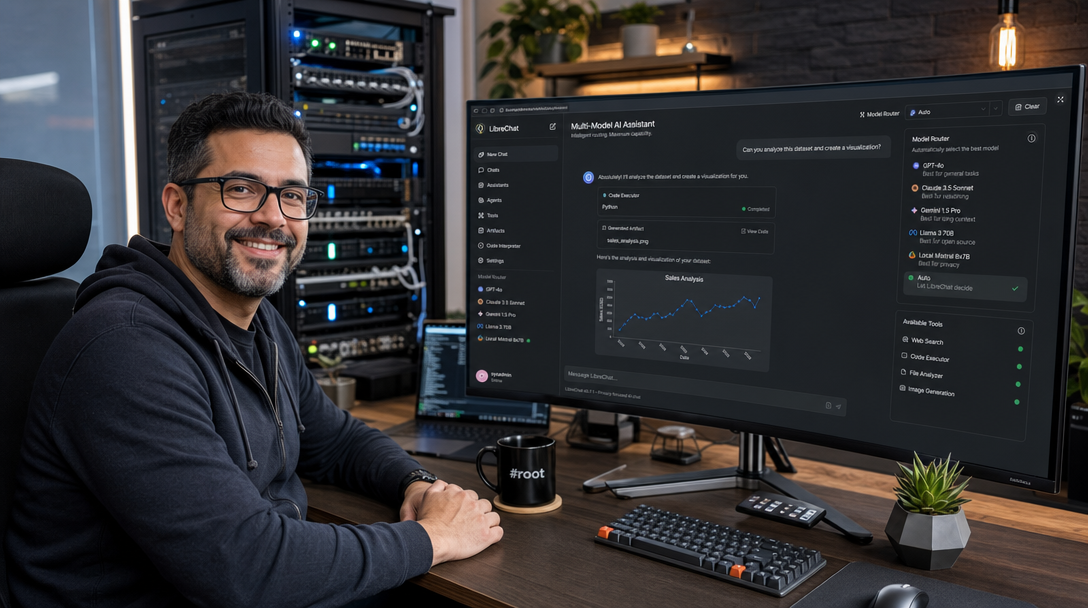
LibreChat has emerged as the definitive open-source AI platform that bridges this gap. It replicates the complete ChatGPT experience—including Anthropic-style interactive artifacts, code execution, multi-modal file uploads, customizable agent presets, and granular role-based access control (RBAC). When paired with Ollama for offline, air-gapped inference and orchestrated via Docker Compose with MongoDB and MeiliSearch, LibreChat delivers an uncompromising private AI operating environment.
Architecture Overview: The Self-Hosted Multi-Model AI Stack
To operate LibreChat reliably in a homelab or production environment, we decouple the web application layer, database persistence, full-text search indexing, and LLM inference. Rather than executing monolithic processes, our setup runs dedicated containers connected across a private bridge network:
+-------------------------------------------------------------------------------+
|                             Client Browser / HTTPS                            |
+---------------------------------------+---------------------------------------+
                                        |
                                        v (Port 3080 or Caddy / Reverse Proxy)
+-------------------------------------------------------------------------------+
|                               LibreChat Web & API                             |
|                           (Node.js / Express / React)                         |
|  - Multi-Model Switcher       - Code Interpreter Engine   - User Auth / RBAC  |
|  - Artifacts Renderer         - Presets & Prompts         - Token Management  |
+---------+-----------------------------+-----------------------------+---------+
          |                             |                             |
          v (MongoDB Protocol)          v (HTTP / REST)               v (HTTP API)
+-------------------+         +-------------------+         +-------------------+
|   MongoDB 7.0     |         |  MeiliSearch v1.7 |         |   Ollama Engine   |
| (Accounts, Chats, |         | (Fast Full-Text   |         | (Local Inference: |
|  Tokens, Presets) |         |  Search Indexing) |         |  Qwen, DeepSeek)  |
+-------------------+         +-------------------+         +-------------------+
In this architecture:
- LibreChat Application: Serves the React frontend and runs the Node.js API orchestrator. It handles authentication, credential encryption via AES-256-CBC, streaming responses via Server-Sent Events (SSE), and model parameter routing.
- MongoDB 7.0: Houses relational chat records, user session states, custom system prompts, and workspace permissions.
- MeiliSearch: Provides typo-tolerant, lightning-fast instant search across millions of historical chat messages and attached document transcripts.
- Ollama (or Upstream Endpoints): Acts as the localized inference engine executing quantized weights on GPU/CPU without transmitting prompt data across external boundaries.
Prerequisites and Environment Preparation
Before launching the deployment, verify that your host machine meets the following baseline requirements:
- Operating System: Ubuntu 24.04 LTS, Debian 12, or Rocky Linux 9.
- Compute: Minimum 4 CPU cores and 8 GB RAM (excluding local model VRAM requirements). If running local LLMs via Ollama on the same host, an NVIDIA GPU with at least 12–16 GB VRAM is recommended.
- Container Runtime: Docker Engine v26.0+ and Docker Compose v2.26+.
- Storage: Fast NVMe SSD storage for database indexes and vector embeddings.
Create a dedicated directory hierarchy for LibreChat to house configurations, persistent volumes, and custom certificates:
sudo mkdir -p /opt/librechat/{data,images,logs,search}
cd /opt/librechat
sudo chown -R 1000:1000 /opt/librechat/images
Step 1: Configuring LibreChat Central Configuration (librechat.yaml)
LibreChat relies on librechat.yaml to declare custom endpoints, interface behaviors, code execution parameters, and local Ollama integrations. Create /opt/librechat/librechat.yaml:
version: 1.1.5

cache: true

interface:
  # Enable interactive code artifacts (React/HTML/SVG previews)
  artifacts: true
  # Code execution configuration
  codeExecution: true
  parameters:
    temperature:
      min: 0.0
      max: 2.0
      default: 0.7
    top_p:
      min: 0.0
      max: 1.0
      default: 0.9

# Registration and Access Policy
registration:
  socialLogins: []
  allowedDomains: []

endpoints:
  # Local Ollama Integration
  custom:
    - name: "Local-Ollama"
      apiKey: "ollama"
      baseURL: "http://ollama:11434/v1"
      models:
        default:
          - "qwen2.5-coder:14b"
          - "deepseek-r1:14b"
          - "llama3.3:70b"
          - "nomic-embed-text:latest"
        fetch: true
      titleConvo: true
      titleModel: "qwen2.5-coder:14b"
      summarize: true
      summaryModel: "qwen2.5-coder:14b"
      forcePrompt: false
      modelDisplayLabel: "Local AI (Ollama)"

  # Native Assistants and Plugins
  assistants:
    disableBuilder: false
    pollIntervalMs: 3000
    timeoutMs: 120000
Step 2: Generating Cryptographic Secrets and Configuring .env
LibreChat requires two distinct 32-byte hexadecimal cryptographic keys: CREDS_KEY and CREDS_IV. These keys encrypt user API tokens, database credentials, and session tokens at rest using AES-256-CBC. Furthermore, strong session secrets must be assigned.
Execute the following shell commands to generate secure random keys:
CREDS_KEY=$(openssl rand -hex 32)
CREDS_IV=$(openssl rand -hex 16)
JWT_SECRET=$(openssl rand -hex 32)
JWT_REFRESH_SECRET=$(openssl rand -hex 32)
MEILI_KEY=$(openssl rand -base64 24)

cat <<EOF > /opt/librechat/.env
# ==============================================================================
# LibreChat Core Configuration
# ==============================================================================
HOST=0.0.0.0
PORT=3080
APP_TITLE="101Howto Engineering AI"

# Cryptographic Keys (Crucial: Do NOT lose these once initialized!)
CREDS_KEY=${CREDS_KEY}
CREDS_IV=${CREDS_IV}
JWT_SECRET=${JWT_SECRET}
JWT_REFRESH_SECRET=${JWT_REFRESH_SECRET}

# Database Connection
MONGO_URI=mongodb://librechat_user:StrongMongoDbPasswd2026@mongodb:27017/LibreChat?authSource=LibreChat

# Search & Indexing Engine
SEARCH=true
MEILI_HOST=http://meilisearch:7700
MEILI_MASTER_KEY=${MEILI_KEY}

# User Registration Control (Set to false after creating initial admin)
ALLOW_REGISTRATION=true
ALLOW_EMAIL_LOGIN=true
ALLOW_PASSWORD_RESET=false

# File Upload & Artifact Storage
CONFIG_PATH=/app/librechat.yaml
IMAGE_OUTPUT_PATH=/app/client/public/images

# Optional External API Keys (Can also be set in UI per user)
OPENAI_API_KEY=
ANTHROPIC_API_KEY=
EOF
Step 3: Creating the Production Docker Compose Manifest
Now, assemble the multi-container stack inside /opt/librechat/docker-compose.yml. This configuration specifies resource constraints, health checks, data persistence volumes, and inter-service dependencies:
services:
  librechat:
    image: ghcr.io/danny-avila/librechat:latest
    container_name: librechat_app
    restart: unless-stopped
    ports:
      - "3080:3080"
    environment:
      - HOST=0.0.0.0
      - PORT=3080
      - MONGO_URI=mongodb://librechat_user:StrongMongoDbPasswd2026@mongodb:27017/LibreChat?authSource=LibreChat
      - CONFIG_PATH=/app/librechat.yaml
    env_file:
      - .env
    volumes:
      - ./librechat.yaml:/app/librechat.yaml:ro
      - ./images:/app/client/public/images
      - ./logs:/app/api/logs
    depends_on:
      mongodb:
        condition: service_healthy
      meilisearch:
        condition: service_started
    networks:
      - ai_net
    healthcheck:
      test: ["CMD", "curl", "-f", "http://localhost:3080/health"]
      interval: 30s
      timeout: 10s
      retries: 3
      start_period: 40s

  mongodb:
    image: mongo:7.0
    container_name: librechat_mongo
    restart: unless-stopped
    environment:
      MONGO_INITDB_ROOT_USERNAME: root
      MONGO_INITDB_ROOT_PASSWORD: SuperAdminSecretPasswd2026
      MONGO_INITDB_DATABASE: LibreChat
    volumes:
      - ./data/mongo:/data/db
      - ./init-mongo.js:/docker-entrypoint-initdb.d/init-mongo.js:ro
    command: mongod --quiet --logpath /dev/null
    networks:
      - ai_net
    healthcheck:
      test: echo 'db.runCommand("ping").ok' | mongosh localhost:27017/test --quiet
      interval: 10s
      timeout: 5s
      retries: 5

  meilisearch:
    image: getmeili/meilisearch:v1.7
    container_name: librechat_search
    restart: unless-stopped
    environment:
      - MEILI_HOST=http://0.0.0.0:7700
      - MEILI_NO_ANALYTICS=true
    env_file:
      - .env
    volumes:
      - ./search:/meili_data
    networks:
      - ai_net

  ollama:
    image: ollama/ollama:latest
    container_name: librechat_ollama
    restart: unless-stopped
    ports:
      - "11434:11434"
    volumes:
      - ./data/ollama:/root/.ollama
    networks:
      - ai_net
    # Enable NVIDIA GPU passthrough if hardware is present
    deploy:
      resources:
        reservations:
          devices:
            - driver: nvidia
              count: all
              capabilities: [gpu]

networks:
  ai_net:
    driver: bridge
To initialize the dedicated unprivileged database account for LibreChat upon first boot, create /opt/librechat/init-mongo.js:
db = db.getSiblingDB('LibreChat');
db.createUser({
  user: 'librechat_user',
  pwd: 'StrongMongoDbPasswd2026',
  roles: [
    { role: 'readWrite', db: 'LibreChat' }
  ]
});
Step 4: Launching and Bootstrapping the Services
With configuration files, cryptographic environment variables, and initialization scripts firmly in place, start the stack using Docker Compose:
cd /opt/librechat
docker compose up -d
Verify that all four containers initialize cleanly and pass their respective health checks:
docker compose ps
docker compose logs -f librechat
Once the container displays Listening on port 3080, pull modern coding and reasoning models directly into the Ollama instance:
docker exec -it librechat_ollama ollama pull qwen2.5-coder:14b
docker exec -it librechat_ollama ollama pull deepseek-r1:14b
docker exec -it librechat_ollama ollama pull nomic-embed-text
Step 5: Administrative Setup & Hardening
Navigate to http://<YOUR-SERVER-IP>:3080 in your browser. Register your initial account. Important: The very first user registered automatically assumes the administrative owner role.
Once your administrator account is established, prevent unauthorized public registrations by updating /opt/librechat/.env:
# Change registration allowance to false
sed -i 's/ALLOW_REGISTRATION=true/ALLOW_REGISTRATION=false/g' /opt/librechat/.env

# Restart LibreChat to apply registration lockdown
docker compose up -d --force-recreate librechat
Using Interactive Artifacts and Local Multi-Model Routing
One of LibreChat’s most compelling capabilities is its native support for Artifacts. When prompting a model to generate client-side code (HTML5, Tailwind CSS, SVG diagrams, or React components), LibreChat renders a split-screen live preview window alongside the raw code.
In the model selector dropdown, select Local-Ollama followed by qwen2.5-coder:14b. You can test code execution and artifact rendering with a prompt such as:
“Create a responsive, dark-mode network topology dashboard using HTML and Tailwind CSS with real-time status pulses.”
LibreChat will isolate the code block and display an interactive preview tab right within the conversation interface, enabling rapid prototyping without context-switching to an external IDE.
Troubleshooting Common LibreChat Deployment Issues
1. MongoDB Authentication Failure (Command failed with error 18)
Symptom: The LibreChat application logs report MongoServerError: Authentication failed and repeatedly restarts.
Root Cause: The initialization script init-mongo.js only executes on an empty data directory. If MongoDB was previously started before the script was mounted, the user credentials were not created.
Solution: Verify the user manually or reset the MongoDB data directory (in non-production setups):
docker exec -it librechat_mongo mongosh -u root -p SuperAdminSecretPasswd2026 --eval "
use LibreChat;
db.createUser({user: 'librechat_user', pwd: 'StrongMongoDbPasswd2026', roles: [{role: 'readWrite', db: 'LibreChat'}]});
"
docker compose restart librechat
2. Ollama Connection Refused (ECONNREFUSED 127.0.0.1:11434)
Symptom: Selecting the Ollama model yields an immediate network error: Fetch failed: connect ECONNREFUSED.
Root Cause: The baseURL in librechat.yaml was configured as localhost or 127.0.0.1 instead of the Docker DNS service name.
Solution: Ensure librechat.yaml sets baseURL: "http://ollama:11434/v1". Both containers must reside on the same bridge network (ai_net).
3. MeiliSearch Index Lock or Master Key Mismatch
Symptom: Search queries inside the chat history return empty or throw HTTP 401/403 errors.
Root Cause: The MEILI_MASTER_KEY defined in .env does not match the key used when MeiliSearch initialized its database volume.
Solution: Check MeiliSearch container logs via docker compose logs meilisearch. If changing the key, the /opt/librechat/search volume must be wiped and re-indexed, or the original master key restored.
Summary and Key Takeaways
Deploying LibreChat with Docker Compose establishes a sovereign, multi-model AI workstation that matches proprietary commercial platforms in elegance while ensuring absolute data sovereignty. By pairing the stack with MongoDB for robust conversation state persistence, MeiliSearch for real-time retrieval, and Ollama for offline GPU acceleration, you eliminate external API dependencies and costly monthly subscriptions.
For external remote access, place this setup behind an automated reverse proxy such as Caddy or a Cloudflare Tunnel with Zero Trust access policies. This safeguards administrative endpoints while granting secure, responsive AI assistance across your distributed devices.

Hi, I’m Mark, the author of Clever IT Solutions: Mastering Technology for Success. I am passionate about empowering individuals to navigate the ever-changing world of information technology. With years of experience in the industry, I have honed my skills and knowledge to share with you. At Clever IT Solutions, we are dedicated to teaching you how to tackle any IT challenge, helping you stay ahead in today’s digital world. From troubleshooting common issues to mastering complex technologies, I am here to guide you every step of the way. Join me on this journey as we unlock the secrets to IT success.