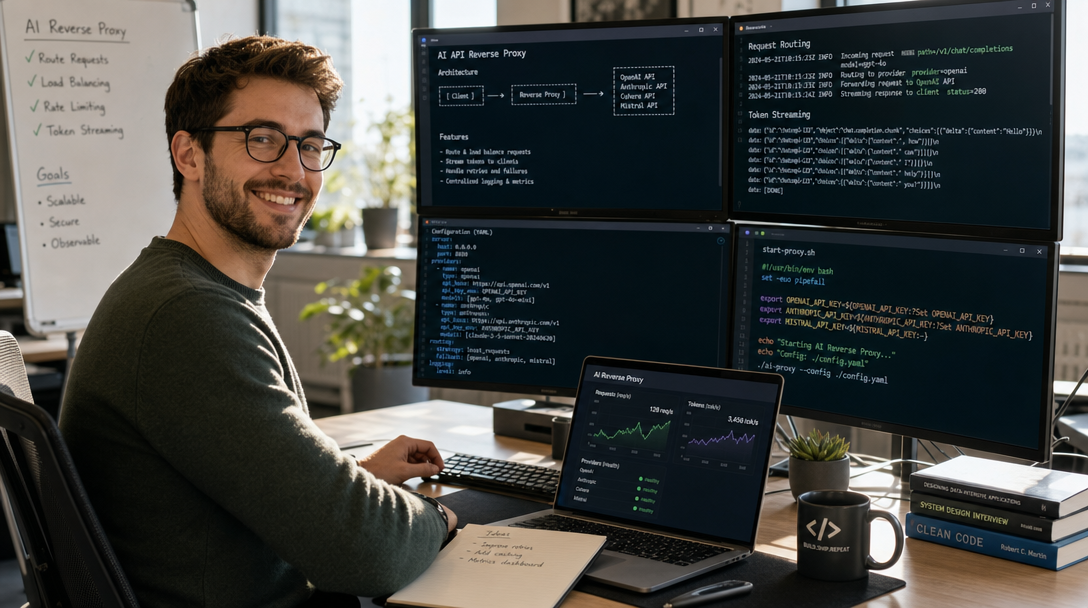
A claude code router is a specialized reverse-proxy and API translation middleware that enables developers to run third-party LLMs—such as DeepSeek-V3, OpenAI GPT-4o, or local Ollama models—directly inside Anthropic’s official Claude Code command-line interface. By intercepting Anthropic’s proprietary Messages API payloads and converting them into OpenAI-compatible chat completion formats, a router unlocks massive cost reductions and local offline coding capabilities. In this hands-on guide, we explain how a claude-code-router functions, how to configure the proxy environment, and how to execute agentic workflows with alternative models.
Why Use a Router with Claude Code?
Anthropic’s Claude Code is widely praised for its exceptional terminal UX, deep ripgrep codebase indexing, and autonomous sub-agent orchestration. However, the CLI is tightly bound to the Anthropic API by default. For developers managing massive enterprise refactors, high token costs or strict data residency mandates can create operational roadblocks.
Deploying a proxy router offers distinct advantages:
- Cost Optimization: Route heavy background tasks (such as repository scanning, test suite parsing, and documentation generation) to cost-effective models like DeepSeek-V3 or Qwen 2.5 while reserving premium Claude models for complex architectural reasoning.
- Local and Sovereign AI: Connect Claude Code to an on-premises Ollama or vLLM server to ensure proprietary intellectual property never traverses external cloud networks. For an in-depth evaluation of native local alternatives, see our comparison of OpenCode vs Claude Code.
- Vendor Redundancy: Seamlessly switch upstream model providers if Anthropic experiences rate limits, regional outages, or capacity throttling.
How a Claude Code Router Operates
The Claude Code CLI relies on standard HTTP client libraries that honor the ANTHROPIC_BASE_URL environment variable. Under standard operation, requests target https://api.anthropic.com/v1/messages. When redirected to a local router endpoint (such as http://127.0.0.1:8080/v1), the router performs real-time protocol transformation:
- Endpoint Ingestion: The router receives the Anthropic-formatted JSON payload, including system prompts, conversation history, and tool definitions (bash commands, file read/write operations).
- Schema Translation: The proxy translates Anthropic’s tool syntax into standard OpenAI tool calls or provider-specific function schemas.
- Upstream Dispatch: The request is dispatched to the chosen target (e.g., DeepSeek, Groq, OpenRouter, or a local Ollama instance).
- Streaming Response Translation: As the target model streams Server-Sent Events (SSE), the router repackages them into Anthropic-compliant event deltas (
content_block_delta,tool_use), feeding the terminal interface seamlessly.
For engineering teams working with multi-agent orchestration, understanding protocol standardization is vital; explore our architectural guide on MCP gateways and why you need one to see how unified proxies streamline developer tools.
Prerequisites
Before configuring the router, ensure your environment meets the following requirements:
- Node.js 20+ and npm installed on Linux, macOS, or Windows WSL2.
- Claude Code CLI installed globally:
npm install -g @anthropic-ai/claude-code. - An API Key or Local Engine: An API key for your target model (e.g., DeepSeek, OpenAI) or an active local instance of Ollama / vLLM. To set up local coding models with Docker, review our tutorial on how to self-host Continue.dev and Ollama.
Step-by-Step Setup Guide
Step 1: Deploy the Proxy Router
You can deploy an API proxy using modern multi-provider shims such as LiteLLM Proxy or dedicated claude-code-router open-source packages. In this example, we use LiteLLM in a lightweight virtual environment:
# Install LiteLLM with proxy support
pip install 'litellm[proxy]'
Create a routing configuration file named config.yaml that maps Claude model names to your target backend:
model_list:
  # Route Claude 3.7 Sonnet requests to DeepSeek-V3
  - model_name: claude-3-7-sonnet-20250219
    litellm_params:
      model: deepseek/deepseek-chat
      api_key: "os.environ/DEEPSEEK_API_KEY"

  # Route fallback requests to a local Ollama model
  - model_name: claude-3-5-sonnet-20241022
    litellm_params:
      model: ollama_chat/qwen2.5-coder:32b
      api_base: "http://localhost:11434"
Launch the proxy router daemon:
export DEEPSEEK_API_KEY="sk-your-deepseek-api-key"
litellm --config config.yaml --port 8080
Step 2: Configure Environment Variables for Claude Code
In a separate terminal window, configure the environment variables that force Claude Code to communicate with your local proxy instead of Anthropic’s public servers:
# Point Anthropic base URL to your local router
export ANTHROPIC_BASE_URL="http://localhost:8080"

# Set a non-empty dummy key to satisfy client-side validation
export ANTHROPIC_API_KEY="sk-router-dummy-key"
To make these settings persistent across terminal sessions, append the export statements to your shell profile (~/.bashrc or ~/.zshrc).
Step 3: Launch and Verify the Connection
Navigate to any software project directory and start the CLI:
cd ~/projects/my-app
claude
Issue a test prompt that requires tool execution:
> List the files in this directory and explain the package.json dependenciesInspect the output in your LiteLLM terminal window. You should observe incoming POST requests to /v1/messages translated into upstream calls to your configured model, with streaming responses returned to your Claude Code terminal.
Critical Considerations: What Works and What Fails
While a router enables remarkable flexibility, systems architects must account for specific behavioral limitations:
| Capability | Native Claude (Anthropic API) | Routed Model (DeepSeek / OpenAI) | Routed Model (Local Ollama) |
|---|---|---|---|
| Tool Calling Reliability | Exceptional (Near-zero schema failures) | High (Strong JSON adherence) | Moderate (Requires 14B+ parameter models) |
| Prompt Caching | Native (Up to 90% input cost reduction) | Provider Dependent | N/A (Local KV cache dependent) |
| Thinking / Reasoning Blocks | Full native support (Claude 3.7) | Provider Dependent (e.g. DeepSeek-R1) | Experimental |
| Sub-Agent Spawning | Fully supported | Supported if model formats tools correctly | Prone to loops on small models (< 7B) |
Typical Errors and How to Fix Them
- Error:
Invalid API Keyon startup: If Claude Code fails authentication before making network calls, ensureANTHROPIC_API_KEYis set to an arbitrary string (e.g.,sk-ant-dummy). The client requires a validly structured string even when routing through a local proxy. - Tool Calling Failures (Malformed Tool Use): Small local models (under 14B parameters) often fail to format tool arguments into the exact JSON schemas expected by Claude Code. For best results with local models, use models explicitly fine-tuned for tool calling, such as
qwen2.5-coder:32b. - Connection Refused (ECONNREFUSED): Verify that your proxy router is running and bound to
127.0.0.1:8080or0.0.0.0:8080before launching Claude Code.
Frequently Asked Questions (FAQ)
Can I use a claude-code-router with local Ollama models?
Yes. By configuring an API gateway like LiteLLM or an open-source claude-code-router shim, you can point the backend to http://localhost:11434. To ensure reliable autonomous file editing and bash execution, run models with robust tool-calling support, such as Qwen 2.5 Coder 14B or 32B.
Does using a router violate Anthropic’s Terms of Service?
No. Claude Code is distributed as an open client package whose connection parameters (such as ANTHROPIC_BASE_URL) are intentionally configurable by design for enterprise proxies, custom corporate security gateways, and cloud aggregators like Amazon Bedrock or Google Cloud Vertex AI.
How does token caching behave through a proxy router?
Prompt caching depends entirely on whether your upstream provider and proxy software implement cache headers. Native Anthropic prompt caching significantly reduces billing on repeated repository context. When routing to providers without prompt caching support, every request transmits the entire conversation history, which may impact upstream latency.

Hi, I’m Mark, the author of Clever IT Solutions: Mastering Technology for Success. I am passionate about empowering individuals to navigate the ever-changing world of information technology. With years of experience in the industry, I have honed my skills and knowledge to share with you. At Clever IT Solutions, we are dedicated to teaching you how to tackle any IT challenge, helping you stay ahead in today’s digital world. From troubleshooting common issues to mastering complex technologies, I am here to guide you every step of the way. Join me on this journey as we unlock the secrets to IT success.