Self-hosting a local Large Language Model via Ollama provides immense privacy and eliminates per-token API billing. However, a plain chat interface quickly reaches its limits when building real-world enterprise automations. Modern applications require deterministic guardrails, multi-step agent reasoning, dynamic data retrieval (RAG), live internet search augmentation, and Python function execution. Attempting to hardcode these workflows directly into the inference engine creates brittle, unmaintainable architectures.
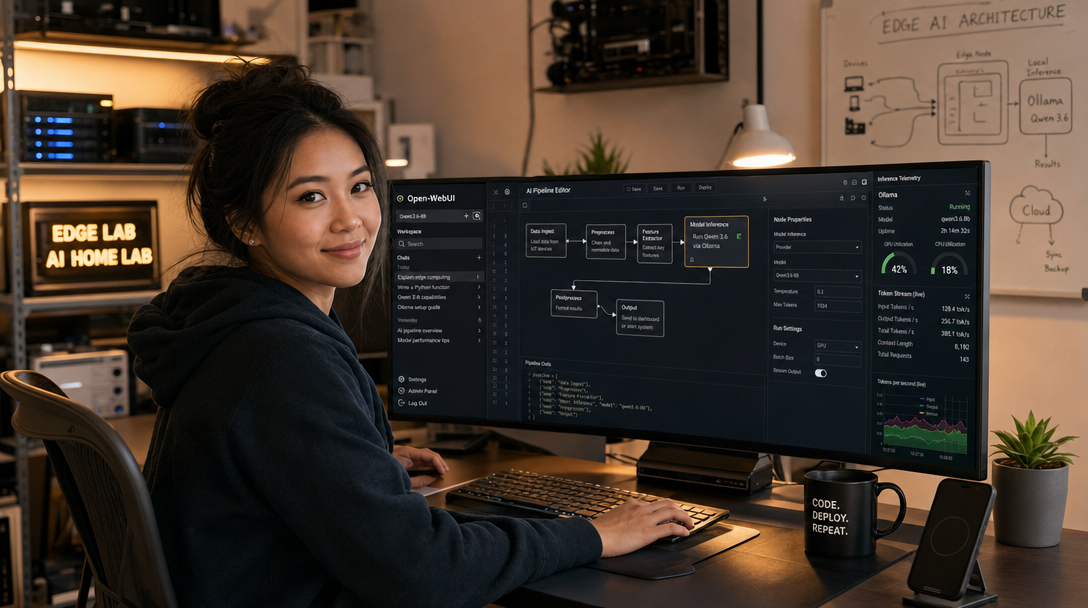
The standard architectural solution is Open-WebUI Pipelines. Built as an extensible, modular Python middleware framework, Pipelines sits directly between Open-WebUI and your underlying inference backends. It functions as an intelligent proxy that can intercept, modify, validate, and branch prompt-response streams in real time. Combined with Ollama running the cutting-edge Qwen 3.6 model family (renowned for top-tier reasoning, tool calling, and coding benchmarks), this containerized stack transforms a simple self-hosted chat UI into a private, autonomous agent orchestration platform. In this comprehensive guide, we configure and deploy Ollama, Open-WebUI, and the Pipelines engine using Docker Compose.
Architecture & Pipeline Interception Flow
Open-WebUI communicates with upstream LLMs using the OpenAI-compatible API standard. The Pipelines container exposes an identical OpenAI-compatible endpoint on port 9099. When Open-WebUI routes a chat request through Pipelines, the framework passes the user prompt through an ordered chain of modular Python classes: Inlet filters (preprocessing, prompt injection defense, PII scrubbing), Pipe execution (function calling, web search, agent loops against Ollama running Qwen 3.6), and Outlet filters (hallucination checks, output formatting, audit logging).
+---------------------------------------------------------------+
|                       User Browser Interface                  |
|                        Open-WebUI (Port 8080)                 |
+-------------------------------+-------------------------------+
                                |
                                | HTTP (OpenAI API Format)
                                v
+---------------------------------------------------------------+
|                 Open-WebUI Pipelines (Port 9099)              |
|  +---------------------------------------------------------+  |
|  | Inlet Filters:       PII Redaction, Prompt Sanitization |  |
|  | Pipe Logic:          RAG, Function Tools, Agent Loops   |  |
|  | Outlet Filters:      Toxicity & Hallucination Check     |  |
|  +---------------------------------------------------------+  |
+-------------------------------+-------------------------------+
                                |
                                | HTTP (Port 11434)
                                v
+---------------------------------------------------------------+
|                     Ollama Inference Engine                   |
|  - NVIDIA GPU Acceleration via Container Toolkit              |
|  - Loaded Model: Qwen 3.6 (Instruct / Coder / Vision)         |
|  - High-throughput GGUF quantization (Q4_K_M / Q8_0)          |
+---------------------------------------------------------------+
Host Prerequisites & NVIDIA GPU Support
This deployment is optimized for Linux servers (Ubuntu 24.04/22.04 LTS or Debian 12) equipped with Docker Engine (v26.0+) and Docker Compose (v2.27+). While the stack will fall back to CPU execution, an NVIDIA GPU with at least 12GB to 16GB of VRAM (e.g., RTX 3060/4060 Ti, RTX 4080, or enterprise A4000/A5000) is strongly recommended for responsive token generation with Qwen 3.6.
Verify that the NVIDIA Container Toolkit is installed and operational on your host:
# Verify GPU visibility inside Docker
docker run --rm --gpus all nvidia/cuda:12.4.1-base-ubuntu22.04 nvidia-smi
Directory Structure & Pipeline Volume Setup
Create a dedicated workspace to store model weights, user databases, and custom Python pipeline modules:
sudo mkdir -p /opt/ai-stack/{ollama,open-webui,pipelines/pipelines}
cd /opt/ai-stack
sudo chmod -R 755 /opt/ai-stack
Production Docker Compose Specification
Create the docker-compose.yml file in /opt/ai-stack/docker-compose.yml. We link ollama, pipelines, and open-webui across a shared internal bridge network:
# /opt/ai-stack/docker-compose.yml
services:
  ollama:
    image: ollama/ollama:latest
    container_name: ollama-engine
    restart: unless-stopped
    volumes:
      - ./ollama:/root/.ollama
    ports:
      - "11434:11434"
    networks:
      - ai-network
    environment:
      - OLLAMA_KEEP_ALIVE=24h
      - OLLAMA_NUM_PARALLEL=4
    deploy:
      resources:
        reservations:
          devices:
            - driver: nvidia
              count: all
              capabilities: [gpu]

  pipelines:
    image: ghcr.io/open-webui/pipelines:main
    container_name: open-webui-pipelines
    restart: unless-stopped
    volumes:
      - ./pipelines/pipelines:/app/pipelines
    ports:
      - "9099:9099"
    networks:
      - ai-network
    environment:
      - PIPELINES_URLS=https://github.com/open-webui/pipelines/archive/refs/heads/main.zip
      - PIPELINES_REQUIREMENTS_PATH=/app/pipelines/requirements.txt
    depends_on:
      - ollama
    deploy:
      resources:
        limits:
          memory: 2048M
          cpus: "2.0"

  open-webui:
    image: ghcr.io/open-webui/open-webui:main
    container_name: open-webui-frontend
    restart: unless-stopped
    volumes:
      - ./open-webui:/app/backend/data
    ports:
      - "8080:8080"
    networks:
      - ai-network
    environment:
      - OLLAMA_BASE_URL=http://ollama:11434
      - OPENAI_API_BASE_URL=http://pipelines:9099
      - OPENAI_API_KEY=0p3n-w3bu1-p1p3l1n3s
      - WEBUI_AUTH=true
      - ENABLE_SIGNUP=false
    depends_on:
      - pipelines
    deploy:
      resources:
        limits:
          memory: 2048M
          cpus: "2.0"

networks:
  ai-network:
    name: ai-network
    driver: bridge
Pulling and Verifying the Qwen 3.6 Model
Start the Docker Compose services in detached mode:
cd /opt/ai-stack
docker compose up -d

# Verify all three containers are actively running
docker compose ps
Next, pull the latest Qwen 3.6 model into Ollama. The 14B parameter variant strikes an optimal balance between reasoning accuracy and high token throughput on standard 16GB VRAM GPUs, while the 7B or 32B variants can be chosen depending on hardware capacity:
# Pull the modern Qwen 3.6 reasoning model
docker exec -it ollama-engine ollama pull qwen3.6:14b

# Verify the model is downloaded and registered
docker exec -it ollama-engine ollama list
Authoring a Custom Autonomous Pipeline Module
The core strength of Open-WebUI Pipelines is its plug-and-play Python architecture. Any script placed into /opt/ai-stack/pipelines/pipelines/ that implements the Pipeline class is automatically registered as a distinct, callable model or filter inside Open-WebUI.
Below is a production-ready custom pipeline that implements an automated System Prompt Injection & Rate-Limiting Guardrail for Qwen 3.6. Create /opt/ai-stack/pipelines/pipelines/guardrail_qwen.py:
# /opt/ai-stack/pipelines/pipelines/guardrail_qwen.py
import os
import requests
from typing import List, Union, Generator, Iterator
from pydantic import BaseModel

class Pipeline:
    class Valves(BaseModel):
        OLLAMA_HOST: str = "http://ollama:11434"
        BASE_MODEL: str = "qwen3.6:14b"
        ENFORCE_STRICT_JSON: bool = False

    def __init__(self):
        self.type = "pipe"
        self.id = "qwen_autonomous_guardrail"
        self.name = "Qwen 3.6 Autonomous Guardrail"
        self.valves = self.Valves()

    async def on_startup(self):
        print(f"[{self.name}] Pipeline initialized and connected to {self.valves.OLLAMA_HOST}")

    async def on_shutdown(self):
        print(f"[{self.name}] Pipeline shutting down.")

    def pipe(
        self, user_message: str, model_id: str, messages: List[dict], body: dict
    ) -> Union[str, Generator, Iterator]:
        # Inject standard security preamble for enterprise agent behavior
        system_guard = {
            "role": "system",
            "content": (
                "You are an autonomous engineering assistant powered by Qwen 3.6. "
                "Always adhere to strict factual accuracy. Provide production-ready, "
                "hardened code snippets with explanatory commentary. Avoid pleasantries."
            )
        }

        # Prepend system guardrail if not already present
        if not any(m.get("role") == "system" for m in messages):
            messages.insert(0, system_guard)

        payload = {
            "model": self.valves.BASE_MODEL,
            "messages": messages,
            "stream": body.get("stream", False)
        }

        response = requests.post(
            f"{self.valves.OLLAMA_HOST}/api/chat",
            json=payload,
            stream=body.get("stream", False),
            timeout=180
        )

        if response.status_code != 200:
            return f"Error communicating with Ollama: HTTP {response.status_code} - {response.text}"

        if body.get("stream", False):
            def stream_generator():
                for line in response.iter_lines():
                    if line:
                        import json
                        chunk = json.loads(line)
                        yield chunk.get("message", {}).get("content", "")
            return stream_generator()
        else:
            data = response.json()
            return data.get("message", {}).get("content", "")
Restart the Pipelines service to compile and load the new module:
docker compose restart pipelines
docker compose logs -f pipelines | grep "Pipeline initialized"
Connecting Pipelines Inside Open-WebUI
Navigate to http://<your-server-ip>:8080 in your browser. Register your primary administrator account.
- Go to Admin Panel -> Settings -> Connections.
- Under OpenAI API, ensure the endpoint points to
http://pipelines:9099with the API key0p3n-w3bu1-p1p3l1n3s. - Click the verify/refresh button. Open-WebUI will immediately query Pipelines and discover your newly defined
Qwen 3.6 Autonomous Guardrailmodel. - In the main chat window, select Qwen 3.6 Autonomous Guardrail from the top model selector and test a multi-turn conversation.
Production Hardening & Best Practices
- Keep Inference & WebUI Internal: Never expose port
11434(Ollama) or port9099(Pipelines) directly to the public internet. Ollama has no built-in authentication mechanism by default. Keep all three containers attached exclusively to the internal Docker bridge network, exposing only Open-WebUI (port 8080) behind a hardened TLS reverse proxy (Caddy or Cloudflare Tunnels). - Configure Memory & VRAM Offloading: The
OLLAMA_KEEP_ALIVE=24henvironment variable keeps Qwen 3.6 loaded inside GPU VRAM, eliminating the 10-second cold-load delay on the first user prompt of the day. If your host has limited RAM, reduce this setting toOLLAMA_KEEP_ALIVE=15m. - Sanitize Python Dependencies: When utilizing third-party community pipelines (such as LangChain RAG or DuckDuckGo search plugins), always review the required dependencies in
requirements.txtbefore restarting the Pipelines container to prevent unauthorized arbitrary code execution. - Disable Open Registration: Prevent unauthorized local token consumption by ensuring
ENABLE_SIGNUP=falseis set in yourdocker-compose.ymlfile after creating your administrator account.
Troubleshooting Common Failures
1. Ollama Falls Back to CPU (Extremely Slow Generation)
Root Cause: The NVIDIA Container Toolkit is not registered with Docker’s daemon runtime, or the GPU reservations block is missing in docker-compose.yml.
Solution: Verify that /etc/docker/daemon.json includes the nvidia runtime. Restart the Docker daemon via sudo systemctl restart docker. Check Ollama GPU utilization in logs: docker compose logs ollama | grep -i "gpu".
2. Open-WebUI Reports “Cannot Connect to OpenAI API”
Root Cause: Open-WebUI cannot resolve the pipelines container hostname, or the API key does not match.
Solution: Confirm both containers reside on the same Docker network (ai-network). Ensure OPENAI_API_BASE_URL=http://pipelines:9099 uses the container name, not localhost, as localhost refers to the Open-WebUI container itself.
3. Custom Pipeline Fails to Load with ModuleNotFoundError
Root Cause: Your custom Python script requires external packages that are not bundled into the base Pipelines image.
Solution: Create a requirements.txt file in /opt/ai-stack/pipelines/pipelines/requirements.txt listing your dependencies (e.g., beautifulsoup4, duckduckgo_search). When the container boots, it automatically installs these packages before initializing the pipeline modules.
Conclusion
By pairing Ollama and Qwen 3.6 with Open-WebUI Pipelines, you elevate local AI from a simple interactive chatbot into a programmable, modular workflow ecosystem. With Python-based inlet/outlet filters, deterministic system prompt injection, and seamless agent tool routing, you gain absolute control over model inputs and outputs—all hosted entirely on your private hardware with zero vendor telemetry or recurring API expenses.

Hi, I’m Mark, the author of Clever IT Solutions: Mastering Technology for Success. I am passionate about empowering individuals to navigate the ever-changing world of information technology. With years of experience in the industry, I have honed my skills and knowledge to share with you. At Clever IT Solutions, we are dedicated to teaching you how to tackle any IT challenge, helping you stay ahead in today’s digital world. From troubleshooting common issues to mastering complex technologies, I am here to guide you every step of the way. Join me on this journey as we unlock the secrets to IT success.