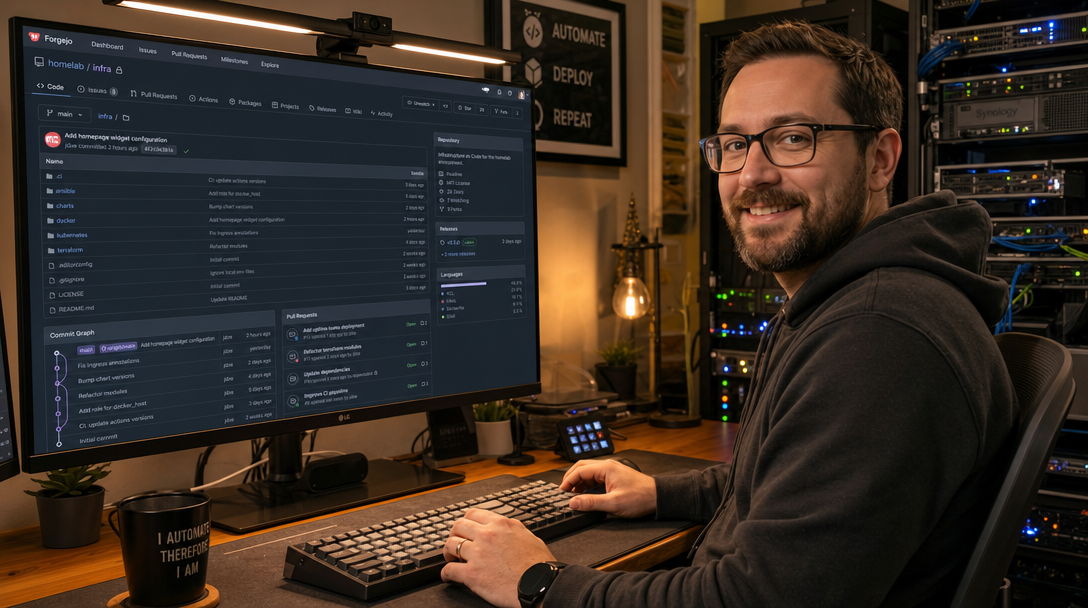
Centralized cloud Git providers such as GitHub and GitLab offer comprehensive developer tooling, but they also introduce vendor lock-in, data sovereignty concerns, sudden pricing shifts, and potential service outages beyond your control. For privacy-conscious development teams, homelabs, and self-hosted enterprises, maintaining total governance over source code, issues, releases, and CI/CD artifacts is paramount. While GitLab requires immense server resources (often 4GB to 8GB of RAM just to idle), lightweight alternatives like Forgejo provide a full-featured Git forge that operates efficiently on minimal hardware.
Forgejo is a 100% community-driven, non-commercial hard-fork of Gitea, stewarded by the Codeberg e.V. non-profit and the Forgejo community. It guarantees software freedom without corporate governance conflicts, proprietary telemetry, or enterprise license tiering. When coupled with a dedicated PostgreSQL 16 database engine and Caddy v2 for automated Let’s Encrypt TLS and HTTP/3 termination, Forgejo delivers an enterprise-grade Git experience with sub-second page loads while consuming less than 250MB of RAM. This tutorial walks through building and hardening a production-grade Forgejo deployment using Docker Compose.
Architecture & Git Protocol Routing
A production Git forge must reliably handle two distinct network protocols: HTTPS (Port 443) for web UI navigation, REST API automation, and Git HTTP smart-clones, and SSH (Port 22 or 2222) for secure, key-based Git push/pull operations. Caddy terminates public web traffic, handles automatic SSL/TLS lifecycle certificates, and reverse-proxies HTTP requests directly to Forgejo’s internal web server on port 3000. SSH traffic bypasses the web proxy and connects directly to the containerized OpenSSH daemon on custom port 2222 (or forwarded from port 22).
+---------------------------------------------------------------+
|                       Internet / LAN Clients                  |
|          +-------------------+             +---------------+   |
|          | Web Browser / Git |             | Git CLI (SSH) |   |
|          +---------+---------+             +-------+-------+   |
|                    |                               |           |
|                    | HTTPS (443)                   | SSH (2222)|
+--------------------|-------------------------------|-----------+
                     v                               v
+-----------------------------+     +---------------------------+
|    Caddy Reverse Proxy      |     |  Forgejo Container Port   |
|  - Auto Let's Encrypt SSL   |     |  - Internal OpenSSH: 22   |
|  - HTTP/3 + HSTS Hardening  |     |    (Exposed as 2222)      |
+--------------+--------------+     +-------------+-------------+
               | HTTP (3000)                      |
               +----------------+                 |
                                v                 v
+---------------------------------------------------------------+
|                     Forgejo Core Service                      |
|  - App daemon (Go)                                            |
|  - Git binary execution & repository storage                  |
|  - Built-in Container Registry & Actions CI/CD engine         |
+-------------------------------+-------------------------------+
                                |
                                | SQL (Port 5432)
                                v
+---------------------------------------------------------------+
|                    PostgreSQL 16 Database                     |
|  - Stores metadata: users, permissions, pull requests, issues |
+---------------------------------------------------------------+
Directory Structure & Preparation
Log in to your Linux server (Ubuntu 24.04/22.04 LTS or Debian 12) with root or sudo privileges. Create a standardized directory structure under /opt/forgejo to isolate application data, configurations, and database volumes:
sudo mkdir -p /opt/forgejo/{data,db-data,caddy/data,caddy/config}
cd /opt/forgejo

# Forgejo runs under UID/GID 1000 by default inside the container
sudo chown -R 1000:1000 /opt/forgejo/data
sudo chmod -R 750 /opt/forgejo/data
Docker Compose Configuration
Create the docker-compose.yml file in /opt/forgejo/docker-compose.yml. We configure three isolated services: db (PostgreSQL 16 Alpine), forgejo (official Forgejo rootless/container image), and caddy (reverse proxy with TLS).
# /opt/forgejo/docker-compose.yml
services:
  db:
    image: postgres:16-alpine
    container_name: forgejo-db
    restart: unless-stopped
    environment:
      POSTGRES_USER: forgejo
      POSTGRES_PASSWORD: ChangeThisSecurePostgresPassword123!
      POSTGRES_DB: forgejodb
    volumes:
      - ./db-data:/var/lib/postgresql/data
    networks:
      - forgejo-net
    healthcheck:
      test: ["CMD-SHELL", "pg_isready -U forgejo -d forgejodb"]
      interval: 10s
      timeout: 5s
      retries: 5
    deploy:
      resources:
        limits:
          memory: 512M
          cpus: "1.0"

  forgejo:
    image: codeberg.org/forgejo/forgejo:9.0.0
    container_name: forgejo-server
    restart: unless-stopped
    depends_on:
      db:
        condition: service_healthy
    networks:
      - forgejo-net
    environment:
      - USER_UID=1000
      - USER_GID=1000
      - FORGEJO__database__DB_TYPE=postgres
      - FORGEJO__database__HOST=db:5432
      - FORGEJO__database__NAME=forgejodb
      - FORGEJO__database__USER=forgejo
      - FORGEJO__database__PASSWD=ChangeThisSecurePostgresPassword123!
      - FORGEJO__server__DOMAIN=git.yourdomain.com
      - FORGEJO__server__ROOT_URL=https://git.yourdomain.com/
      - FORGEJO__server__SSH_DOMAIN=git.yourdomain.com
      - FORGEJO__server__SSH_PORT=2222
      - FORGEJO__server__SSH_LISTEN_PORT=22
      - FORGEJO__server__LFS_START_SERVER=true
      - FORGEJO__service__DISABLE_REGISTRATION=false
      - FORGEJO__service__REQUIRE_SIGNIN_VIEW=true
    volumes:
      - ./data:/data
      - /etc/timezone:/etc/timezone:ro
      - /etc/localtime:/etc/localtime:ro
    ports:
      - "2222:22" # SSH passthrough port
    deploy:
      resources:
        limits:
          memory: 1024M
          cpus: "1.5"

  caddy:
    image: caddy:2.8-alpine
    container_name: forgejo-caddy
    restart: unless-stopped
    depends_on:
      - forgejo
    networks:
      - forgejo-net
    ports:
      - "80:80"
      - "443:443"
    volumes:
      - ./caddy/Caddyfile:/etc/caddy/Caddyfile:ro
      - ./caddy/data:/data
      - ./caddy/config:/config

networks:
  forgejo-net:
    name: forgejo-net
    driver: bridge
Configuring Caddy with HTTPS & HTTP/3
Forgejo requires large request body tolerances for Git LFS (Large File Storage) and large code commits. We configure Caddy to terminate TLS, apply hardened security headers, and transparently stream Git requests to the container.
Create the Caddy configuration file at /opt/forgejo/caddy/Caddyfile:
# /opt/forgejo/caddy/Caddyfile
git.yourdomain.com {
    encode zstd gzip

    # Production HTTP security headers
    header {
        Strict-Transport-Security "max-age=31536000; includeSubDomains; preload"
        X-Content-Type-Options "nosniff"
        X-Frame-Options "SAMEORIGIN"
        Referrer-Policy "strict-origin-when-cross-origin"
    }

    # Reverse proxy to Forgejo web port with unlimited upload buffering for Git pushes
    reverse_proxy forgejo:3000 {
        header_up X-Real-IP {remote_host}
        header_up X-Forwarded-For {remote_host}
        header_up X-Forwarded-Proto {scheme}

        # Maximize streaming performance for Git LFS and bundle transfers
        transport http {
            response_header_timeout 600s
        }
    }
}
Launching the Stack & First-Time Initialization
Deploy the stack by bringing up the containers in detached mode. Docker will create the network, initialize the PostgreSQL 16 cluster, perform migration tables, and request a production SSL/TLS certificate through Caddy:
cd /opt/forgejo
docker compose up -d

# Verify all containers are running and healthy
docker compose ps
Now open your browser and navigate to https://git.yourdomain.com. Click the Register or Sign In button. The very first user created on a fresh Forgejo installation automatically becomes the System Administrator.
Complete the initial registration form with your preferred admin credentials:
- Administrator Username: e.g.,
sysadmin - Email Address: e.g.,
admin@yourdomain.com - Password: A high-entropy password (at least 16 characters).
Testing Git Clones over SSH & HTTPS
Create a test repository named infrastructure-core in the Forgejo Web UI. Add your local workstation’s public SSH key (~/.ssh/id_ed25519.pub) under Settings -> SSH / GPG Keys -> Add Key.
Test cloning, committing, and pushing from your terminal over SSH using the custom port 2222:
# Test SSH connectivity to Forgejo
ssh -T -p 2222 git@git.yourdomain.com
# Expected response:
# Hi there, sysadmin! You've successfully authenticated with the key named Workstation, but Forgejo does not provide shell access.

# Clone the newly created repository
git clone ssh://git@git.yourdomain.com:2222/sysadmin/infrastructure-core.git
cd infrastructure-core

# Create an initial commit and push
echo "# Infrastructure as Code" > README.md
git add README.md
git commit -m "chore: initial repository scaffold"
git push origin main
Production Hardening & Best Practices
- Close Public Registration: Unless you operate a public code community like Codeberg, immediately disable open user registration to prevent spam accounts and unauthorized server abuse. In
docker-compose.yml, setFORGEJO__service__DISABLE_REGISTRATION=trueand rundocker compose up -dto apply. Admins can still invite members manually or via OIDC/LDAP. - Require Sign-In to View Repositories: For private code bases, set
FORGEJO__service__REQUIRE_SIGNIN_VIEW=true. Unauthenticated visitors accessing the root domain will be redirected straight to the login screen, preventing anonymous code scanning. - Automated Disaster Recovery Backups: Forgejo includes a native backup utility that dumps database records, repository bare trees, attachments, and SSH keys into a compressed zip file. Schedule an automated backup cronjob on the host:
# Run daily at 02:00 AM 0 2 * * * docker exec -u 1000 -w /tmp forgejo-server forgejo dump -c /data/gitea/conf/app.ini -f /data/backup-$(date +\%F).zip - Protect SSH with Fail2ban: Because port
2222is exposed to the internet, botnets will attempt SSH credential stuffing. Configure Fail2ban or CrowdSec on the Docker host to monitor Docker bridge logs or bind Forgejo’s SSH port to an internal VPN/WireGuard interface if external access is unnecessary.
Troubleshooting Common Issues
1. Permission Denied (publickey) on SSH Port 2222
Root Cause: Permissions on /opt/forgejo/data are incorrect, or the user’s client SSH client did not offer the matching identity file.
Solution: Ensure /opt/forgejo/data is owned by UID 1000: sudo chown -R 1000:1000 /opt/forgejo/data. On your client machine, test explicit key offering via ssh -vvv -i ~/.ssh/id_ed25519 -p 2222 git@git.yourdomain.com to inspect the SSH negotiation handshake.
2. Git HTTP Push Fails with “RPC failed; HTTP 413 curl 22 The requested URL returned error: 413”
Root Cause: Pushing large Git commits or LFS binaries exceeds standard reverse proxy request body limits.
Solution: Caddy v2 handles streaming request bodies without hardcoded limits by default. However, verify that your client Git configuration has an adequate buffer size by running git config --global http.postBuffer 524288000 (500MB) on your development workstation.
3. “Database server is not available” during Container Startup
Root Cause: Forgejo starts up before PostgreSQL finishes initializing its internal data cluster on a cold boot.
Solution: Use Docker Compose depends_on with the condition: service_healthy directive (as shown in our compose configuration). The PostgreSQL container defines a healthcheck that guarantees the database accepts connections before Forgejo begins migration tasks.
Conclusion
With Forgejo, PostgreSQL 16, and Caddy deployed in Docker Compose, you now possess a sovereign, lightweight, and community-driven Git forge. Your code, issue trackers, wiki pages, and releases remain completely under your administrative control with automatic TLS encryption and reliable dual-protocol routing (HTTPS and SSH). As your infrastructure grows, Forgejo can seamlessly expand to support Forgejo Actions (compatible with GitHub Actions CI workflows) and federated Git collaboration via the ForgeFed protocol—all while keeping resource consumption at a tiny fraction of conventional enterprise platforms.

Hi, I’m Mark, the author of Clever IT Solutions: Mastering Technology for Success. I am passionate about empowering individuals to navigate the ever-changing world of information technology. With years of experience in the industry, I have honed my skills and knowledge to share with you. At Clever IT Solutions, we are dedicated to teaching you how to tackle any IT challenge, helping you stay ahead in today’s digital world. From troubleshooting common issues to mastering complex technologies, I am here to guide you every step of the way. Join me on this journey as we unlock the secrets to IT success.