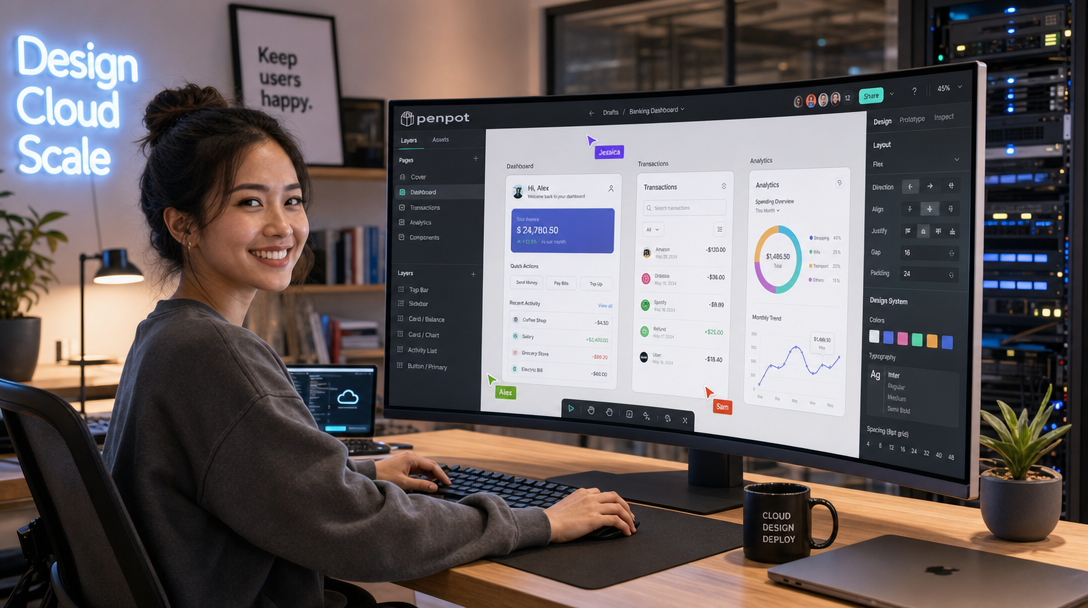
Cloud-based design and prototyping suites like Figma have transformed product workflows, but their proprietary SaaS models introduce significant friction for organizations that value data privacy, intellectual property isolation, and sovereign hosting. Enterprise design assets frequently contain unreleased intellectual property, confidential product mockups, and corporate brand guidelines. Storing these assets on third-party multi-tenant infrastructure creates vendor lock-in and potential compliance vulnerabilities. Penpot is the leading open-source, web-based design and prototyping tool created explicitly for cross-functional product teams. Built natively on open web standards—using SVG as its native file format alongside CSS Grid and Flexbox layout engines—Penpot delivers a true self-hosted alternative to Figma that runs cleanly on your own infrastructure.
In this guide, you will deploy a production-ready Penpot v2 instance using Docker Compose on Linux. You will configure the multi-container architecture, establish persistent PostgreSQL and Redis caching layers, configure the headless rendering exporter, integrate automated TLS via a Caddy reverse proxy, and enforce security policies such as registration controls and SMTP alerting.
Penpot Architecture & Service Components
Penpot utilizes a modular microservices architecture designed to decouple state management, collaborative real-time editing, and CPU-intensive media rendering. Running Penpot in production involves five interconnected container services:
- penpot-frontend: An Nginx web server serving compiled ClojureScript Single Page Application (SPA) assets and handling client routing.
- penpot-backend: The core application server written in Clojure running on the Java Virtual Machine (JVM). It manages user authentication, workspace hierarchies, project permissions, and real-time WebSocket synchronization.
- penpot-exporter: A specialized Node.js service running headless Chromium to generate high-resolution PNG, JPEG, and PDF exports of vector artboards and components asynchronously.
- penpot-postgres: PostgreSQL 15/16 database storing user records, design tree structures, and metadata.
- penpot-redis: Redis 7 in-memory cache handling session states, real-time message broadcasting, and pub/sub synchronization between backend instances.
+-----------------------------------------------------------------------+
|                            USER BROWSER                               |
|        Collaborative Canvas (SVG Rendering, CSS Flexbox & Grid)       |
+-----------------------------------------------------------------------+
                                    |
                    HTTPS (Port 443) / WSS (WebSockets)
                                    v
+-----------------------------------------------------------------------+
|                    EDGE REVERSE PROXY (Caddy)                         |
|             Automatic Let's Encrypt TLS & WSS Forwarding              |
+-----------------------------------------------------------------------+
                                    |
                           Internal Bridge Network
                                    v
+-----------------------------------+-----------------------------------+
|     PENPOT FRONTEND CONTAINER     |     PENPOT BACKEND CONTAINER      |
|           (Port 80 / Nginx)       |       (Port 6001 / Clojure JVM)   |
|   - Static SPA Vector UI Assets   |   - REST API & Auth Tokens        |
|   - Client Routing                |   - Real-Time WebSocket Engine    |
+-----------------------------------+-----------------------------------+
                  \                                   /
                   \                                 /
+-----------------------------------+-----------------------------------+
|      PENPOT EXPORTER CONTAINER    |          DATA PERSISTENCE         |
|     (Node.js + Headless Chrome)   |   PostgreSQL 16 (Relational DB)   |
|   - High-Res PDF/PNG Rendering    |   Redis 7 (Pub/Sub & Sessions)    |
|   - Asynchronous SVG Export Tasks |   Host Directory: /opt/penpot/data|
+-----------------------------------+-----------------------------------+
Prerequisites & Host Preparation
Before launching the Penpot stack, verify that your server satisfies these operational requirements:
- A Linux server running Ubuntu 24.04 LTS, Debian 12, or Rocky Linux 9 with at least 4 CPU cores and 4 GB of RAM (8 GB recommended for active multi-user collaboration and heavy export tasks).
- Docker Engine version 26+ and Docker Compose v2 installed.
- A public Fully Qualified Domain Name (FQDN) such as
design.yourdomain.compointing to your server’s public IP address. - SMTP relay credentials (e.g., Brevo, Postmark, or internal mail server) for account invitations and password resets.
Create the project directory tree and configure storage directories with appropriate system ownership:
sudo mkdir -p /opt/penpot/{assets,postgres_data,caddy_data,caddy_config}
sudo chown -R 1000:1000 /opt/penpot/assets
cd /opt/penpot
Environment Configuration (.env)
Penpot relies on environment variables to synchronize secret keys between the frontend, backend, and exporter services. Create a secure .env file in /opt/penpot/.env with strong randomly generated secrets:
cat << 'EOF' > /opt/penpot/.env
# Domain & Network Configuration
PENPOT_DOMAIN=design.yourdomain.com
PENPOT_PUBLIC_URI=https://design.yourdomain.com

# PostgreSQL Credentials
POSTGRES_DB=penpot
POSTGRES_USER=penpot
POSTGRES_PASSWORD=PenpotStrongDbPassword2026!

# Penpot Security Keys (Generate with openssl rand -hex 32)
PENPOT_SECRET_KEY=9a8b7c6d5e4f3a2b1c0d9e8f7a6b5c4d3e2f1a0b9c8d7e6f5a4b3c2d1e0f9a8b

# Registration & Authentication Policies
PENPOT_REGISTRATION_ENABLED=true
PENPOT_CONFIRM_EMAIL=false
PENPOT_TELEMETRY_ENABLED=false

# JVM Memory Tuning
PENPOT_JAVA_OPTS=-Xmx2048m -Xms1024m

# Optional SMTP Mail Relay Settings
PENPOT_SMTP_DEFAULT_FROM=noreply@yourdomain.com
PENPOT_SMTP_DEFAULT_REPLY_TO=noreply@yourdomain.com
PENPOT_SMTP_HOST=smtp-relay.brevo.com
PENPOT_SMTP_PORT=587
PENPOT_SMTP_USER=your_smtp_username
PENPOT_SMTP_PASSWORD=your_smtp_password
PENPOT_SMTP_TLS=true
PENPOT_SMTP_SSL=false
EOF
chmod 600 /opt/penpot/.env
Production Docker Compose Configuration
Create the /opt/penpot/docker-compose.yml file. This production configuration connects all five Penpot services across an internal network while routing public traffic securely through an integrated Caddy reverse proxy:
services:
  penpot-frontend:
    image: penpotapp/frontend:latest
    container_name: penpot-frontend
    restart: unless-stopped
    env_file:
      - .env
    volumes:
      - ./assets:/opt/data/assets
    networks:
      - penpot-network
    depends_on:
      - penpot-backend
      - penpot-exporter

  penpot-backend:
    image: penpotapp/backend:latest
    container_name: penpot-backend
    restart: unless-stopped
    env_file:
      - .env
    volumes:
      - ./assets:/opt/data/assets
    networks:
      - penpot-network
    depends_on:
      penpot-postgres:
        condition: service_healthy
      penpot-redis:
        condition: service_healthy

  penpot-exporter:
    image: penpotapp/exporter:latest
    container_name: penpot-exporter
    restart: unless-stopped
    environment:
      - PENPOT_PUBLIC_URI=${PENPOT_PUBLIC_URI}
      - PENPOT_REDIS_URI=redis://penpot-redis:6379/0
    networks:
      - penpot-network
    depends_on:
      penpot-redis:
        condition: service_healthy

  penpot-postgres:
    image: postgres:16-alpine
    container_name: penpot-postgres
    restart: unless-stopped
    environment:
      - POSTGRES_DB=${POSTGRES_DB}
      - POSTGRES_USER=${POSTGRES_USER}
      - POSTGRES_PASSWORD=${POSTGRES_PASSWORD}
    volumes:
      - ./postgres_data:/var/lib/postgresql/data
    networks:
      - penpot-network
    healthcheck:
      test: ["CMD-SHELL", "pg_isready -U ${POSTGRES_USER} -d ${POSTGRES_DB}"]
      interval: 10s
      timeout: 5s
      retries: 5

  penpot-redis:
    image: redis:7-alpine
    container_name: penpot-redis
    restart: unless-stopped
    networks:
      - penpot-network
    healthcheck:
      test: ["CMD", "redis-cli", "ping"]
      interval: 10s
      timeout: 5s
      retries: 5

  caddy:
    image: caddy:2.8-alpine
    container_name: penpot-caddy
    restart: unless-stopped
    ports:
      - "80:80"
      - "443:443"
    environment:
      - DOMAIN_NAME=${PENPOT_DOMAIN}
    volumes:
      - ./Caddyfile:/etc/caddy/Caddyfile:ro
      - ./caddy_data:/data
      - ./caddy_config:/config
    networks:
      - penpot-network
    depends_on:
      - penpot-frontend

networks:
  penpot-network:
    name: penpot-network
    driver: bridge
Configuring the Caddy Reverse Proxy (Caddyfile)
Create the /opt/penpot/Caddyfile. Penpot serves static web assets through the frontend container, but proxies WebSocket synchronization requests and REST API calls directly to the Clojure backend. Caddy routes these endpoints seamlessly while handling automated Let’s Encrypt certificates and injecting security headers:
{$PENPOT_DOMAIN:design.yourdomain.com} {
    encode gzip zstd

    header {
        Strict-Transport-Security "max-age=31536000; includeSubDomains; preload"
        X-Content-Type-Options "nosniff"
        X-Frame-Options "SAMEORIGIN"
        Referrer-Policy "strict-origin-when-cross-origin"
        Permissions-Policy "camera=(), microphone=(), geolocation=()"
    }

    # Route backend API calls directly to the Clojure application server
    handle /api/* {
        reverse_proxy penpot-backend:6001 {
            header_up Host {host}
            header_up X-Real-IP {remote_host}
            header_up X-Forwarded-For {remote_host}
            header_up X-Forwarded-Proto {scheme}
        }
    }

    # Route real-time collaboration WebSockets directly to the backend
    handle /ws/* {
        reverse_proxy penpot-backend:6001 {
            header_up Host {host}
            header_up X-Real-IP {remote_host}
            header_up X-Forwarded-For {remote_host}
            header_up X-Forwarded-Proto {scheme}
        }
    }

    # Route all other UI requests and static SVG assets to the frontend
    handle {
        reverse_proxy penpot-frontend:80 {
            header_up Host {host}
            header_up X-Real-IP {remote_host}
            header_up X-Forwarded-For {remote_host}
            header_up X-Forwarded-Proto {scheme}
        }
    }
}
Launching the Stack & Initial Admin Setup
Start the entire stack using Docker Compose in detached mode. On the initial run, PostgreSQL creates schema tables, and the Clojure backend runs initial database migrations:
docker compose up -d
docker compose ps
docker compose logs -f penpot-backend
Once the logs indicate that the backend HTTP server has bound to port 6001, complete the following onboarding sequence:
- Register the First User: Open
https://design.yourdomain.comin your browser and click Create Account. The first registered user acts as the administrative owner. - Verify Workspace Initialization: Create a test team workspace and open the vector canvas. Test drawing vector shapes, creating artboards, and applying CSS Flexbox/Grid auto-layouts.
- Lock Down Public Registrations: Once your core team accounts have been created, edit
/opt/penpot/.envand set:
Apply the change immediately by restarting the backend and frontend:PENPOT_REGISTRATION_ENABLED=falsedocker compose up -d --force-recreate penpot-backend penpot-frontend
Automated Daily Backups: Database & Assets
A resilient Penpot deployment requires automated backups of both the relational PostgreSQL database (which stores the vector hierarchy) and the /opt/penpot/assets directory (which houses uploaded raster images and fonts). Below is an atomic backup script designed for daily cron execution:
cat << 'EOF' | sudo tee /usr/local/bin/backup-penpot.sh
#!/usr/bin/env bash
set -euo pipefail

BACKUP_DIR="/var/backups/penpot"
TIMESTAMP=$(date +"%Y%m%d_%H%M%S")
DB_FILE="${BACKUP_DIR}/penpot_db_${TIMESTAMP}.sql.gz"
ASSETS_ARCHIVE="${BACKUP_DIR}/penpot_assets_${TIMESTAMP}.tar.gz"

mkdir -p "${BACKUP_DIR}"

echo "[INFO] Exporting PostgreSQL database..."
docker compose -f /opt/penpot/docker-compose.yml exec -T penpot-postgres \
  pg_dump -U penpot penpot | gzip > "${DB_FILE}"

echo "[INFO] Archiving static assets..."
tar -czf "${ASSETS_ARCHIVE}" -C /opt/penpot/assets .

# Retain backups for 14 days
find "${BACKUP_DIR}" -type f -name "penpot_*" -mtime +14 -delete

echo "[SUCCESS] Penpot backup completed at ${TIMESTAMP}"
EOF

sudo chmod +x /usr/local/bin/backup-penpot.sh
Schedule the backup to execute nightly at 02:30 UTC via root crontab:
(sudo crontab -l 2>/dev/null; echo "30 2 * * * /usr/local/bin/backup-penpot.sh >> /var/log/penpot-backup.log 2>&1") | sudo crontab -Production Hardening & Operational Best Practices
Maintain peak performance and strict operational security by adopting these production practices:
- Tune JVM Memory (PENPOT_JAVA_OPTS): For teams with more than 10 active concurrent designers, increase the heap memory allocation to
-Xmx4096m -Xms2048m. Insufficient heap allocation will cause garbage collection pauses that freeze collaborative WebSocket sessions. - Implement SSO / OIDC Authentication: Penpot natively supports OpenID Connect (OIDC) identity providers such as Authentik, Keycloak, or GitLab. Configure
PENPOT_OIDC_CLIENT_IDandPENPOT_OIDC_ISSUERin your.envfile to mandate single sign-on and 2FA. - Enforce Shared Secret Security: Ensure
PENPOT_SECRET_KEYis never exposed or left at default values. This key cryptographically signs authentication JWT tokens and encryption salts. - Isolate Network Access: In enterprise networks, place the Caddy reverse proxy behind a private Tailscale mesh VPN or Cloudflare Tunnel to prevent public exposure.
Troubleshooting Common Deployment Issues
Review the following common operational pitfalls and their diagnostic solutions:
1. Exporter Fails to Generate PDF/PNG (Blank or Timeout Errors)
Symptom: Clicking Export in the Penpot UI hangs indefinitely or returns an HTTP 500 error, and exporter logs display Navigation timeout of 30000 ms exceeded.
Root Cause: The penpot-exporter container utilizes a headless Chromium instance to render the artboard by loading PENPOT_PUBLIC_URI. If your host firewall or internal DNS prevents the exporter container from resolving the public domain name (NAT hairpinning / split-horizon DNS failure), headless Chrome cannot load the SVG canvas.
Resolution: Ensure your Docker host can resolve design.yourdomain.com, or add an internal DNS alias. Verify the exporter can ping the public domain:
docker compose exec penpot-exporter wget --spider -q https://design.yourdomain.com2. WebSocket Disconnects & “Connecting to Server…” Banner
Symptom: Users see a persistent yellow banner stating “Connecting to server…” and live cursor multiplayer collaboration fails to update.
Root Cause: Reverse proxy buffering or incomplete HTTP/1.1 Upgrade headers preventing WebSocket handshakes on the /ws/* path.
Resolution: Ensure your Caddyfile specifically handles /ws/* and routes directly to penpot-backend:6001. If using Nginx instead of Caddy, verify that proxy_set_header Upgrade $http_upgrade; and proxy_set_header Connection "upgrade"; are declared.
3. PostgreSQL Migration Collisions on First Startup
Symptom: The penpot-backend container crashes repeatedly with org.postgresql.util.PSQLException: Connection refused during initial deployment.
Root Cause: PostgreSQL takes several seconds to initialize database clusters and default roles on fresh storage mounts, but the backend attempts to run migrations before PostgreSQL is listening.
Resolution: In your docker-compose.yml, ensure the backend service includes a depends_on block with condition: service_healthy pointing to the PostgreSQL healthcheck defined in the compose file.
Summary & Key Takeaways
By self-hosting Penpot with Docker Compose, your design and engineering teams gain an uncompromised, 100% open-source collaborative prototyping platform without surrendering data sovereignty to SaaS vendors. With native SVG support, CSS Flexbox and Grid layouts, and real-time multi-user synchronization, Penpot bridges the traditional gap between product design and production front-end code. Backed by automated PostgreSQL snapshots, Redis session caching, and secure reverse proxy routing, your organization now possesses a scalable, sovereign design studio engineered for total privacy.

Hi, I’m Mark, the author of Clever IT Solutions: Mastering Technology for Success. I am passionate about empowering individuals to navigate the ever-changing world of information technology. With years of experience in the industry, I have honed my skills and knowledge to share with you. At Clever IT Solutions, we are dedicated to teaching you how to tackle any IT challenge, helping you stay ahead in today’s digital world. From troubleshooting common issues to mastering complex technologies, I am here to guide you every step of the way. Join me on this journey as we unlock the secrets to IT success.