Hardcoded database passwords, plaintext .env files scattered across developer laptops, and API tokens accidentally committed to Git repositories represent the single most common cause of security breaches in modern software engineering. While legacy enterprises turned to tools like HashiCorp Vault, small-to-medium teams and homelab operators frequently find Vault’s operational complexity, steep learning curve, and resource overhead prohibitive. Conversely, passing unencrypted environment variables through Docker Compose or Kubernetes manifests creates massive attack surfaces.
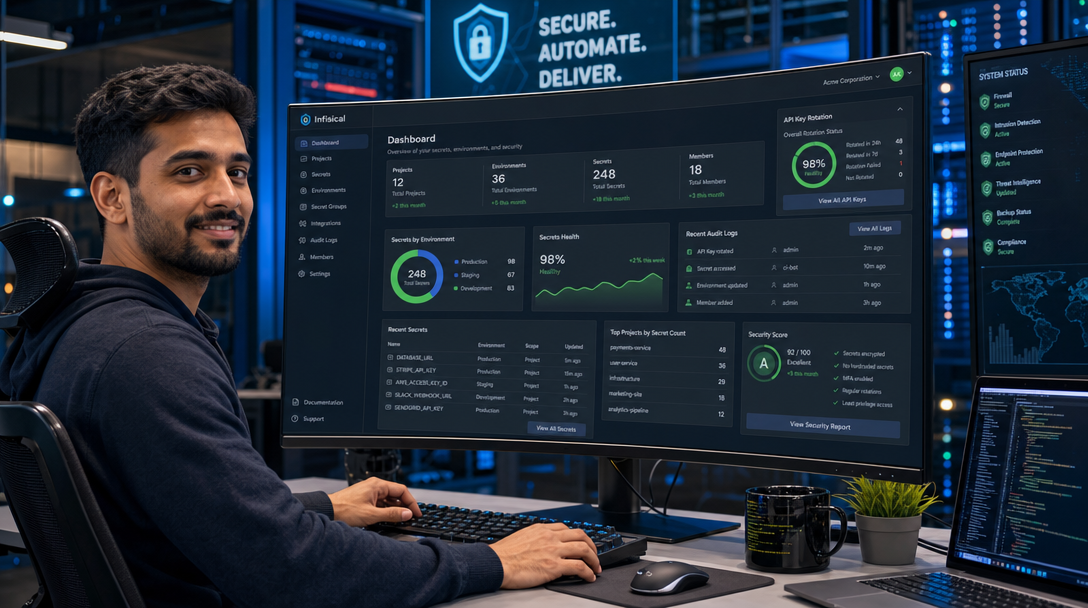
Infisical is the leading open-source, end-to-end encrypted (E2EE) secrets management platform engineered specifically for software developers and DevOps teams. It centralizes environment variables, certificates, and infrastructure credentials across development, staging, and production environments. With native CLI integrations, automated secret rotation, dynamic secrets, and Kubernetes operators, Infisical prevents secret sprawl without slowing down developer velocity. In this production guide, you will deploy a self-hosted Infisical instance on Linux using Docker Compose, establish encrypted PostgreSQL and Redis caching layers, route traffic securely through Caddy with automatic TLS, and integrate the Infisical CLI for zero-leak local development.
Infisical Security Architecture & Cryptographic Model
Unlike conventional secret managers that decrypt credentials in memory on the central server, Infisical employs an End-to-End Encrypted (E2EE) cryptographic model using asymmetric and symmetric primitives. The core application stack comprises three decoupled architectural tiers:
- Infisical Core Engine (Node.js / Express): Handles REST and GraphQL API requests, user authentication, RBAC policy enforcement, audit log streaming, and secret versioning. Secrets are stored encrypted in the database using 256-bit AES-GCM; the server never possesses plaintext secrets unless configured in server-managed encryption mode.
- PostgreSQL 16 Database: Serves as the immutable storage engine, storing blinded user identities, encrypted secret blobs, initialization vectors (IVs), and cryptographic key sets.
- Redis 7 In-Memory Broker: Manages session token validation, pub/sub synchronization between clustered backend instances, and rate-limiting queues for authentication endpoints.
+-----------------------------------------------------------------------+
|                          DEVELOPER WORKSTATION                        |
|        Infisical CLI (`infisical run`) / Web UI / CI/CD Pipelines      |
|               [Client-Side Encryption / Decryption Keys]              |
+-----------------------------------------------------------------------+
                                    |
                    HTTPS (TLS 1.3) / E2EE Encrypted Payloads
                                    v
+-----------------------------------------------------------------------+
|                    EDGE REVERSE PROXY (Caddy)                         |
|             Automatic Let's Encrypt TLS & Security Headers            |
+-----------------------------------------------------------------------+
                                    |
                           Internal Bridge Network
                                    v
+-----------------------------------------------------------------------+
|                      INFISICAL APP CONTAINER                          |
|                     infisical/infisical:latest                        |
|       - REST / GraphQL Management API (Port 8080)                     |
|       - Master Encryption Key Handling (AES-256-GCM)                  |
|       - Audit Logging & Access Policy Engine                          |
+-----------------------------------+-----------------------------------+
                  |                                   |
           Relational Data                     In-Memory Cache
                  v                                   v
+-----------------------------------+   +-------------------------------+
|     POSTGRESQL 16 CONTAINER       |   |       REDIS 7 CONTAINER       |
|    postgres:16-alpine (Port 5432) |   |      redis:7-alpine (Port 6379)|
|   - Encrypted Secret Blobs        |   |   - Session Validation        |
|   - User & Project Access Keys    |   |   - API Rate Limiting Cache   |
|   - Host Volume: ./pgdata         |   |   - Pub/Sub Queue Events      |
+-----------------------------------+   +-------------------------------+
Prerequisites & Host Preparation
Before deploying Infisical, verify that your server satisfies these operational requirements:
- A Linux server running Ubuntu 24.04 LTS, Debian 12, or Rocky Linux 9 with at least 2 CPU cores and 4 GB of RAM.
- Docker Engine version 26+ and Docker Compose v2 installed.
- A public Fully Qualified Domain Name (FQDN) such as
secrets.yourdomain.compointed to your server’s public IP address. - Inbound firewall ports 80 and 443 open for automatic Let’s Encrypt TLS negotiation.
Create the project directory tree and configure storage directories with appropriate system ownership:
sudo mkdir -p /opt/infisical/{pgdata,redis_data,caddy_data,caddy_config}
cd /opt/infisical
Cryptographic Key Generation & Environment Setup (.env)
Infisical requires three dedicated, high-entropy cryptographic keys to sign JWT tokens and encrypt database records at rest. Generate these keys using OpenSSL:
ENCRYPTION_KEY=$(openssl rand -hex 16)
AUTH_SECRET=$(openssl rand -base64 32)
POSTGRES_PWD=$(openssl rand -hex 24)

cat << EOF > /opt/infisical/.env
# Public Host Domain
SITE_URL=https://secrets.yourdomain.com

# Cryptographic Keys (DO NOT LOSE THESE!)
ENCRYPTION_KEY=${ENCRYPTION_KEY}
AUTH_SECRET=${AUTH_SECRET}

# Database Credentials
DB_USER=infisical
DB_PASSWORD=${POSTGRES_PWD}
DB_NAME=infisical
DB_HOST=infisical-db
DB_PORT=5432
DB_CONNECTION_URI=postgresql://infisical:${POSTGRES_PWD}@infisical-db:5432/infisical

# Redis Broker
REDIS_URL=redis://infisical-redis:6379

# Telemetry & Signup Policies
TELEMETRY_ENABLED=false
EOF

chmod 600 /opt/infisical/.env
Security Warning: Back up ENCRYPTION_KEY and AUTH_SECRET immediately to an offline, secure location. If the ENCRYPTION_KEY is lost, all stored secrets in the PostgreSQL database are cryptographically irrecoverable.
Production Docker Compose Configuration
Create the /opt/infisical/docker-compose.yml file. This configuration connects the Infisical application engine with persistent PostgreSQL 16 and Redis 7 instances over an internal network, fronted by Caddy for automated TLS termination:
services:
  infisical-db:
    image: postgres:16-alpine
    container_name: infisical-db
    restart: unless-stopped
    environment:
      POSTGRES_USER: ${DB_USER}
      POSTGRES_PASSWORD: ${DB_PASSWORD}
      POSTGRES_DB: ${DB_NAME}
    volumes:
      - ./pgdata:/var/lib/postgresql/data
    networks:
      - infisical-internal
    healthcheck:
      test: ["CMD-SHELL", "pg_isready -U ${DB_USER} -d ${DB_NAME}"]
      interval: 10s
      timeout: 5s
      retries: 5
    security_opt:
      - no-new-privileges:true

  infisical-redis:
    image: redis:7-alpine
    container_name: infisical-redis
    restart: unless-stopped
    volumes:
      - ./redis_data:/data
    networks:
      - infisical-internal
    healthcheck:
      test: ["CMD", "redis-cli", "ping"]
      interval: 10s
      timeout: 5s
      retries: 5
    security_opt:
      - no-new-privileges:true

  infisical:
    image: infisical/infisical:latest
    container_name: infisical-app
    restart: unless-stopped
    env_file:
      - .env
    networks:
      - infisical-internal
      - infisical-public
    depends_on:
      infisical-db:
        condition: service_healthy
      infisical-redis:
        condition: service_healthy
    security_opt:
      - no-new-privileges:true

  caddy:
    image: caddy:2.8-alpine
    container_name: infisical-caddy
    restart: unless-stopped
    ports:
      - "80:80"
      - "443:443"
    environment:
      - DOMAIN_NAME=secrets.yourdomain.com
    volumes:
      - ./Caddyfile:/etc/caddy/Caddyfile:ro
      - ./caddy_data:/data
      - ./caddy_config:/config
    networks:
      - infisical-public
    depends_on:
      - infisical

networks:
  infisical-internal:
    name: infisical-internal-net
    internal: true
  infisical-public:
    name: infisical-public-net
    driver: bridge
Configuring the Caddy Reverse Proxy (Caddyfile)
Create the /opt/infisical/Caddyfile. Infisical listens on internal port 8080. Caddy terminates TLS, enforces HSTS, and forwards API client requests:
secrets.yourdomain.com {
    encode gzip zstd

    header {
        Strict-Transport-Security "max-age=31536000; includeSubDomains; preload"
        X-Content-Type-Options "nosniff"
        X-Frame-Options "DENY"
        Referrer-Policy "strict-origin-when-cross-origin"
        Permissions-Policy "camera=(), microphone=(), geolocation=()"
    }

    reverse_proxy infisical:8080 {
        header_up Host {host}
        header_up X-Real-IP {remote_host}
        header_up X-Forwarded-For {remote_host}
        header_up X-Forwarded-Proto {scheme}
    }
}
Launching the Stack & Initial Administration Setup
Launch the stack using Docker Compose in detached mode. On the initial run, PostgreSQL initializes tables, and Infisical runs database migrations:
docker compose up -d
docker compose ps
docker compose logs -f infisical
Once Caddy has generated your SSL certificate, complete the onboarding sequence:
- Register the Admin Account: Open
https://secrets.yourdomain.comin your browser and click Sign Up. The first registered account automatically becomes the Organization Admin. - Download the Recovery Kit: Infisical generates an emergency recovery PDF containing your client-side master private key and salt. Save this file into an encrypted offline archive or hardware token.
- Create an Organization & Project: Create a project named
Production Platform. Infisical automatically provisions three distinct environments:Development,Staging, andProduction. - Store a Test Secret: Navigate to Secrets, click Add Secret, and create a key
DATABASE_URLwith the valuepostgres://user:pass@host/db. Notice that values are masked in the UI and version-controlled.
Developer Workflow: Injecting Secrets with the Infisical CLI
The true power of Infisical lies in eliminating local .env files from developer workstations. Instead of distributing plaintext credentials over Slack or email, developers authenticate via the official CLI and inject secrets directly into application runtime memory:
# Install the Infisical CLI on Ubuntu / Debian
curl -1sLf 'https://dl.cloudsmith.io/public/infisical/infisical-cli/setup.deb.sh' | sudo -E bash
sudo apt-get install -y infisical

# Log into your self-hosted instance
infisical login --domain https://secrets.yourdomain.com

# Initialize a project repository
cd /path/to/your/app
infisical init

# Run your application with runtime secret injection (zero disk footprint!)
infisical run --env=dev -- npm start
When infisical run executes, it retrieves secrets over TLS, decrypts them client-side in memory, injects them into the spawned process environment, and terminates cleanly without ever writing an unencrypted .env file to disk.
Automated Daily Database Backups
To protect against host drive failures, establish automated nightly PostgreSQL dumps:
cat << 'EOF' | sudo tee /usr/local/bin/backup-infisical.sh
#!/usr/bin/env bash
set -euo pipefail

BACKUP_DIR="/var/backups/infisical"
TIMESTAMP=$(date +"%Y%m%d_%H%M%S")
DB_BACKUP_FILE="${BACKUP_DIR}/infisical_db_${TIMESTAMP}.sql.gz"

mkdir -p "${BACKUP_DIR}"

echo "[INFO] Exporting Infisical database..."
docker compose -f /opt/infisical/docker-compose.yml exec -T infisical-db \
  pg_dump -U infisical infisical | gzip > "${DB_BACKUP_FILE}"

# Retain backups for 14 days
find "${BACKUP_DIR}" -type f -name "infisical_db_*.sql.gz" -mtime +14 -delete

echo "[SUCCESS] Infisical backup completed: ${DB_BACKUP_FILE}"
EOF

sudo chmod +x /usr/local/bin/backup-infisical.sh
Schedule the backup to execute nightly via system cron:
(sudo crontab -l 2>/dev/null; echo "0 4 * * * /usr/local/bin/backup-infisical.sh >> /var/log/infisical-backup.log 2>&1") | sudo crontab -Production Hardening & Operational Best Practices
Adopt these operational practices to maintain a rock-solid, enterprise-grade deployment:
- Enforce Mandatory MFA / SSO: In Infisical, navigate to Organization Settings > Authentication. Configure SAML or OpenID Connect (OIDC) through Authentik to enforce multi-factor authentication across all developer accounts.
- Implement Machine Identities (Tokens): In CI/CD pipelines (e.g. GitHub Actions, GitLab CI), never use personal user credentials. Create Machine Identities scoped exclusively to the specific repository and environment (e.g. read-only access to
Productionsecrets). - Audit Log Exporting: Infisical tracks every secret view, edit, and deletion event. Review the Audit Logs tab periodically to identify unauthorized secret access attempts.
- Isolate Network Access: Place the web management UI behind a private Cloudflare Tunnel or Tailscale mesh network to prevent public internet exposure.
Troubleshooting Common Deployment Issues
Below are three frequently encountered issues when self-hosting Infisical, along with their diagnostic resolutions:
1. Application Crash: “ENCRYPTION_KEY must be 32 bytes hex encoded”
Symptom: The infisical-app container crashes immediately on startup, logging Error: Invalid encryption key format.
Root Cause: The ENCRYPTION_KEY provided in .env is not exactly 16 bytes hex-encoded (resulting in a 32-character hex string).
Resolution: Re-generate the key using the exact command: openssl rand -hex 16, update .env, and restart the container.
2. CLI Login Fails with “Invalid Certificate / Domain Error”
Symptom: Running infisical login returns an SSL verification error or connects to the public cloud service (app.infisical.com) instead of your self-hosted server.
Root Cause: By default, the Infisical CLI targets Infisical Cloud unless explicitly instructed to target your self-hosted instance.
Resolution: Always supply the --domain flag during login:
infisical login --domain https://secrets.yourdomain.com3. Redis Connection Timeout During Startup
Symptom: Infisical logs report ioredis: Connection to redis:6379 failed - connect ECONNREFUSED.
Root Cause: Network name mismatch in docker-compose.yml or Redis container failing health check initialization.
Resolution: Verify that both containers reside on infisical-internal-net and that REDIS_URL=redis://infisical-redis:6379 matches the container service name.
Summary & Key Takeaways
By deploying Infisical with Docker Compose, your development and operations teams eradicate secret sprawl, eliminate plaintext .env files, and establish a fortified, end-to-end encrypted credentials repository. With automated PostgreSQL persistence, Redis session management, client-side cryptographic key derivation, and seamless Caddy TLS termination, you gain the security capabilities of enterprise secret managers without the administrative complexity. Developers retrieve credentials effortlessly at runtime, while your organization’s sensitive API tokens and keys remain sovereign and encrypted.

Hi, I’m Mark, the author of Clever IT Solutions: Mastering Technology for Success. I am passionate about empowering individuals to navigate the ever-changing world of information technology. With years of experience in the industry, I have honed my skills and knowledge to share with you. At Clever IT Solutions, we are dedicated to teaching you how to tackle any IT challenge, helping you stay ahead in today’s digital world. From troubleshooting common issues to mastering complex technologies, I am here to guide you every step of the way. Join me on this journey as we unlock the secrets to IT success.