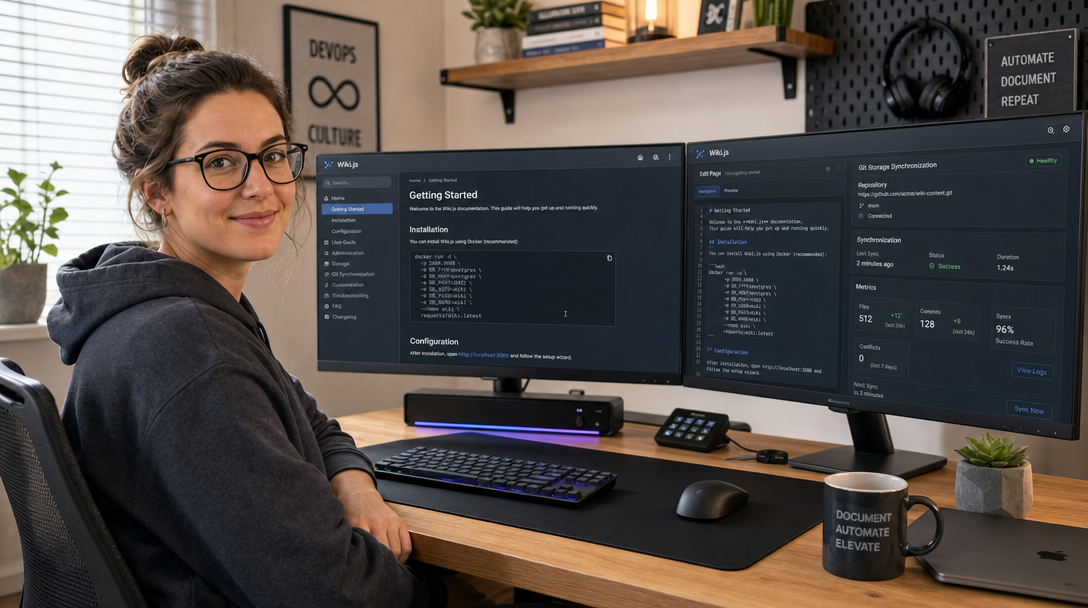
Engineering teams, IT operations, and DevOps departments live and die by the quality of their internal documentation. System architecture diagrams, standard operating procedures (SOPs), onboarding runbooks, and disaster recovery playbooks must be instantly accessible, version-controlled, and secure. Historically, organizations turned to enterprise SaaS platforms such as Confluence or Notion. However, proprietary subscription models introduce severe drawbacks: escalating per-seat licensing fees, data privacy concerns regarding intellectual property, and restrictive vendor lock-in that traps your knowledge inside proprietary database schemas.
Wiki.js is the premier modern, open-source documentation and knowledge management engine built specifically for technology teams. Developed in Node.js and powered by a robust PostgreSQL relational database, Wiki.js delivers intuitive multi-editor support (Markdown, Visual WYSIWYG, AsciiDoc, and Code), granular Role-Based Access Control (RBAC), multi-lingual internationalization, and native two-way synchronization with remote Git repositories (such as GitHub, GitLab, or Gitea). In this guide, you will deploy a high-performance, production-ready Wiki.js v2 instance on Linux using Docker Compose, establishing persistent PostgreSQL storage, configuring automated Git version synchronization, and routing traffic securely through an integrated Caddy reverse proxy with automated Let’s Encrypt TLS.
Architecture & Storage Mechanics
Wiki.js combines the ease of a modern web interface with the durability of a developer-friendly flat-file Git backend. Understanding how Wiki.js orchestrates data storage explains why it is exceptionally resilient against data corruption or vendor abandonment:
- Relational Database Layer (PostgreSQL 16): Stores user accounts, RBAC permission groups, page trees, revision histories, search indexing, and real-time navigation metadata. Unlike legacy wikis that rely on flat files or SQLite, PostgreSQL ensures fast query execution even with tens of thousands of documentation pages.
- Node.js Application Engine: Serves the compiled Vue.js frontend, manages authentication sessions, parses diverse markup formats, and exposes a GraphQL API for automated documentation generation.
- Bidirectional Git Synchronization Target: Wiki.js can treat a remote Git repository as an active backup or bidirectional synchronization engine. Whenever a page is saved in the web GUI, Wiki.js commits and pushes the raw Markdown file to your repository. Conversely, engineers can edit Markdown files in VS Code, push changes via Git, and Wiki.js automatically pulls and updates the web database.
+-----------------------------------------------------------------------+
|                            USER BROWSER                               |
|        Collaborative Reading, Markdown Editing & Search (HTTPS)       |
+-----------------------------------------------------------------------+
                                    |
                    HTTPS (Port 443) / WSS (WebSockets)
                                    v
+-----------------------------------------------------------------------+
|                    EDGE REVERSE PROXY (Caddy)                         |
|            Automatic Let's Encrypt TLS & HTTP Security Headers         |
+-----------------------------------------------------------------------+
                                    |
                           Internal Bridge Network
                                    v
+-----------------------------------------------------------------------+
|                      WIKI.JS APP SERVER (Port 3000)                   |
|                      requarks/wiki:2 (Node.js Engine)                 |
|       - GraphQL API & Auth Handlers (Local, OIDC, SAML, LDAP)         |
|       - Full-Text Search Engine (PostgreSQL Full-Text Search)         |
|       - Background Git Sync Scheduler (libgit2 / SSH Key Pair)        |
+-----------------------------------+-----------------------------------+
                  |                                   |
       Relational Data / State             SSH / HTTPS (Outbound)
                  v                                   v
+-----------------------------------+   +-------------------------------+
|     POSTGRESQL 16 CONTAINER       |   |      REMOTE GIT REPOSITORY    |
|   postgres:16-alpine (Port 5432)  |   |   GitHub / GitLab / Gitea     |
|   - Page Trees & System Schemas   |   |   - Raw .md File Storage      |
|   - User & Permission Groups      |   |   - Branch Version Control    |
|   - Host Volume: ./pgdata         |   |   - CI/CD Documentation Hooks |
+-----------------------------------+   +-------------------------------+
Host Prerequisites & System Preparation
Before launching the Wiki.js stack, verify that your server satisfies these operational requirements:
- A Linux server running Ubuntu 24.04 LTS, Debian 12, or Rocky Linux 9 with at least 2 CPU cores and 2 GB of RAM (4 GB recommended for large documentation sites with intensive full-text search indexing).
- Docker Engine version 26+ and Docker Compose v2 installed and verified.
- A public Fully Qualified Domain Name (FQDN) such as
wiki.yourdomain.compointing to your server’s public IP address. - Inbound firewall ports 80 and 443 open for automatic Let’s Encrypt TLS certificate provisioning.
Create the project directory tree and configure storage directories with appropriate system ownership:
sudo mkdir -p /opt/wikijs/{pgdata,caddy_data,caddy_config,ssh}
sudo chown -R 1000:1000 /opt/wikijs/ssh
cd /opt/wikijs
Environment Configuration (.env)
Create an environment file to store database credentials and operational parameters securely. Generate strong passwords using openssl rand -hex 24:
cat << 'EOF' > /opt/wikijs/.env
# Domain & Network Configuration
WIKI_DOMAIN=wiki.yourdomain.com

# PostgreSQL Credentials
DB_TYPE=postgres
DB_HOST=wikijs-db
DB_PORT=5432
DB_NAME=wiki
DB_USER=wikijs
DB_PASS=WikiJsStrongPassword2026!

# Application Configuration
PORT=3000
EOF
chmod 600 /opt/wikijs/.env
Production Docker Compose Configuration
Create the /opt/wikijs/docker-compose.yml file. This configuration connects Wiki.js to an isolated PostgreSQL 16 database, incorporates Docker health checks to prevent migration race conditions, mounts SSH keys for Git synchronization, and integrates an edge Caddy reverse proxy:
services:
  wikijs-db:
    image: postgres:16-alpine
    container_name: wikijs-db
    restart: unless-stopped
    environment:
      POSTGRES_DB: ${DB_NAME}
      POSTGRES_USER: ${DB_USER}
      POSTGRES_PASSWORD: ${DB_PASS}
    volumes:
      - ./pgdata:/var/lib/postgresql/data
    networks:
      - wiki-internal
    healthcheck:
      test: ["CMD-SHELL", "pg_isready -U ${DB_USER} -d ${DB_NAME}"]
      interval: 10s
      timeout: 5s
      retries: 5
    security_opt:
      - no-new-privileges:true

  wikijs:
    image: requarks/wiki:2
    container_name: wikijs-app
    restart: unless-stopped
    env_file:
      - .env
    volumes:
      - ./ssh:/root/.ssh
    networks:
      - wiki-internal
      - wiki-public
    depends_on:
      wikijs-db:
        condition: service_healthy
    security_opt:
      - no-new-privileges:true

  caddy:
    image: caddy:2.8-alpine
    container_name: wikijs-caddy
    restart: unless-stopped
    ports:
      - "80:80"
      - "443:443"
    environment:
      - DOMAIN_NAME=${WIKI_DOMAIN}
    volumes:
      - ./Caddyfile:/etc/caddy/Caddyfile:ro
      - ./caddy_data:/data
      - ./caddy_config:/config
    networks:
      - wiki-public
    depends_on:
      - wikijs

networks:
  wiki-internal:
    name: wiki-internal-net
    internal: true
  wiki-public:
    name: wiki-public-net
    driver: bridge
Key architectural safeguards in this Compose file:
- Internal Database Network (
internal: true): The PostgreSQL database service is connected exclusively towiki-internal-net, which has no default gateway to the public internet and publishes no host ports. The database cannot be reached from outside the Docker host. - PostgreSQL Healthcheck: Prevents the Wiki.js application container from executing startup database migrations before PostgreSQL has fully initialized its cluster catalog.
- Persistent SSH Key Storage: Mounts
./sshinto the Wiki.js container so that deploy keys used for Git synchronization survive container image rebuilds and upgrades.
Configuring the Caddy Reverse Proxy (Caddyfile)
Create the /opt/wikijs/Caddyfile. Caddy handles automatic Let’s Encrypt TLS certificate generation, enforces modern TLS 1.3 ciphers, and injects strict HTTP headers:
{$WIKI_DOMAIN:wiki.yourdomain.com} {
    encode gzip zstd

    header {
        Strict-Transport-Security "max-age=31536000; includeSubDomains; preload"
        X-Content-Type-Options "nosniff"
        X-Frame-Options "SAMEORIGIN"
        Referrer-Policy "strict-origin-when-cross-origin"
        Permissions-Policy "camera=(), microphone=(), geolocation=()"
    }

    # Proxy all traffic to the Wiki.js Node.js application server
    reverse_proxy wikijs:3000 {
        header_up Host {host}
        header_up X-Real-IP {remote_host}
        header_up X-Forwarded-For {remote_host}
        header_up X-Forwarded-Proto {scheme}
    }
}
Launching the Stack & Initial Administration Setup
Deploy the stack using Docker Compose in detached mode. On the initial startup, PostgreSQL creates the schema and Wiki.js runs automatic database table migrations:
docker compose up -d
docker compose ps
docker compose logs -f wikijs
Once the logs indicate that Wiki.js has bound to port 3000, complete the administrative setup wizard:
- Open the Setup Page: Navigate to
https://wiki.yourdomain.comin your browser. - Create Administrator Account: Enter the administrator email, an initial strong master password, and the site’s public URL (
https://wiki.yourdomain.com). - Complete Installation: Click Install. Wiki.js finalizes the database setup within 10 seconds and redirects to the login screen.
- Create the Home Page: Log in as administrator, click Create Home Page, select the Markdown editor, enter your initial team landing content, and click Publish.
Configuring Automated Git Two-Way Synchronization
One of the most powerful features of Wiki.js is its ability to synchronize all documentation pages to an external Git repository automatically. To enable this, generate a dedicated SSH deploy key pair inside /opt/wikijs/ssh:
ssh-keygen -t ed25519 -C "wikijs-deploy-key" -f /opt/wikijs/ssh/id_ed25519 -N ""
chmod 600 /opt/wikijs/ssh/id_ed25519
cat /opt/wikijs/ssh/id_ed25519.pub
Copy the output of the public key and add it as a Deploy Key with Write Access in your target GitHub, GitLab, or Gitea repository.
Now configure the Git storage target in the Wiki.js administration dashboard:
- In Wiki.js, navigate to Administration > Storage.
- Locate the Git storage module and click Configure.
- Configure the repository connection details:
- Repository URL:
git@github.com:your-organization/wiki-docs.git - Branch:
main - Authentication Mode: SSH Key
- Private Key Path:
/root/.ssh/id_ed25519 - Sync Direction: Bidirectional (or Dump only for one-way backups)
- Default Author Name:
Wiki.js Automation - Default Author Email:
wiki-bot@yourdomain.com
- Repository URL:
- Toggle Status to Active and click Apply.
- Click Execute Sync to run the initial synchronization. Your complete page hierarchy will immediately populate your Git repository as structured Markdown files.
Automated Daily Database Backups
While Git synchronization preserves your raw Markdown pages, user accounts, permissions, tags, navigation hierarchies, and full-text search indexes reside in PostgreSQL. Below is an atomic database backup script for automated cron execution:
cat << 'EOF' | sudo tee /usr/local/bin/backup-wikijs.sh
#!/usr/bin/env bash
set -euo pipefail

BACKUP_DIR="/var/backups/wikijs"
TIMESTAMP=$(date +"%Y%m%d_%H%M%S")
DB_BACKUP_FILE="${BACKUP_DIR}/wikijs_db_${TIMESTAMP}.sql.gz"

mkdir -p "${BACKUP_DIR}"

echo "[INFO] Exporting PostgreSQL database..."
docker compose -f /opt/wikijs/docker-compose.yml exec -T wikijs-db \
  pg_dump -U wikijs wiki | gzip > "${DB_BACKUP_FILE}"

# Retain backups for 14 days
find "${BACKUP_DIR}" -type f -name "wikijs_db_*.sql.gz" -mtime +14 -delete

echo "[SUCCESS] Wiki.js backup completed: ${DB_BACKUP_FILE}"
EOF

sudo chmod +x /usr/local/bin/backup-wikijs.sh
Schedule the backup script to execute automatically every night at 02:00 UTC via root crontab:
(sudo crontab -l 2>/dev/null; echo "0 2 * * * /usr/local/bin/backup-wikijs.sh >> /var/log/wikijs-backup.log 2>&1") | sudo crontab -Production Hardening & Operational Best Practices
Maintain enterprise security and high operational standards with these recommended practices:
- Integrate Enterprise Single Sign-On (OIDC / SAML): Eliminate separate wiki passwords by enabling OpenID Connect (OIDC) under Administration > Authentication. Connect Wiki.js directly to Authentik, Okta, or Keycloak to enforce mandatory MFA and automated group provisioning.
- Disable Public Registrations: Once initial administrators and team accounts are configured, navigate to Administration > Authentication, select Local Auth, and toggle Allow Self-Registration to Off to prevent unauthorized sign-ups.
- Leverage Built-in Full-Text Search: Wiki.js uses PostgreSQL’s native tsvector full-text search by default, which is fast and lightweight. For massive documentation archives exceeding 50,000 pages, connect the external Elasticsearch or Algolia search engine modules available in the admin panel.
- Granular Role-Based Permissions (RBAC): Define custom user groups in Administration > Groups. Restrict sensitive paths (e.g.,
/ops/credentials/*or/management/*) to engineering leads while keeping general knowledge (/general/*) open to all staff.
Troubleshooting Common Deployment Issues
Below are three frequently encountered issues when self-hosting Wiki.js, along with their diagnostic resolutions:
1. Application Crash with “DB Connection Error: Connection Refused”
Symptom: The wikijs-app container restarts continuously, logging ConnectionRefusedError: connect ECONNREFUSED 172.x.x.x:5432.
Root Cause: PostgreSQL takes several seconds to initialize database clusters on fresh mounts, and the Wiki.js container attempts to run schema migrations before PostgreSQL is listening.
Resolution: In your docker-compose.yml, ensure the wikijs service declares depends_on with condition: service_healthy pointing to the PostgreSQL healthcheck block.
2. Git Storage Sync Fails with “Host Key Verification Failed”
Symptom: Clicking Execute Sync on the Git storage page returns an error stating Host key verification failed or Permission denied (publickey).
Root Cause: The container’s internal SSH client does not know the public host keys for GitHub/GitLab, or the private key permissions are too permissive.
Resolution: Populate the known_hosts file on the host inside /opt/wikijs/ssh/known_hosts:
ssh-keyscan -H github.com >> /opt/wikijs/ssh/known_hosts
ssh-keyscan -H gitlab.com >> /opt/wikijs/ssh/known_hosts
chmod 644 /opt/wikijs/ssh/known_hosts
docker compose restart wikijs
3. File Uploads Fail on Images Larger than 1 MB
Symptom: Inserting screenshots or high-resolution architectural diagrams into documentation pages fails with an HTTP 413 Payload Too Large error.
Root Cause: Wiki.js enforces a default media upload size limit in the administrative settings.
Resolution: In Wiki.js, navigate to Administration > Media. Increase the Max Upload Size to 20 MB (or higher) and click Save.
Summary & Key Takeaways
By self-hosting Wiki.js with Docker Compose and PostgreSQL 16, your organization establishes a high-performance, beautiful, and sovereign technical documentation hub. The platform bridges the gap between non-technical contributors who prefer visual WYSIWYG editing and software engineers who live in Markdown and Git. With automated two-way Git synchronization, your documentation is completely immune to database loss, vendor lock-in, or proprietary data formats. Backed by PostgreSQL transactions and automated Let’s Encrypt TLS termination via Caddy, you have a private, enterprise-grade knowledge engine built for modern development teams.

Hi, I’m Mark, the author of Clever IT Solutions: Mastering Technology for Success. I am passionate about empowering individuals to navigate the ever-changing world of information technology. With years of experience in the industry, I have honed my skills and knowledge to share with you. At Clever IT Solutions, we are dedicated to teaching you how to tackle any IT challenge, helping you stay ahead in today’s digital world. From troubleshooting common issues to mastering complex technologies, I am here to guide you every step of the way. Join me on this journey as we unlock the secrets to IT success.