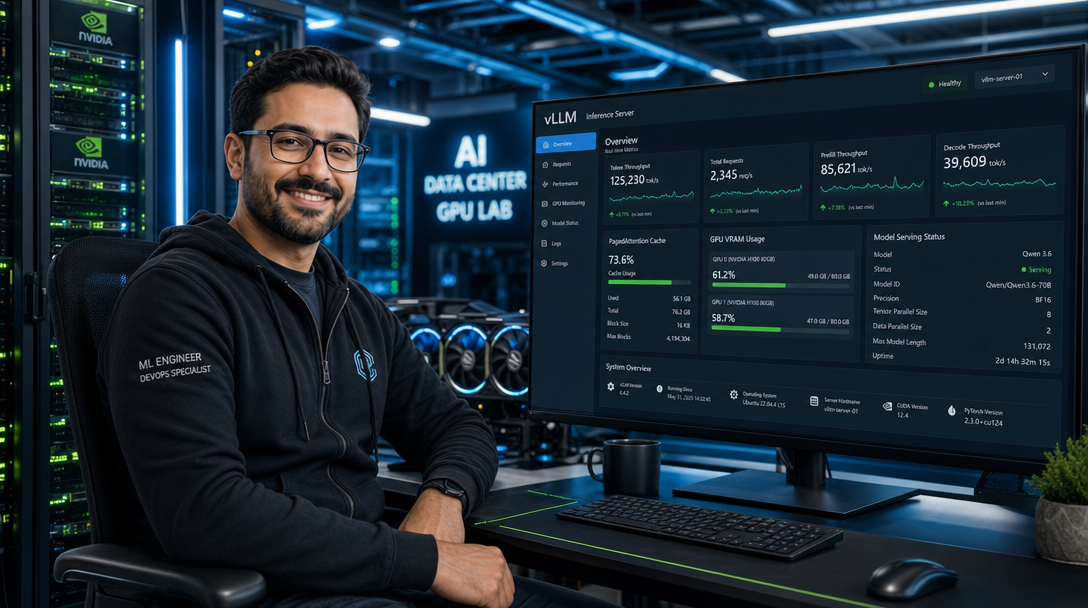
While developer-friendly tools like Ollama and LocalAI have democratized running small language models on local desktops, their sequential execution architecture severely bottlenecks high-concurrency workloads. When multiple API requests, multi-agent frameworks, or production RAG pipelines hit an inference engine simultaneously, standard runtimes queue requests sequentially, causing response latency to spike exponentially. For production teams and enterprise homelabs requiring scalable local AI serving, vLLM is the industry gold standard. Developed by UC Berkeley, vLLM introduces revolutionary PagedAttention memory management, continuous request batching, and FlashAttention kernel execution to deliver up to 24x higher throughput than Hugging Face Transformers and 3x to 5x higher concurrency than Ollama.
In this guide, you will deploy a production-grade vLLM inference server using Docker Compose on Ubuntu or Debian Linux with NVIDIA GPU acceleration. You will serve modern state-of-the-art models like Qwen 3.6 (such as Qwen/Qwen3.6-7B-Instruct or Qwen/Qwen3.6-14B-Instruct-AWQ), configure OpenAI-compatible REST endpoints, optimize GPU VRAM cache allocation, enforce API key security, and connect downstream applications.
Core Architecture: PagedAttention & Continuous Batching
Understanding why vLLM outperforms conventional inference engines requires examining the memory dynamics of the Key-Value (KV) cache during transformer generation. In standard attention implementations, memory for the KV cache must be allocated contiguously in GPU High-Bandwidth Memory (HBM) based on the maximum context length (e.g., 32,768 tokens). This causes severe internal fragmentation (unused reserved slots) and external fragmentation, wasting 60% to 80% of valuable GPU VRAM.
vLLM resolves this via PagedAttention, drawing inspiration from virtual memory and paging in classical operating systems. PagedAttention divides the KV cache into discrete, non-contiguous blocks of fixed size (typically 16 tokens). A centralized block manager maps logical token sequences to physical GPU memory addresses. This eliminates memory fragmentation entirely, enabling vLLM to pack dozens of concurrent requests into the same GPU footprint.
+-----------------------------------------------------------------------+
|                        APPLICATION CLIENT LAYER                       |
|   Open-WebUI / Dify / Continue.dev / LangChain / Multi-Agent Swarms   |
+-----------------------------------------------------------------------+
                                    |
                    HTTP / Streaming SSE (OpenAI API Format)
                                    v
+-----------------------------------------------------------------------+
|                    REVERSE PROXY & API SECURITY                       |
|         Caddy / Nginx / Traefik (TLS, Rate Limiting, API Auth)        |
+-----------------------------------------------------------------------+
                                    |
                            Port 8000 (Internal)
                                    v
+-----------------------------------------------------------------------+
|                         vLLM ENGINE CONTAINER                         |
|                       vllm/vllm-openai:latest                         |
|   +---------------------------------------------------------------+   |
|   | Continuous Batching Scheduler | Async Engine & Router         |   |
|   +---------------------------------------------------------------+   |
|   | PagedAttention Engine: Non-Contiguous Block KV Cache Manager   |   |
|   +---------------------------------------------------------------+   |
|   | Execution Kernels: FlashAttention-2 / FlashInfer / CUTLASS    |   |
|   +---------------------------------------------------------------+   |
|   | Model Weights: Qwen 3.6 (Bfloat16 / AWQ 4-bit Quantization)   |   |
|   +---------------------------------------------------------------+   |
+-----------------------------------------------------------------------+
                                    |
                    NVIDIA Container Toolkit (CUDA Driver)
                                    v
+-----------------------------------------------------------------------+
|                      HARDWARE ACCELERATION LAYER                      |
|       NVIDIA Ampere / Ada Lovelace / Hopper / Blackwell GPUs          |
|            (RTX 3090/4090, A100, H100, L40S, RTX 6000 Ada)           |
+-----------------------------------------------------------------------+
Prerequisites & NVIDIA Driver Setup
To run vLLM with Docker Compose, your host server must satisfy the following hardware and software requirements:
- An NVIDIA GPU with compute capability 8.0 or higher (RTX 3080/3090, RTX 4080/4090, A10, A30, A100, H100, or modern Ada Lovelace GPUs). Minimum 16 GB VRAM for 7B models; 24 GB+ recommended for 14B models or large KV contexts.
- NVIDIA proprietary driver version 535.xx or higher (driver 550+ recommended).
- Docker Engine 26+ and Docker Compose v2.
- NVIDIA Container Toolkit (
nvidia-ctk) configured as the default container runtime.
Verify that your NVIDIA drivers and container runtime are operating correctly by checking GPU visibility:
nvidia-smi

# Test Docker GPU passthrough
docker run --rm --gpus all nvidia/cuda:12.4.1-base-ubuntu22.04 nvidia-smi
If the test container displays your GPU model and CUDA version, your driver stack is ready. Create the dedicated deployment directory and storage paths:
sudo mkdir -p /opt/vllm/{models_cache,config}
sudo chown -R 1000:1000 /opt/vllm
cd /opt/vllm
Production Docker Compose Configuration
The official vllm/vllm-openai container image packages a pre-compiled Python environment with optimized CUDA kernels, FlashAttention-2, and an async FastAPI web server adhering strictly to the OpenAI API specification (/v1/chat/completions, /v1/completions, and /v1/models).
Below is the battle-tested docker-compose.yml configured to serve the state-of-the-art Qwen 3.6 model (Qwen/Qwen3.6-7B-Instruct):
services:
  vllm-server:
    image: vllm/vllm-openai:latest
    container_name: vllm-server
    restart: unless-stopped
    ports:
      - "127.0.0.1:8000:8000"
    environment:
      - HUGGING_FACE_HUB_TOKEN=${HF_TOKEN:-}
      - VLLM_API_KEY=${VLLM_API_KEY:-sk-local-vllm-secret-key-2026}
    volumes:
      - /opt/vllm/models_cache:/root/.cache/huggingface
    ipc: host
    deploy:
      resources:
        reservations:
          devices:
            - driver: nvidia
              count: all
              capabilities: [gpu]
    command: >
      --model Qwen/Qwen3.6-7B-Instruct
      --host 0.0.0.0
      --port 8000
      --max-model-len 16384
      --gpu-memory-utilization 0.90
      --dtype auto
      --enforce-eager
      --enable-chunked-prefill
      --api-key ${VLLM_API_KEY:-sk-local-vllm-secret-key-2026}
    healthcheck:
      test: ["CMD-SHELL", "curl -f http://localhost:8000/health || exit 1"]
      interval: 30s
      timeout: 10s
      retries: 5
      start_period: 120s

  caddy:
    image: caddy:2.8-alpine
    container_name: vllm-caddy
    restart: unless-stopped
    ports:
      - "80:80"
      - "443:443"
    environment:
      - DOMAIN_NAME=ai.yourdomain.com
    volumes:
      - ./Caddyfile:/etc/caddy/Caddyfile:ro
      - ./caddy_data:/data
      - ./caddy_config:/config
    depends_on:
      vllm-server:
        condition: service_healthy

networks:
  default:
    name: vllm-network
Critical Parameter Optimization Breakdown
Each flag in the vLLM execution command directly influences throughput, latency, and memory safety:
ipc: host: PyTorch multiprocessing and CUDA inter-process communication rely heavily on shared memory (/dev/shm). Setting host IPC preventsBus error (core dumped)crashes during parallel tensor reductions.--max-model-len 16384: Caps the maximum sequence length (prompt + output generation). While Qwen 3.6 supports up to 32k or 128k context windows, unbounded sequence allocations consume substantial KV cache memory. Setting a realistic ceiling allows more concurrent users per gigabyte of VRAM.--gpu-memory-utilization 0.90: Instructs vLLM to allocate 90% of total GPU memory. vLLM loads model weights first, then allocates the entire remaining fraction as a dedicated PagedAttention KV cache pool. On a 24 GB card, this reserves ~21.6 GB for weights and cache, leaving ~2.4 GB for CUDA driver overhead and runtime buffers.--enable-chunked-prefill: Breaks massive input prompts into smaller token chunks during the prefill phase. This prevents long prompt ingestion from stalling ongoing token generation (decoding phase) for other users, ensuring smooth time-to-first-token (TTFT) metrics.--api-key: Enforces standard HTTP Bearer token authentication on all inbound REST and streaming requests.
Configuring the Edge Reverse Proxy (Caddyfile)
Create the Caddyfile in /opt/vllm/. Because large language models stream responses via Server-Sent Events (SSE), your reverse proxy must disable output buffering and maintain long connection timeouts:
ai.yourdomain.com {
    encode gzip zstd

    header {
        Strict-Transport-Security "max-age=31536000; includeSubDomains; preload"
        X-Content-Type-Options "nosniff"
        X-Frame-Options "DENY"
        Referrer-Policy "no-referrer"
    }

    # Disable proxy response buffering for streaming LLM tokens
    reverse_proxy vllm-server:8000 {
        header_up Host {host}
        header_up X-Real-IP {remote_host}
        header_up X-Forwarded-For {remote_host}
        header_up X-Forwarded-Proto {scheme}

        transport http {
            read_buffer 0
            response_header_timeout 300s
        }
    }
}
Create a secure .env file with your custom API key and optional Hugging Face token (required for gated weights):
cat << 'EOF' > /opt/vllm/.env
HF_TOKEN=hf_your_huggingface_read_token
VLLM_API_KEY=sk-prod-vllm-token-892410a8b
EOF
chmod 600 /opt/vllm/.env
Launch the inference container and follow the startup logs while weights download and compile:
docker compose up -d
docker compose logs -f vllm-server
Validating the OpenAI-Compatible API Endpoint
Once vLLM finishes loading weights and reports Application startup complete, test the endpoint using curl to query available models and trigger a streaming chat completion:
1. List Available Models
curl -s http://127.0.0.1:8000/v1/models \
  -H "Authorization: Bearer sk-prod-vllm-token-892410a8b" | jq .
2. Streaming Chat Completion Request
curl -N http://127.0.0.1:8000/v1/chat/completions \
  -H "Content-Type: application/json" \
  -H "Authorization: Bearer sk-prod-vllm-token-892410a8b" \
  -d '{
    "model": "Qwen/Qwen3.6-7B-Instruct",
    "messages": [
      {"role": "system", "content": "You are a senior Linux and DevOps infrastructure engineer."},
      {"role": "user", "content": "Explain how PagedAttention solves GPU memory fragmentation in 3 sentences."}
    ],
    "temperature": 0.2,
    "max_tokens": 256,
    "stream": true
  }'
3. Python Client Integration (Official OpenAI SDK)
Because vLLM adheres 100% to the OpenAI standard, you can drop your self-hosted endpoint into any existing script or application simply by overriding the base_url parameter:
from openai import OpenAI

client = OpenAI(
    base_url="https://ai.yourdomain.com/v1",
    api_key="sk-prod-vllm-token-892410a8b"
)

response = client.chat.completions.create(
    model="Qwen/Qwen3.6-7B-Instruct",
    messages=[
        {"role": "system", "content": "You are a helpful IT assistant."},
        {"role": "user", "content": "Generate a production Caddy reverse proxy snippet for WebSockets."}
    ],
    temperature=0.3,
    stream=True
)

for chunk in response:
    content = chunk.choices[0].delta.content
    if content:
        print(content, end="", flush=True)
print()
Multi-GPU Serving: Tensor Parallelism (TP)
If you possess multiple GPUs (e.g., dual RTX 3090s, dual RTX 4090s, or quad A100s) and wish to serve larger models such as Qwen/Qwen3.6-14B-Instruct, Qwen/Qwen3.6-32B-Instruct, or full unquantized weights across VRAM pools, vLLM provides native Tensor Parallelism. Add the --tensor-parallel-size flag matching your GPU count:
    command: >
      --model Qwen/Qwen3.6-14B-Instruct
      --tensor-parallel-size 2
      --host 0.0.0.0
      --port 8000
      --max-model-len 32768
      --gpu-memory-utilization 0.92
      --dtype auto
      --api-key ${VLLM_API_KEY}
Tensor parallelism shards weight matrices across GPU devices along hidden dimensions, communicating activations over NVLink or PCIe buses with minimal latency penalty.
Production Hardening & Operational Best Practices
Follow these architectural guidelines to ensure reliable 24/7 inference availability:
- Use AWQ or GPTQ Quantization for High Concurrency: Quantized 4-bit models (e.g.,
Qwen/Qwen3.6-14B-Instruct-AWQ) cut memory bandwidth requirements by more than half. This doubles both prompt processing speed and the number of concurrent KV cache slots available in VRAM. - Lock Down API Endpoints: Never expose port 8000 directly to
0.0.0.0without strict API key verification or firewall rules. Automated scanning bots actively search for unauthenticated vLLM and Ollama instances to hijack compute. - Tune Host Shared Memory (SHM): If running without
ipc: host, ensure your Compose file specifiesshm_size: 16gb. PyTorch uses shared memory extensively for tensor synchronization. - Monitor GPU Thermals & Throttling: Set up Prometheus and
dcgm-exporteror Beszel to monitor GPU core temperature, power consumption, and memory junction heat. Heavy continuous batching drives modern GPUs to 100% TDP.
Troubleshooting Common Deployment Issues
Below are three common operational errors encountered when deploying vLLM in Docker and the precise procedures to rectify them:
1. “ValueError: No available memory for the cache blocks”
Symptom: The container crashes during model initialization with ValueError: No available memory for the cache blocks. Try increasing gpu_memory_utilization or decreasing max_model_len.
Root Cause: The model weights and initial activation buffers consume so much VRAM that virtually no space remains to build the PagedAttention KV cache pool at the requested max_model_len.
Resolution: Reduce --max-model-len from 32768 to 16384 or 8192, or switch to an AWQ 4-bit quantized variant of the model to shrink weight footprint.
2. “docker: Error response from daemon: could not select device driver”
Symptom: Executing docker compose up fails immediately with could not select device driver "" with capabilities: [[gpu]].
Root Cause: The NVIDIA Container Toolkit is either not installed or Docker’s daemon has not registered the NVIDIA runtime.
Resolution: Re-generate the Docker daemon runtime configuration and restart Docker:
sudo nvidia-ctk runtime configure --runtime=docker
sudo systemctl restart docker
3. Slow Time-to-First-Token (TTFT) Under High Concurrency
Symptom: Individual generation requests feel snappy, but submitting 10 concurrent requests causes initial token output to stall for several seconds.
Root Cause: Massive input prompts consume the entire GPU compute budget during the prefill phase, starving the decoding phase of active streams.
Resolution: Add --enable-chunked-prefill and configure --max-num-batched-tokens 2048 in your container command. This co-schedules prefill and decode phases simultaneously across CUDA streaming multiprocessors.
Summary & Key Takeaways
Deploying vLLM with Docker Compose elevates your local AI infrastructure from a single-user experiment to an enterprise-grade inference engine capable of serving hundreds of concurrent requests. Through PagedAttention memory virtualization and continuous request batching, vLLM extracts maximum performance from modern NVIDIA GPUs when running cutting-edge models like Qwen 3.6. Because vLLM implements the standard OpenAI REST specification, you can instantly connect downstream platforms—including Open-WebUI, Dify, LibreChat, and private coding assistants like Continue.dev—unlocking lightning-fast, fully private local artificial intelligence.

Hi, I’m Mark, the author of Clever IT Solutions: Mastering Technology for Success. I am passionate about empowering individuals to navigate the ever-changing world of information technology. With years of experience in the industry, I have honed my skills and knowledge to share with you. At Clever IT Solutions, we are dedicated to teaching you how to tackle any IT challenge, helping you stay ahead in today’s digital world. From troubleshooting common issues to mastering complex technologies, I am here to guide you every step of the way. Join me on this journey as we unlock the secrets to IT success.