Retrieval-Augmented Generation (RAG) has become the gold standard architecture for grounding Large Language Models in proprietary, domain-specific data. Instead of relying purely on a model’s frozen pre-training weights—which frequently hallucinate or produce generic answers—a RAG pipeline extracts text from your internal documents, converts them into high-dimensional vector embeddings, and injects the most semantically relevant text passages directly into the LLM’s context prompt.
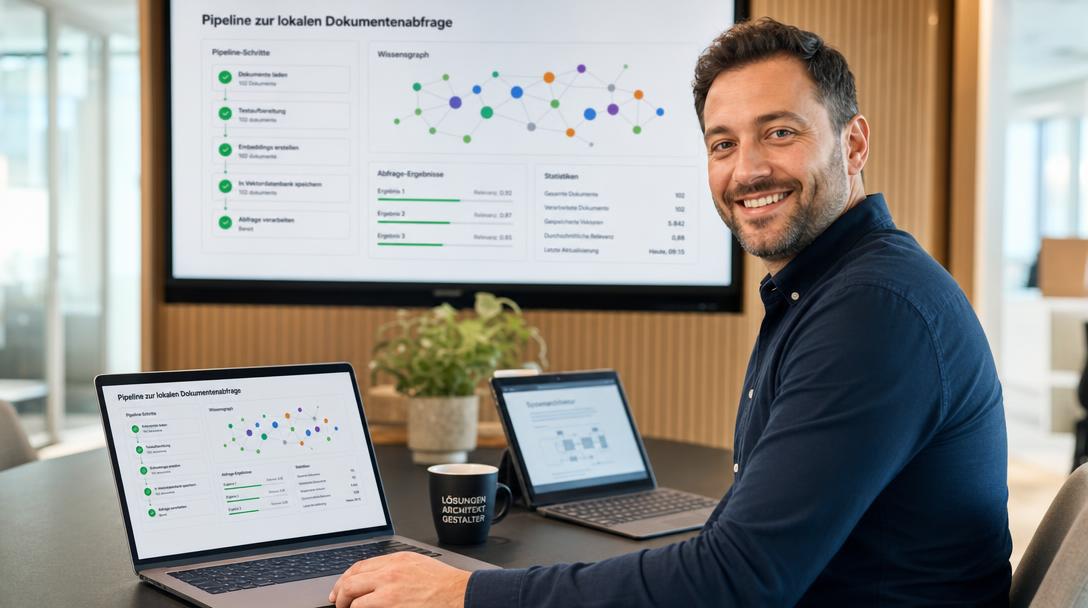
However, almost all commercial RAG solutions depend on third-party cloud APIs (such as OpenAI for embeddings, Pinecone for vector storage, and Anthropic for completions). For organizations handling confidential legal contracts, medical records, financial audits, or sensitive intellectual property, transmitting internal documents across public cloud boundaries is an unacceptable compliance and privacy risk.
In this hands-on engineering guide, you will learn how to construct a 100% private, fully offline, self-hosted RAG pipeline using AnythingLLM and Ollama deployed via Docker Compose. We will configure local vector embedding models, multi-workspace isolation, local document parsing, and persistent storage without a single byte of telemetry leaving your local network.
Why AnythingLLM is Ideal for On-Premise Document Intelligence
While general-purpose chat interfaces like Open-WebUI offer basic file attachment Q&A, AnythingLLM is engineered from the ground up as a dedicated, enterprise-grade document intelligence platform.
- Workspace Isolation: Create distinct workspaces (e.g.,
#finance,#engineering-docs,#legal-contracts) with independent system prompts, document collections, and vector search thresholds. - Pluggable Vector Databases: Ships with built-in LanceDB for zero-configuration embedded vector storage, but supports seamless scaling to external ChromaDB, Qdrant, Milvus, or Weaviate containers.
- Native Document Processors: Automatically ingests, parses, and chunks complex PDFs, Microsoft Word (.docx), Excel spreadsheets (.xlsx), CSVs, HTML pages, and raw text files.
- Deterministic Citations: Every generated answer includes exact page and snippet references, allowing team members to audit the model’s factual foundation instantly.
- Flexible Agent Skills: Built-in web scraping, custom tool execution, and local multi-user permissions.
To ensure your local LLMs have the inference throughput required to synthesize long document context windows rapidly, make sure your host is configured with NVIDIA GPU acceleration for Ollama before deploying this pipeline.
Technical Architecture Overview
Our private offline RAG architecture consists of three integrated layers:
- Inference & Embedding Backend (Ollama): Serves both the generative chat model (such as
llama3.1:8borqwen2.5:7b) and the specialized text embedding model (such asnomic-embed-textorbge-m3). - Orchestration & Vector Storage (AnythingLLM): Manages document uploads, performs text chunking and deduplication, queries Ollama’s embedding API, stores vectors in its embedded LanceDB engine, and constructs prompt payloads with retrieved context.
- Container Network: A private, internal Docker bridge network that connects AnythingLLM directly to Ollama using local container DNS resolution (
http://ollama:11434).
Technical Prerequisites
Before deploying the Docker Compose stack, verify the following prerequisites:
- Operating System: Linux host (Ubuntu 22.04 / 24.04 LTS or Debian 12 / 13 recommended).
- Docker Environment: Docker Engine 24.0+ and Docker Compose v2.
- RAM & Storage Requirements:
- RAM: Minimum 16 GB of system memory (32 GB recommended if embedding thousands of document pages concurrently).
- Storage: 40+ GB of fast NVMe storage for model weights, vector database indices, and parsed raw files.
- GPU (Optional but Recommended): An NVIDIA GPU with at least 8 GB–12 GB VRAM and the NVIDIA Container Toolkit installed.
Step 1: Project Setup and Directory Structure
Create a dedicated root directory for your RAG deployment:
mkdir -p ~/stacks/local-rag/{ollama_storage,anythingllm_storage} && cd ~/stacks/local-ragEnsure the host storage directories possess proper file permissions so the container processes can write databases and uploads:
chmod -R 775 anythingllm_storage ollama_storageStep 2: Crafting the docker-compose.yml
Paste the following verified configuration, built in accordance with the AnythingLLM Official Documentation and the Ollama Embeddings API Documentation:
services:
  ollama:
    image: ollama/ollama:latest
    container_name: rag-ollama
    restart: unless-stopped
    ports:
      - "127.0.0.1:11434:11434"
    volumes:
      - ./ollama_storage:/root/.ollama
    environment:
      - OLLAMA_KEEP_ALIVE=24h
      - OLLAMA_NUM_PARALLEL=4
      - OLLAMA_ORIGINS=*
    networks:
      - rag-network
    deploy:
      resources:
        reservations:
          devices:
            - driver: nvidia
              count: all
              capabilities: [gpu]

  anythingllm:
    image: mintplexlabs/anythingllm:latest
    container_name: rag-anythingllm
    restart: unless-stopped
    ports:
      - "3001:3001"
    volumes:
      - ./anythingllm_storage:/app/server/storage
    environment:
      - SERVER_PORT=3001
      - STORAGE_DIR=/app/server/storage
      - DISABLE_TELEMETRY=true
    depends_on:
      - ollama
    networks:
      - rag-network

networks:
  rag-network:
    driver: bridge
Step 3: Starting the Stack & Pulling Models
Start the containers in detached mode:
docker compose up -dDownload both the generative model and the specialized embedding model into your persistent storage:
# 1. Pull the generative chat model
docker compose exec ollama ollama pull llama3.1:8b

# 2. Pull the dedicated embedding model
docker compose exec ollama ollama pull nomic-embed-text
Step 4: Configuring AnythingLLM for Local Inference
- Open your browser and navigate to:
(Or your server’s LAN IP address on port 3001).http://localhost:3001 - Complete the initial onboarding wizard by setting your instance password and preferred username.
- When prompted to select your LLM Provider:
- Select Ollama from the provider dropdown.
- Ollama Base URL: Enter
http://rag-ollama:11434. - Chat Model: Select
llama3.1:8b. - Token Context Window: Set to
8192.
- When prompted to select your Embedding Provider:
- Select Ollama.
- Ollama Base URL: Enter
http://rag-ollama:11434. - Embedding Model: Select
nomic-embed-text. - Max Embedding Chunk Length:
8192.
- When prompted for Vector Database:
- Select LanceDB (Default). LanceDB runs embedded directly inside the AnythingLLM storage directory.
- Click Save and Finish Setup.
Step 5: Creating Workspaces and Ingesting Documents
AnythingLLM organizes knowledge into modular Workspaces.
- Create a Workspace: In the left sidebar, click the + (New Workspace) button and name it
Technical-Documentation. - Uploading and Chunking Files: Click on the workspace name, then click the Upload / Manage Documents icon. Drag and drop your target files (PDF manuals, .docx reports, or text logs). Check the uploaded files, select Move to Workspace, and click Save and Embed.
Step 6: Querying Your Documents and Auditing Citations
Return to your workspace chat window. You can choose between two primary chat modes:
- Query Mode (Strict Retrieval): The LLM will only answer questions if the factual answer exists within the uploaded documents. If the information is not in the text, it will respond that it cannot find the answer—ideal for audit documents and compliance.
- Chat Mode: The model uses retrieved document context as supplementary reference, but can also draw upon its general knowledge.
Test the retrieval pipeline by asking a specific question:
Summarize the emergency disaster recovery procedure described in the infrastructure guide, including responsible roles.Notice the output: The model generates a structured, factual answer based directly on your files, accompanied by clickable Citation Badges indicating exact page numbers and similarity scores.
Troubleshooting Common RAG Issues
1. “Failed to connect to Ollama Embedding Engine”
- Cause: AnythingLLM cannot reach Ollama’s port or the embedding model was not pulled.
- Fix: Verify you ran
ollama pull nomic-embed-text. In AnythingLLM settings, confirm the URL ishttp://rag-ollama:11434(notlocalhostor127.0.0.1).
2. High Memory Consumption During Document Ingestion
- Cause: Uploading massive 500-page PDFs at once can spike CPU and RAM during optical layout analysis and chunking.
- Fix: Ingest documents in batches of 5 to 10 files. For large PDFs, ensure your Docker daemon has access to at least 8 GB of swap memory on the host.
3. Citations Point to Irrelevant Content
- Cause: The default text chunking size is too large or too small for your document structure.
- Fix: In Workspace Settings, adjust the text chunk size from the default 1000 characters to 500–700 characters with a 10% overlap.
Conclusion
You now have a production-grade, completely self-contained RAG document intelligence platform operating inside your own perimeter. With AnythingLLM, Ollama, and Docker Compose, you can empower your team to query confidential records, internal knowledge bases, and software manuals with deterministic citations—all while guaranteeing absolute data sovereignty.

Hi, I’m Mark, the author of Clever IT Solutions: Mastering Technology for Success. I am passionate about empowering individuals to navigate the ever-changing world of information technology. With years of experience in the industry, I have honed my skills and knowledge to share with you. At Clever IT Solutions, we are dedicated to teaching you how to tackle any IT challenge, helping you stay ahead in today’s digital world. From troubleshooting common issues to mastering complex technologies, I am here to guide you every step of the way. Join me on this journey as we unlock the secrets to IT success.