What if the ultimate gaming platform isn’t the one everyone expects? For years, Windows has dominated the scene, but the landscape is shifting dramatically. We see a powerful alternative emerging, ready to deliver a top-tier experience. The perception that this open-source operating system isn’t a first-class citizen for gaming is outdated. Thanks to projects like Steam’s Proton and enhanced driver support, the performance gap has nearly vanished. You can now enjoy a vast library of titles with impressive compatibility and speed. Choosing the right system, however, can feel overwhelming with hundreds of options. Do you pick a general-purpose system tuned for performance or a specialized platform built from the ground up? We understand the challenge. This guide cuts through the noise.
We have compiled our expert selections for 2025, focusing on distributions optimized for exceptional performance. Our analysis considers critical factors like graphics driver support, system resource efficiency, and software availability. Our goal is to equip you with the knowledge to make an informed choice based on your hardware and preferences.
Key Takeaways
- The gaming landscape on this open-source platform has transformed, offering near-native performance for many titles.
- Key technologies like Proton have been instrumental in bridging the compatibility gap with Windows games.
- Your choice should balance factors like driver support, system resource usage, and ease of use.
- Options range from general-purpose operating systems to specialized builds designed solely for gaming.
- Informed selection depends on your specific hardware configuration and technical comfort level.
- The right distribution can unlock a high-performance, stable, and customizable gaming environment.
Introduction to the World of Linux Gaming
A quiet revolution has been transforming what’s possible for gamers outside the Windows ecosystem. The journey from niche hobby to mainstream contender represents one of the most significant developments in modern computing.
The Evolution of Linux as a Gaming Platform
We’ve observed a remarkable transformation over the past several years. What began as a platform with minimal native support now runs thousands of titles through advanced compatibility layers.
The single biggest breakthrough came from Steam’s Proton project. This Wine-based technology enables Windows-exclusive games to run without requiring native ports from developers.
Major publishers and studios like Feral Interactive now treat this open-source environment as viable. They bring AAA titles to the operating system with increasingly shorter delays after Windows releases.
Current Trends and Community Growth
Improved driver support from AMD and NVIDIA, combined with enhanced graphics APIs like Vulkan, have created a robust ecosystem. Gaming on this platform is no longer a compromise but a legitimate choice.
Dissatisfaction with Windows 11’s increased advertising and telemetry drives exploration of privacy-respecting alternatives. The approaching end-of-life for Windows 10 adds further momentum.
The growing Steam Deck user base creates a positive feedback loop. Developers now ensure their games work properly, benefiting all users of this gaming environment.
Challenges and Considerations for Gaming on Linux
While the potential for a high-performance gaming experience is undeniable, a successful setup requires navigating a few important considerations. We believe understanding these factors upfront leads to a much smoother and more enjoyable journey.
Driver Support and Software Compatibility
A primary focus is the availability of current graphics drivers and essential software. Some distributions include these out of the box, while others need manual setup.
AMD typically offers superior open-source driver support. NVIDIA users rely on proprietary drivers, and their installation ease varies. Not every major title launches natively, though compatibility tools have made vast libraries accessible.
One of the most important things is researching your computer’s hardware before installation. This is especially true for cutting-edge components or systems with hybrid graphics.
System Resources and Performance Factors
Managing your system’s resources is critical for game performance. The desktop environment itself can consume valuable RAM and CPU cycles.
Choosing a lightweight interface can free up resources for your games. This is a key advantage for systems with limited memory.
The ease of installing tools like Steam and Lutris also differs. Some platforms make this process very straightforward, which is essential for modern gaming.
Exploring the “best linux distro for gaming”
Selecting the ideal operating system for your gaming rig involves more than just picking a name. It’s about finding a platform that minimizes setup time and maximizes play time. The core distinction between options often comes down to how much work is required after installation.
We believe the primary goal is a seamless experience right from the start. Some systems are designed to work with your hardware immediately. They include the latest graphics drivers and essential libraries straight out of the box. This eliminates frustrating searches for the right components.
Key Features for a Seamless Gaming Experience
We’ve identified that immediate hardware support is a critical factor. Certain distros offer separate installation files tailored for NVIDIA or AMD graphics cards. This thoughtful approach ensures your system is ready for action without complex configuration.
Ease of use is equally important. The software you need, like Steam and compatibility tools, should be simple to install. A user-friendly desktop environment and clear documentation make a significant difference. This accessible way of managing your system saves valuable time.
Ultimately, the right choice balances performance with simplicity. It provides a solid foundation for an exceptional gaming session without demanding technical expertise from the user.
Top General-Purpose Distros Optimized for Gaming
When building a gaming system, general-purpose distributions offer remarkable versatility while maintaining excellent performance. These platforms provide a complete computing environment while prioritizing the needs of gamers.
We focus on systems that deliver immediate functionality without complex configuration. The ideal choice combines robust hardware support with accessible software management.
Pop!_OS: Performance and Ease of Use
We recommend Pop!_OS as our preferred option for general-purpose gaming. Developed by System76, this platform stands out with its polished experience and superior hardware compatibility.
The operating system provides separate installation files optimized for NVIDIA and AMD graphics cards. This approach ensures your GPU works perfectly right out of the box.
Essential tools like Lutris and GameHub are readily available through the Pop!_Store. The upcoming 24.04 LTS release will feature the new COSMIC desktop environment, promising enhanced performance.
Ubuntu: The Beginner’s Choice
Ubuntu remains the quintessential starting point for newcomers to this gaming environment. Its massive community support and extensive documentation make troubleshooting straightforward.
We advise selecting the latest LTS version for optimal stability. This ensures five years of security updates for your gaming system.
While Pop!_OS offers more gaming-specific optimizations, Ubuntu’s larger user base means solutions for specific games are often more readily available. Both platforms provide solid foundations for enjoyable gaming sessions.
Lightweight and Resource-Friendly Options
Resource efficiency plays a crucial role in gaming performance, especially when hardware capabilities are constrained. We recognize that not every gamer has access to cutting-edge systems, making lightweight distributions essential for maximizing frame rates on older or less powerful hardware.
These platforms prioritize minimal resource consumption while maintaining full functionality. The goal is to redirect valuable system resources toward your games rather than desktop overhead.
Kubuntu: Efficiency with the KDE Desktop
Kubuntu stands out as our preferred lightweight linux distro for gaming. This Ubuntu flavor features the KDE Plasma desktop environment, which has evolved into one of the most resource-efficient options available.
We’ve observed that KDE Plasma provides a modern, visually appealing interface without sacrificing performance. The experience is noticeably snappier on systems with 8GB of RAM or less compared to heavier alternatives.
This particular distro offers three years of system updates and maintains full compatibility with Ubuntu’s extensive software repositories. Many users report immediate performance improvements when switching from heavier desktop environments.
For those seeking even longer support, Linux Mint provides five years of updates across multiple desktop environment options. Both platforms deliver excellent gaming performance on constrained hardware while ensuring stability and accessibility.
Gaming-Specific Distros Crafted for an Enhanced Experience
Dedicated gaming platforms take a different approach by stripping away non-essential elements for pure performance. These specialized distros are engineered specifically for gaming rather than general computing tasks.
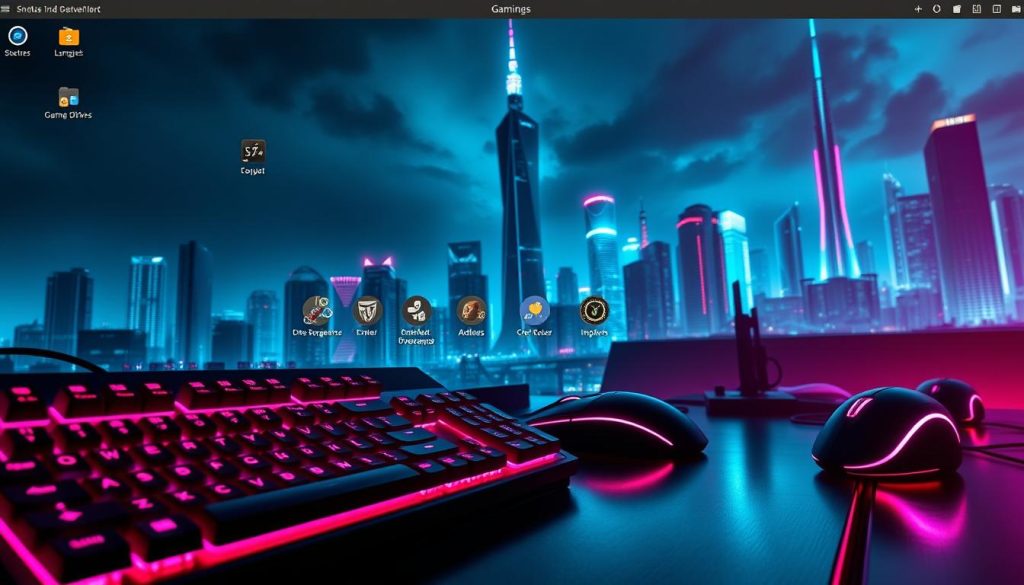
Drauger OS: Tailored for the Hardcore Gamer
We’ve identified Drauger OS as a purpose-built gaming distribution based on Ubuntu 20.04 LTS. This operating system intentionally omits productivity software to create a lean environment. It requires robust hardware specifications like an AMD Radeon RX 6800 GPU.
The platform is designed for dedicated gaming machines rather than general-purpose computer use. Unlike more comprehensive systems like Tails, Drauger OS focuses exclusively on gaming performance.
Bazzite: Immutable and User-Friendly Gaming
We’re particularly impressed with Bazzite as a game-changing distribution. Built on Fedora Atomic, its immutable design prevents users from accidentally breaking their system. This experience is ideal for newcomers.
The platform comes with comprehensive support out of the box. It includes Steam, Lutris, GPU drivers, and modern gaming technologies. Bazzite’s compatibility extends to handheld devices like the Steam Deck.
Applications install via Flatpak in sandboxes, maintaining system stability. This approach makes Bazzite incredibly easy to get up and running on various hardware configurations.
Reviving Retro Gaming with Specialized Distributions
For enthusiasts of vintage entertainment, specialized platforms provide dedicated solutions that general-purpose systems can’t match. We recognize that retro gaming enthusiasts have unique needs requiring distributions designed specifically for emulation and classic game preservation.
batocera.linux: Transforming Your PC into a Console
We highlight batocera.linux as an exceptional choice for transforming any computer into a dedicated retro gaming console. This independent platform supports an extensive range of classic systems including Atari, Super Nintendo, SEGA, Dreamcast, and GameBoy Advance.
The portability of this system is particularly impressive. You can run it directly from a USB stick without partitioning your hard drive. This makes it perfect for temporary setups or gaming parties. The integrated Kodi Media Center adds versatility, creating a comprehensive entertainment system.
Lakka OS: Emulation and Retro Gaming Excellence
We’re impressed by Lakka OS’s foundation on the RetroArch emulator. It provides a unified, console-like interface for accessing games from dozens of classic systems. The emulators are compiled with aggressive optimizations for smooth performance.
This lightweight distribution requires minimal system resources for most classic titles. Advanced features include save states, rewind capabilities, netplay for online multiplayer, and comprehensive wireless controller support. We emphasize that users must legally own the games they play to respect copyright laws.
Optimizing Your Linux Gaming Setup
Optimizing your system involves both software integration and hardware compatibility considerations. We focus on practical steps to enhance performance and stability.
Integrating Steam, Proton, and Lutris
We recommend starting with Steam as your primary gaming platform. Its Proton compatibility layer lets you play games designed for other operating systems. This technology continues to improve with each new version.
Lutris serves as an excellent complement to Steam. It provides a unified interface for managing titles from various sources. The Steam Deck handheld device demonstrates how well this ecosystem can work.
Hardware Compatibility and Driver Updates
Your graphics hardware requires proper driver support for optimal performance. We advise keeping your GPU drivers current, especially with newer components. Systems like Pop!_OS simplify this process with hardware-specific installation files.
For hardware less than a year old, you might need updated drivers beyond what your system provides. The kernel version also affects compatibility with recent components. Mutable systems offer more flexibility for driver updates compared to immutable alternatives.
Enable gaming repositories specific to your platform for access to the latest tools. This ensures you have current libraries and software versions.
Emerging Trends and Innovations in Linux Gaming
Technological advancements are reshaping the gaming experience, creating new opportunities for platform diversity and performance optimization. We’re witnessing a pivotal moment where Valve’s strategic decisions are benefiting the entire ecosystem.
Valve’s choice to base SteamOS 3.0 on Arch Linux represents a significant shift. This rolling-release model provides faster access to cutting-edge graphics drivers and gaming technologies.
Next-Generation Graphics and Driver Support
The Steam Deck’s success creates a positive feedback loop for all gaming linux enthusiasts. Improvements in GPU driver support and power management benefit the broader community.
We observe growing dissatisfaction with recent windows versions among many users. Aggressive advertising and mandatory account requirements are driving exploration of alternatives.
Modern graphics APIs like Vulkan continue to gain adoption. These technologies make cross-platform development more accessible for game creators.
With windows 10 support ending in coming years, 2026 could represent a breakthrough year for linux gaming adoption. The combination of mature compatibility layers and extensive game support creates compelling opportunities.
Major game engines have significantly improved their export capabilities. This makes simultaneous windows and linux releases more feasible for developers.
Conclusion
Navigating the diverse landscape of open-source operating systems for your entertainment needs requires careful consideration of your unique setup. Our comprehensive list showcases a variety of powerful distros, each with distinct strengths. There is no single solution that fits every user.
We recommend starting points like Pop!_OS or Bazzite for a smooth initial experience. Users with older hardware should explore lightweight options to maximize performance. Retro enthusiasts have dedicated systems available that simplify emulation.
The ecosystem continues to evolve rapidly with better driver support and compatibility. This guide provides a foundation for selecting a system that meets your requirements. For managing a server that hosts your games, you can learn more about server administration tools like Webmin. The right choice empowers a highly customizable and efficient environment for any app or game.
FAQ
What makes an operating system good for gaming?
Can I play Windows games on a Linux computer?
How does gaming performance on Linux compare to Windows?
Do I need to use command line tools for gaming on Linux?
What is the Steam Deck, and how does it relate to desktop gaming?
Are graphics drivers easy to install?
Is Linux gaming only for experienced users?
How often are games and support updated?

Claudia loves to discover the world and conquer new software products every now and then.