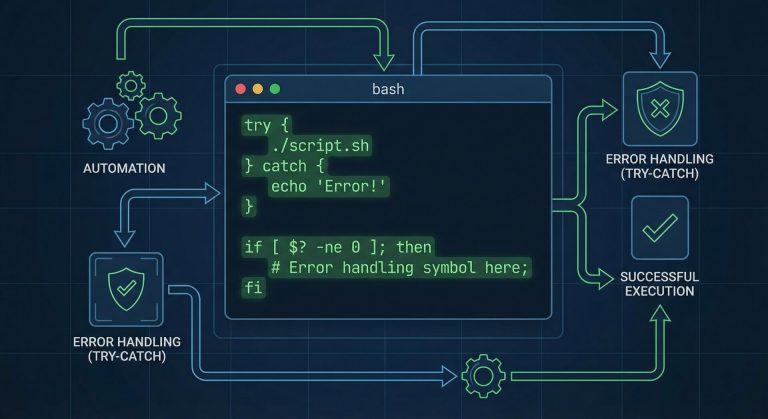
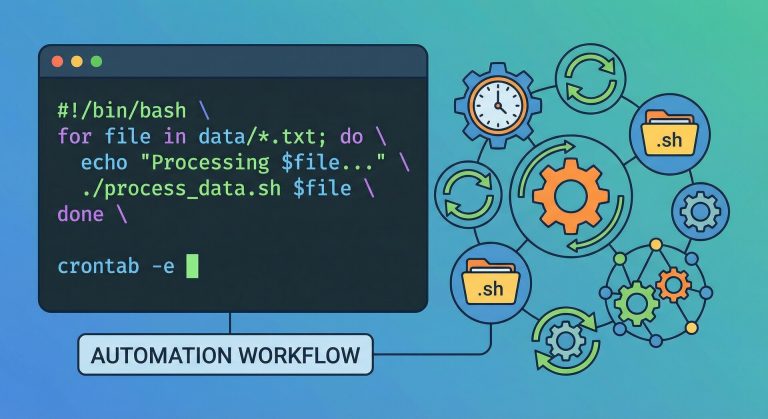
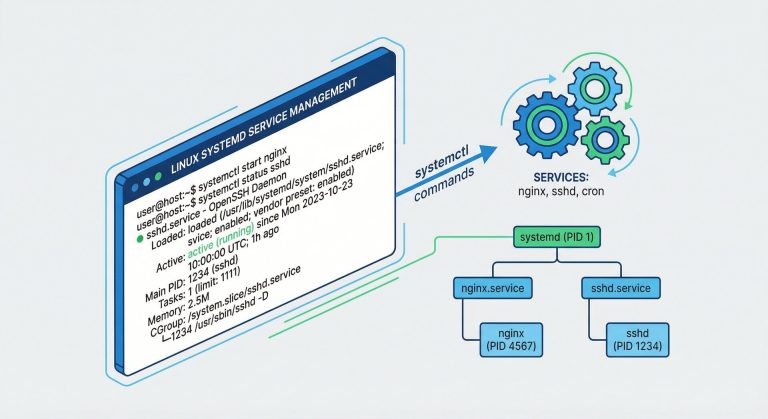
Mastering linux shell automation is a game-changing skill for system administrators in 2026. As infrastructure scales and manual tasks multiply, automating repetitive operations with Python scripts becomes not just beneficial but essential. This comprehensive guide teaches you how to leverage linux shell automation to streamline server management, reduce human error, and free up valuable time for strategic initiatives.
Whether you’re managing a handful of servers or thousands of containers, linux shell automation combined with Python’s versatility creates powerful workflows. From automated backups to log analysis, user provisioning to security audits, you’ll learn practical techniques that professional DevOps engineers use daily.
Why Python for Linux Shell Automation?
Python has become the de facto language for linux shell automation due to its readability, extensive libraries, and cross-platform compatibility. Unlike pure bash scripting, Python offers robust error handling, data structures, and object-oriented capabilities that make complex automation tasks manageable.
The subprocess module enables seamless linux shell automation by executing system commands directly from Python. The os and pathlib libraries provide filesystem operations, while libraries like paramiko facilitate SSH automation across multiple servers. This ecosystem makes Python the ideal choice for modern linux shell automation workflows.
Setting Up Your Automation Environment
Before diving into linux shell automation scripts, establish a proper development environment. Install Python 3.10 or later on your Ubuntu or Debian system:
sudo apt update
sudo apt install python3 python3-pip python3-venv
Create a dedicated virtual environment for your linux shell automation projects:
python3 -m venv ~/automation-env
source ~/automation-env/bin/activate
Install essential libraries for linux shell automation:
pip install paramiko psutil schedule requestsThis foundation enables sophisticated linux shell automation capabilities including remote command execution, system monitoring, scheduled tasks, and API integrations.
Basic Linux Shell Automation with Subprocess
The subprocess module forms the core of linux shell automation in Python. Here’s a practical example automating system updates:
import subprocess
import logging

logging.basicConfig(level=logging.INFO)

def automate_system_update():
    """Linux shell automation for system updates"""
    try:
        result = subprocess.run(
            ['sudo', 'apt', 'update'],
            capture_output=True,
            text=True,
            check=True
        )
        logging.info(f"Update output: {result.stdout}")

        result = subprocess.run(
            ['sudo', 'apt', 'upgrade', '-y'],
            capture_output=True,
            text=True,
            check=True
        )
        logging.info("System updated successfully")
        return True
    except subprocess.CalledProcessError as e:
        logging.error(f"Update failed: {e.stderr}")
        return False

if __name__ == "__main__":
    automate_system_update()
This linux shell automation script handles errors gracefully, logs output, and returns status codes – essential for production environments.
File System Operations and Backup Automation
Linux shell automation shines in backup scenarios. Here’s a comprehensive backup script using Python:
import os
import shutil
import datetime
from pathlib import Path

def automated_backup(source_dir, backup_dir):
    """Linux shell automation for directory backups"""
    timestamp = datetime.datetime.now().strftime('%Y-%m-%d_%H-%M-%S')
    backup_path = Path(backup_dir) / f"backup_{timestamp}"

    try:
        shutil.copytree(source_dir, backup_path)

        # Compress backup
        archive_name = f"{backup_path}.tar.gz"
        subprocess.run(
            ['tar', '-czf', archive_name, '-C', backup_dir, backup_path.name],
            check=True
        )

        # Remove uncompressed backup
        shutil.rmtree(backup_path)

        print(f"Backup completed: {archive_name}")
        return archive_name
    except Exception as e:
        print(f"Backup failed: {e}")
        return None

automated_backup('/var/www/html', '/backups/web')
This linux shell automation example creates timestamped, compressed backups – a pattern applicable to databases, configuration files, and application data.
User Management Automation
Automating user provisioning demonstrates advanced linux shell automation. Create users across multiple systems:
import subprocess
import crypt
import random
import string

def generate_password(length=12):
    """Generate secure random password for linux shell automation"""
    chars = string.ascii_letters + string.digits + string.punctuation
    return ''.join(random.choice(chars) for _ in range(length))

def create_user(username, full_name, groups=None):
    """Linux shell automation for user creation"""
    password = generate_password()
    encrypted_password = crypt.crypt(password, crypt.METHOD_SHA512)

    # Create user
    subprocess.run(
        ['sudo', 'useradd', '-m', '-p', encrypted_password, '-c', full_name, username],
        check=True
    )

    # Add to additional groups
    if groups:
        for group in groups:
            subprocess.run(
                ['sudo', 'usermod', '-aG', group, username],
                check=True
            )

    print(f"User {username} created with password: {password}")
    return password

# Usage
create_user('jdoe', 'John Doe', ['sudo', 'developers'])
This linux shell automation script handles password generation, user creation, and group assignment – essential for onboarding automation.
Log Analysis and Monitoring
Linux shell automation excels at log analysis. Here’s a script monitoring system logs for security events:
import re
from collections import Counter

def analyze_auth_logs(log_file='/var/log/auth.log'):
    """Linux shell automation for security log analysis"""
    failed_logins = []
    ip_pattern = re.compile(r'\b(?:[0-9]{1,3}\.){3}[0-9]{1,3}\b')

    with open(log_file, 'r') as f:
        for line in f:
            if 'Failed password' in line:
                ips = ip_pattern.findall(line)
                if ips:
                    failed_logins.append(ips[0])

    # Count attempts per IP
    ip_counts = Counter(failed_logins)

    print("Top 10 IPs with failed login attempts:")
    for ip, count in ip_counts.most_common(10):
        print(f"{ip}: {count} attempts")

        # Auto-block IPs with >10 failed attempts
        if count > 10:
            subprocess.run(
                ['sudo', 'ufw', 'deny', 'from', ip],
                check=True
            )
            print(f"Blocked {ip} via firewall")

analyze_auth_logs()
This linux shell automation script identifies brute-force attacks and automatically implements defensive measures.
Remote Server Automation with Paramiko
Scale your linux shell automation across multiple servers using Paramiko:
import paramiko

def execute_remote_command(host, username, key_file, command):
    """Linux shell automation for remote command execution"""
    client = paramiko.SSHClient()
    client.set_missing_host_key_policy(paramiko.AutoAddPolicy())

    try:
        client.connect(host, username=username, key_filename=key_file)
        stdin, stdout, stderr = client.exec_command(command)

        output = stdout.read().decode()
        errors = stderr.read().decode()

        if errors:
            print(f"Errors on {host}: {errors}")
        else:
            print(f"Output from {host}:\n{output}")

    finally:
        client.close()

# Execute on multiple servers
servers = ['web01.example.com', 'web02.example.com', 'web03.example.com']
for server in servers:
    execute_remote_command(
        server,
        'admin',
        '/home/admin/.ssh/id_rsa',
        'df -h'
    )
This linux shell automation pattern enables fleet-wide operations, configuration management, and distributed monitoring. For more SSH automation techniques, check our guide on SSH key management best practices.
Scheduled Automation with Cron and Schedule
Linux shell automation often requires scheduling. While cron works well, Python’s schedule library offers more flexibility:
import schedule
import time

def backup_databases():
    """Linux shell automation for database backups"""
    subprocess.run(
        ['mysqldump', '--all-databases', '-u', 'root', '-p$MYSQL_PASSWORD'],
        stdout=open('/backups/mysql_backup.sql', 'w'),
        check=True
    )
    print(f"Database backup completed at {datetime.datetime.now()}")

def check_disk_space():
    """Linux shell automation for disk monitoring"""
    result = subprocess.run(
        ['df', '-h'],
        capture_output=True,
        text=True
    )
    print(result.stdout)

# Schedule jobs
schedule.every().day.at("02:00").do(backup_databases)
schedule.every().hour.do(check_disk_space)

print("Linux shell automation scheduler started")
while True:
    schedule.run_pending()
    time.sleep(60)
This linux shell automation approach provides human-readable scheduling and better error handling than traditional cron jobs.
System Monitoring and Alerts
Build a comprehensive linux shell automation monitoring system:
import psutil
import requests

def monitor_system_resources():
    """Linux shell automation for resource monitoring"""
    cpu_percent = psutil.cpu_percent(interval=1)
    memory = psutil.virtual_memory()
    disk = psutil.disk_usage('/')

    # Alert if resources exceed thresholds
    alerts = []
    if cpu_percent > 80:
        alerts.append(f"High CPU usage: {cpu_percent}%")
    if memory.percent > 85:
        alerts.append(f"High memory usage: {memory.percent}%")
    if disk.percent > 90:
        alerts.append(f"Low disk space: {disk.percent}% used")

    if alerts:
        send_slack_alert('\n'.join(alerts))

    return {
        'cpu': cpu_percent,
        'memory': memory.percent,
        'disk': disk.percent
    }

def send_slack_alert(message):
    """Linux shell automation for Slack notifications"""
    webhook_url = 'https://hooks.slack.com/services/YOUR/WEBHOOK/URL'
    requests.post(webhook_url, json={'text': message})

monitor_system_resources()
This linux shell automation script proactively monitors critical metrics and alerts teams before issues escalate.
Configuration File Management
Automate configuration management across environments with linux shell automation:
import yaml
import jinja2

def generate_config(template_file, output_file, variables):
    """Linux shell automation for configuration generation"""
    with open(template_file, 'r') as f:
        template = jinja2.Template(f.read())

    config = template.render(**variables)

    with open(output_file, 'w') as f:
        f.write(config)

    print(f"Configuration generated: {output_file}")

# Generate Nginx config for different environments
env_vars = {
    'production': {'domain': 'prod.example.com', 'workers': 8},
    'staging': {'domain': 'staging.example.com', 'workers': 4}
}

for env, vars in env_vars.items():
    generate_config(
        'nginx.conf.j2',
        f'/etc/nginx/sites-available/{env}.conf',
        vars
    )
This linux shell automation pattern enables infrastructure-as-code practices and consistent deployments.
Error Handling and Logging Best Practices
Robust linux shell automation requires comprehensive error handling:
import logging
import sys
from functools import wraps

# Configure logging for linux shell automation
logging.basicConfig(
    level=logging.INFO,
    format='%(asctime)s - %(name)s - %(levelname)s - %(message)s',
    handlers=[
        logging.FileHandler('/var/log/automation.log'),
        logging.StreamHandler(sys.stdout)
    ]
)

def retry_on_failure(retries=3, delay=5):
    """Decorator for linux shell automation retry logic"""
    def decorator(func):
        @wraps(func)
        def wrapper(*args, **kwargs):
            for attempt in range(retries):
                try:
                    return func(*args, **kwargs)
                except Exception as e:
                    logging.warning(f"Attempt {attempt + 1} failed: {e}")
                    if attempt < retries - 1:
                        time.sleep(delay)
                    else:
                        logging.error(f"All {retries} attempts failed")
                        raise
        return wrapper
    return decorator

@retry_on_failure(retries=3)
def unreliable_operation():
    """Example linux shell automation function with retry logic"""
    # Simulate operation that might fail
    subprocess.run(['ping', '-c', '1', 'example.com'], check=True)
These linux shell automation patterns ensure scripts recover gracefully from transient failures and maintain audit trails.
Security Considerations
When implementing linux shell automation, security is paramount:
- Never hardcode credentials – Use environment variables or secret management tools
- Validate input – Prevent command injection attacks in linux shell automation scripts
- Run with minimum privileges – Avoid unnecessary sudo usage
- Audit script actions – Log all operations for compliance and debugging
- Encrypt sensitive data – Use tools like HashiCorp Vault for secrets management
For comprehensive security practices, review our Linux security hardening guide.
Testing Your Automation Scripts
Reliable linux shell automation requires thorough testing:
import unittest
from unittest.mock import patch, MagicMock

class TestAutomationScripts(unittest.TestCase):
    """Unit tests for linux shell automation"""

    @patch('subprocess.run')
    def test_system_update(self, mock_run):
        mock_run.return_value = MagicMock(
            returncode=0,
            stdout='Updated successfully'
        )

        result = automate_system_update()
        self.assertTrue(result)
        mock_run.assert_called()

    def test_backup_creation(self):
        test_source = '/tmp/test_source'
        test_backup = '/tmp/test_backup'

        os.makedirs(test_source, exist_ok=True)
        result = automated_backup(test_source, test_backup)

        self.assertIsNotNone(result)
        self.assertTrue(os.path.exists(result))

if __name__ == '__main__':
    unittest.main()
Test-driven linux shell automation catches bugs early and ensures scripts behave correctly across different environments.
Real-World Automation Examples
Here are practical linux shell automation scenarios for system administrators:
1. Automated SSL Certificate Renewal:
def renew_ssl_certificates():
    subprocess.run(['certbot', 'renew', '--quiet'], check=True)
    subprocess.run(['systemctl', 'reload', 'nginx'], check=True)
2. Container Health Checks:
def check_docker_containers():
    result = subprocess.run(
        ['docker', 'ps', '--filter', 'health=unhealthy'],
        capture_output=True, text=True
    )
    if result.stdout:
        send_slack_alert(f"Unhealthy containers detected:\n{result.stdout}")
3. Automated Package Updates:
def update_packages():
    subprocess.run(['apt', 'update'], check=True)
    subprocess.run(['apt', 'upgrade', '-y'], check=True)
    subprocess.run(['apt', 'autoremove', '-y'], check=True)
These linux shell automation examples demonstrate how Python scripts handle tasks that would require extensive bash scripting.
Integration with CI/CD Pipelines
Modern linux shell automation integrates seamlessly with CI/CD workflows. Use Python scripts in GitLab CI, GitHub Actions, or Jenkins:
# .gitlab-ci.yml example
deploy:
  script:
    - python3 automation/deploy.py --environment production
  only:
    - main
This approach brings version control, code review, and automated testing to your linux shell automation scripts, following DevOps best practices. Learn more about GitLab CI/CD integration patterns.
Performance Optimization
Optimize your linux shell automation for large-scale operations:
- Use multiprocessing for parallel task execution across servers
- Implement caching for frequently accessed data
- Batch operations instead of individual API calls
- Profile scripts with cProfile to identify bottlenecks
from multiprocessing import Pool

def process_server(server):
    return execute_remote_command(server, 'admin', '/path/to/key', 'uptime')

# Process servers in parallel
with Pool(processes=10) as pool:
    results = pool.map(process_server, servers)
These linux shell automation optimizations reduce execution time dramatically when managing hundreds of servers.
Conclusion
Mastering linux shell automation with Python transforms system administration from reactive firefighting to proactive infrastructure management. The scripts and patterns covered in this guide provide a foundation for building sophisticated automation workflows that scale with your infrastructure.
Start implementing linux shell automation incrementally – automate one repetitive task this week, then expand your toolkit gradually. Document your scripts, version control them, and share knowledge with your team. The time invested in learning linux shell automation pays dividends through increased productivity, reduced errors, and improved system reliability.
Remember that effective linux shell automation balances automation with maintainability. Write clear, well-documented code that future administrators (including yourself) can understand and modify. Test thoroughly, handle errors gracefully, and always maintain manual intervention capabilities for critical operations.
The future of system administration lies in intelligent automation, and mastering linux shell automation with Python positions you at the forefront of modern infrastructure management in 2026 and beyond.

Hi, I’m Mark, the author of Clever IT Solutions: Mastering Technology for Success. I am passionate about empowering individuals to navigate the ever-changing world of information technology. With years of experience in the industry, I have honed my skills and knowledge to share with you. At Clever IT Solutions, we are dedicated to teaching you how to tackle any IT challenge, helping you stay ahead in today’s digital world. From troubleshooting common issues to mastering complex technologies, I am here to guide you every step of the way. Join me on this journey as we unlock the secrets to IT success.