Ubuntu server security hardening 2026 is essential for anyone running production servers in today’s threat landscape. With cyberattacks becoming more sophisticated, implementing comprehensive security measures on your Ubuntu server is not optional—it’s a necessity. This complete guide walks you through proven techniques to secure your Ubuntu server, from SSH hardening to automated monitoring solutions.
Whether you’re managing a web server, database server, or application server, following these Ubuntu server security hardening 2026 best practices will significantly reduce your attack surface and protect your valuable data from unauthorized access.
Why Ubuntu Server Security Hardening Matters in 2026
As we navigate through 2026, the cybersecurity landscape continues to evolve rapidly. Attackers are using AI-powered tools to identify vulnerabilities faster than ever before. Ubuntu server security hardening 2026 strategies must adapt to these emerging threats by implementing defense-in-depth approaches that protect against both automated attacks and targeted intrusions.
Ubuntu remains one of the most popular Linux distributions for servers, powering millions of web applications worldwide. However, a default Ubuntu installation leaves several potential security gaps that attackers can exploit. This guide addresses those vulnerabilities with actionable, step-by-step instructions.
SSH Hardening: Your First Line of Defense
Secure Shell (SSH) is the primary entry point for most Ubuntu server administrators. Securing this access method is critical for effective Ubuntu server security hardening 2026 implementation. Attackers frequently target SSH services with brute-force attacks, making proper configuration essential.
Disable Root Login
Allowing direct root access via SSH is a significant security risk. Instead, create a regular user account with sudo privileges and disable root login completely.
# Edit SSH configurationsudo nano /etc/ssh/sshd_config# Set these values:PermitRootLogin noPasswordAuthentication noPubkeyAuthentication yes
This simple change eliminates one of the most common attack vectors. For more Linux administration tips, check out our Linux tutorials for additional server management guides.
Implement SSH Key Authentication
Password-based authentication is vulnerable to brute-force attacks. SSH keys provide a more secure authentication method that’s essential for modern Ubuntu server security hardening 2026 practices.
# Generate SSH key pair on your local machinessh-keygen -t ed25519 -C "your-email@example.com"# Copy public key to serverssh-copy-id user@your-server-ip
Change Default SSH Port
While security through obscurity isn’t sufficient alone, changing the default SSH port (22) reduces automated attack noise and log clutter:
# In /etc/ssh/sshd_config, change:Port 2222 # Or any port between 1024-65535# Restart SSH servicesudo systemctl restart sshd
According to CISA (Cybersecurity and Infrastructure Security Agency), proper SSH configuration is fundamental to protecting critical infrastructure from unauthorized access.
Firewall Configuration with UFW
A properly configured firewall is essential for Ubuntu server security hardening 2026. Ubuntu’s Uncomplicated Firewall (UFW) provides an easy-to-use interface for managing iptables rules without requiring deep networking knowledge.
# Install and enable UFWsudo apt install ufwsudo ufw default deny incomingsudo ufw default allow outgoing# Allow specific servicessudo ufw allow 2222/tcp # Your custom SSH portsudo ufw allow 80/tcp # HTTPsudo ufw allow 443/tcp # HTTPS# Enable firewallsudo ufw enable
For additional server security insights, explore our comprehensive guides on server administration best practices and network protection strategies.
Automatic Security Updates
Unpatched vulnerabilities are a leading cause of server compromises. Ubuntu server security hardening 2026 requires automated security updates to ensure critical patches are applied promptly without manual intervention.
# Install unattended-upgradessudo apt install unattended-upgrades# Configure automatic security updatessudo dpkg-reconfigure -plow unattended-upgrades# Edit configuration for granular controlsudo nano /etc/apt/apt.conf.d/50unattended-upgrades
The configuration file allows you to specify which updates to apply automatically, configure email notifications, and set automatic reboot times for kernel updates. This automation is crucial for maintaining Ubuntu server security hardening 2026 standards in production environments.
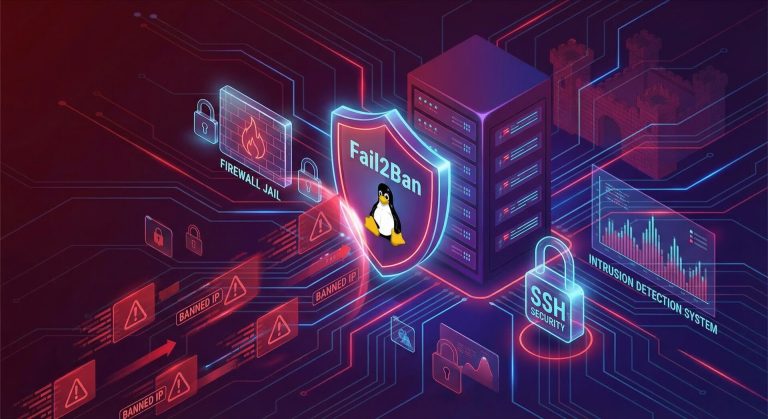
Fail2ban: Intelligent Intrusion Prevention
Fail2ban monitors log files and bans IP addresses that show malicious signs, such as multiple failed login attempts. This tool is indispensable for Ubuntu server security hardening 2026 implementations.
# Install Fail2bansudo apt install fail2ban# Create local configurationsudo cp /etc/fail2ban/jail.conf /etc/fail2ban/jail.localsudo nano /etc/fail2ban/jail.local
Configure Fail2ban to protect SSH and other services:
[sshd]enabled = trueport = 2222filter = sshdlogpath = /var/log/auth.logmaxretry = 3bantime = 3600findtime = 600
The National Institute of Standards and Technology (NIST) recommends intrusion detection and prevention systems as critical components of comprehensive cybersecurity frameworks.
File Permissions and Access Control Lists
Proper file permissions prevent unauthorized access to sensitive data. Ubuntu server security hardening 2026 requires understanding both traditional Unix permissions and modern Access Control Lists (ACLs).
Basic Permission Management
# Set proper permissions for sensitive filessudo chmod 600 /etc/ssh/sshd_configsudo chmod 644 /etc/passwdsudo chmod 400 /path/to/private/key# Use sticky bit on shared directoriessudo chmod 1777 /tmp
Access Control Lists (ACLs)
For more granular control, implement ACLs:
# Install ACL supportsudo apt install acl# Grant specific user access to a filesetfacl -m u:username:rw /path/to/file# Grant directory access recursivelysetfacl -R -m d:u:username:rx /path/to/directory
Understanding file permissions is crucial for Ubuntu server security hardening 2026. Learn more about advanced Linux permissions in our detailed system administration guides.
Security Monitoring and Logging
Effective monitoring is essential for detecting and responding to security incidents. Ubuntu server security hardening 2026 includes implementing comprehensive logging and monitoring solutions.
Auditd for System Auditing
# Install audit daemonsudo apt install auditd# Monitor specific files for changessudo auditctl -w /etc/passwd -p wa -k passwd_changessudo auditctl -w /etc/ssh/sshd_config -p wa -k ssh_config_changes
Log Analysis with rsyslog
Centralize and analyze logs to identify security events:
# View authentication attemptsgrep "Failed password" /var/log/auth.log# Monitor sudo usagegrep "COMMAND=" /var/log/auth.log | tail -20
For authoritative information on security monitoring, refer to Ubuntu’s official server security documentation which provides additional guidance on enterprise-grade monitoring solutions.
Additional Security Measures
Beyond the core measures above, consider these additional Ubuntu server security hardening 2026 enhancements:
- AppArmor: Enable and configure mandatory access control
- SELinux: Alternative to AppArmor for advanced security contexts
- Lynis: Run security audits to identify hardening opportunities
- ClamAV: Install antivirus for malware scanning
- RKHunter: Detect rootkits and backdoors
# Run Lynis security auditsudo apt install lynissudo lynis audit system
Ubuntu Server Security Hardening 2026 Checklist
Use this checklist to ensure you’ve implemented comprehensive Ubuntu server security hardening 2026 measures:
- Disabled root SSH login
- Configured SSH key authentication
- Changed default SSH port
- Enabled and configured UFW firewall
- Set up automatic security updates
- Installed and configured Fail2ban
- Reviewed and set proper file permissions
- Implemented ACLs where needed
- Configured audit logging
- Regularly review system logs
Conclusion: Secure Your Ubuntu Server Today
Ubuntu server security hardening 2026 is an ongoing process, not a one-time task. By implementing the strategies outlined in this guide—from SSH hardening and firewall configuration to automated updates and intrusion detection—you’ve built a solid foundation for protecting your server against modern cyber threats.
Remember that security is a journey, not a destination. Regularly review your configurations, stay updated on emerging threats, and test your defenses. Start implementing these Ubuntu server security hardening 2026 best practices today and enjoy the peace of mind that comes with knowing your server is properly protected.
Ready to take action? Begin with SSH hardening and work through each section systematically. Your future self—and your data—will thank you for the effort you put into securing your Ubuntu server today.

Hi, I’m Mark, the author of Clever IT Solutions: Mastering Technology for Success. I am passionate about empowering individuals to navigate the ever-changing world of information technology. With years of experience in the industry, I have honed my skills and knowledge to share with you. At Clever IT Solutions, we are dedicated to teaching you how to tackle any IT challenge, helping you stay ahead in today’s digital world. From troubleshooting common issues to mastering complex technologies, I am here to guide you every step of the way. Join me on this journey as we unlock the secrets to IT success.