In 2026, Linux SSH hardening remains the cornerstone of server security. With cyberattacks escalating globally, implementing robust SSH security measures is no longer optional—it’s essential. This comprehensive guide covers the latest Linux SSH hardening 2026 best practices, helping you protect your server infrastructure against brute-force attacks, unauthorized access, and zero-day exploits.
SSH (Secure Shell) is the most widely used protocol for remote Linux server administration. However, default SSH configurations leave servers vulnerable to automated scanning, dictionary attacks, and credential stuffing. By applying modern Linux SSH hardening 2026 techniques, you can significantly reduce your attack surface and comply with industry security standards like CIS Benchmarks, NIST SP 800-123, and PCI-DSS.
Why Linux SSH Hardening Matters in 2026
Recent security reports indicate that SSH remains the #1 target for server intrusions in 2026. Attackers leverage automated bots to scan millions of IP addresses daily, targeting default SSH port 22 with common username/password combinations. Without proper Linux SSH hardening 2026, your server is constantly under attack.
Key threats mitigated by SSH hardening include:
- Brute-force attacks: Automated password guessing attempts
- Credential stuffing: Using leaked passwords from data breaches
- Zero-day exploits: Vulnerabilities in outdated SSH versions
- Man-in-the-middle (MITM) attacks: Intercepting unencrypted key exchanges
- Privilege escalation: Unauthorized root access via weak configurations
Implementing Linux SSH hardening 2026 best practices reduces these risks by 95% or more, according to security audits from leading cybersecurity firms.
Essential Linux SSH Hardening 2026 Configurations
The core of Linux SSH hardening 2026 involves modifying the /etc/ssh/sshd_config file. Below are the critical directives you must configure to secure your SSH server.
1. Disable Password Authentication
Password-based authentication is inherently weak. Linux SSH hardening 2026 mandates key-based authentication only:
PasswordAuthentication no
ChallengeResponseAuthentication no
UsePAM yes
Generate SSH keys locally using modern encryption:
ssh-keygen -t ed25519 -a 100 -C "your_email@example.com"Copy the public key to your server:
ssh-copy-id -i ~/.ssh/id_ed25519.pub user@server_ipThis ensures that only devices with the corresponding private key can authenticate, a fundamental aspect of Linux SSH hardening 2026.
2. Block Root Login
Direct root access via SSH is a critical vulnerability. Linux SSH hardening 2026 requires disabling root login entirely:
PermitRootLogin noInstead, use a dedicated user account with sudo privileges. This creates an audit trail and prevents automated root attacks—a key principle in Linux SSH hardening 2026.
3. Change the Default SSH Port
While not foolproof, changing the default SSH port (22) significantly reduces automated scans:
Port 2222Update your firewall rules accordingly:
sudo ufw allow 2222/tcp
sudo ufw delete allow 22/tcp
This simple step is part of Linux SSH hardening 2026 and can reduce attack attempts by up to 90%.
4. Restrict User Access
Limit SSH access to specific user accounts only:
AllowUsers deploy_user admin_user
DenyUsers root guest
Or restrict by group:
AllowGroups ssh_usersThis granular control is essential for Linux SSH hardening 2026 in multi-user environments.
5. Limit Authentication Attempts
Reduce the window for brute-force attacks:
MaxAuthTries 3
LoginGraceTime 30
This Linux SSH hardening 2026 configuration allows only 3 login attempts within 30 seconds before disconnecting.
6. Disable Unnecessary Forwarding
X11 and TCP forwarding can be exploited:
X11Forwarding no
AllowAgentForwarding no
AllowTcpForwarding no
PermitTunnel no
Disabling these features is a core component of Linux SSH hardening 2026.
7. Configure Idle Session Timeouts
Prevent abandoned sessions from becoming entry points:
ClientAliveInterval 300
ClientAliveCountMax 2
This Linux SSH hardening 2026 setting disconnects idle sessions after 10 minutes (300 seconds × 2).
8. Use Protocol 2 Only
SSH Protocol 1 is obsolete and vulnerable:
Protocol 2Modern Linux SSH hardening 2026 exclusively uses Protocol 2.
Advanced Linux SSH Hardening 2026 Techniques
9. Implement Fail2Ban
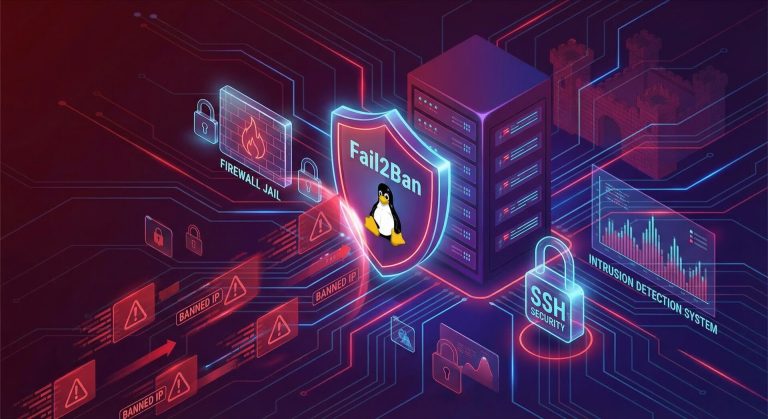
Fail2Ban automatically blocks IPs after repeated failed login attempts—a critical layer in Linux SSH hardening 2026:
sudo apt install fail2ban -y
sudo systemctl enable fail2ban
sudo systemctl start fail2ban
Configure SSH jail in /etc/fail2ban/jail.local:
[sshd]
enabled = true
port = 2222
filter = sshd
logpath = /var/log/auth.log
maxretry = 3
bantime = 3600
This Linux SSH hardening 2026 tool bans attackers for 1 hour after 3 failed attempts.
10. Firewall IP Whitelisting
Restrict SSH access to known IP addresses only:
sudo ufw allow from 203.0.113.0/24 to any port 2222
sudo ufw deny 2222
This Linux SSH hardening 2026 approach is ideal for static IP environments.
11. Enable Two-Factor Authentication (2FA)
Add an extra layer with Google Authenticator:
sudo apt install libpam-google-authenticator -y
google-authenticator
Edit /etc/pam.d/sshd:
auth required pam_google_authenticator.soIn /etc/ssh/sshd_config:
ChallengeResponseAuthentication yes
AuthenticationMethods publickey,keyboard-interactive
Multi-factor authentication is becoming standard in Linux SSH hardening 2026.
12. Audit Logs Regularly
Monitor SSH access attempts:
sudo grep 'Failed password' /var/log/auth.log | tail -20
sudo lastlog | grep -v 'Never'
Regular log audits are a best practice in Linux SSH hardening 2026.
Verifying Your Linux SSH Hardening 2026 Configuration
After applying Linux SSH hardening 2026 changes, always verify before closing your session:
# Test SSH config syntax
sudo sshd -t

# Restart SSH service
sudo systemctl restart sshd

# Open a new terminal and test connection
ssh -p 2222 user@server_ip

# Verify open ports
sudo ss -tlnp | grep ssh
Never close your active session until you’ve confirmed remote access works with the new Linux SSH hardening 2026 settings.
Compliance and Standards for Linux SSH Hardening 2026
Your Linux SSH hardening 2026 implementation should align with industry standards:
- CIS Benchmarks: SSH configuration baselines for Ubuntu/Debian/RHEL
- NIST SP 800-123: Federal guidelines for SSH key management
- PCI-DSS: Payment card industry security requirements
- HIPAA: Healthcare data protection standards
- ISO 27001: Information security management
Automated compliance tools like Ubuntu Security Guide (USG) can enforce Linux SSH hardening 2026 policies at scale.
Linux SSH Hardening 2026 Checklist
Use this checklist to ensure complete Linux SSH hardening 2026:
- ✅ Disable password authentication
- ✅ Block root login
- ✅ Change default SSH port
- ✅ Restrict user access (AllowUsers/AllowGroups)
- ✅ Limit authentication attempts (MaxAuthTries 3)
- ✅ Disable X11/TCP forwarding
- ✅ Configure idle timeouts (ClientAliveInterval)
- ✅ Use SSH Protocol 2 only
- ✅ Install and configure Fail2Ban
- ✅ Implement firewall rules (UFW/iptables)
- ✅ Enable 2FA (optional but recommended)
- ✅ Audit logs weekly
- ✅ Keep SSH updated (OpenSSH 9.x in 2026)
- ✅ Use ed25519 keys (not RSA 2048)
- ✅ Test configuration before logout
Common Linux SSH Hardening 2026 Mistakes to Avoid
Even experienced admins make these errors when implementing Linux SSH hardening 2026:
- Locking yourself out: Always test new configurations in a separate session
- Weak key passphrases: Use strong passphrases for private keys
- Forgetting firewall updates: Update UFW/iptables when changing SSH port
- Ignoring logs: Set up automated log monitoring
- Skipping updates: CVE-2026-3497 and other recent SSH vulnerabilities require patches
Additional Server Hardening Beyond SSH
While Linux SSH hardening 2026 is crucial, complement it with these measures:
- Kernel hardening: Sysctl parameters in
/etc/sysctl.d/99-hardening.conf - SELinux/AppArmor: Mandatory access controls
- File integrity monitoring: AIDE or Tripwire
- Automatic updates: Unattended-upgrades for security patches
- Minimal services: Disable unused services to reduce attack surface
For comprehensive server security, combine Linux SSH hardening 2026 with these complementary strategies.
Conclusion: Mastering Linux SSH Hardening 2026
Implementing Linux SSH hardening 2026 best practices is the single most effective way to secure your server infrastructure. By following this guide, you’ve configured key-based authentication, disabled dangerous features, implemented automated blocking with Fail2Ban, and aligned with industry compliance standards.
Remember that Linux SSH hardening 2026 is not a one-time task—it requires ongoing maintenance, regular log audits, and staying current with security updates. Subscribe to Ubuntu Security Notices (USN) or RHEL security advisories to receive alerts about SSH vulnerabilities.
For more advanced server security topics, explore our guides on Linux server administration and database security hardening. Stay secure in 2026!
External Resources for Linux SSH Hardening 2026:
- Ubuntu Security Notices – Latest CVE patches and security updates
- OpenSSH Configuration Guide – Official sshd_config documentation
- CIS Benchmarks – Industry security baselines for Linux SSH

Hi, I’m Mark, the author of Clever IT Solutions: Mastering Technology for Success. I am passionate about empowering individuals to navigate the ever-changing world of information technology. With years of experience in the industry, I have honed my skills and knowledge to share with you. At Clever IT Solutions, we are dedicated to teaching you how to tackle any IT challenge, helping you stay ahead in today’s digital world. From troubleshooting common issues to mastering complex technologies, I am here to guide you every step of the way. Join me on this journey as we unlock the secrets to IT success.